
Scan Date:Nov 7, 2026
Show More

Kimi is an AI workspace for research, writing, file analysis, visual creation, and coding.
Developed by Moonshot AI, Kimi stands out by turning a short request into usable work across documents, websites, and research tasks. The Kimi APK brings its K3 model and connected workspace tools to mobile users who need to continue ideas away from a desktop. Its main capabilities include:
Uses Kimi K3 for reasoning, coding, visual understanding, and research tasks.
Creates presentations from prompts, images, and visual reference materials.
Reads and works with Word, Excel, PDF, and presentation files.
Builds website code from plain-language descriptions or visual references.
Synchronizes Chat conversations across mobile, web, and desktop devices.
Kimi handles questions that need more than a quick reply, including broad research topics, literature reviews, and long reports. The K3 model is designed for reasoning across substantial amounts of context, so a user can keep refining the same topic instead of restarting each time. This makes it useful when collecting sources, comparing viewpoints, or shaping a rough outline into a structured draft.
For larger requests, Agent Swarm can coordinate sub-agents to cover different parts of the work. A user can begin with New Chat, choose K3 in the prompt bar, and describe the scope of the research in everyday language. Results based on web material, finance, or technical subjects still need checking before they are treated as final facts.
Kimi brings file-based work into the same workspace as chat, helping users review and develop content without constantly switching tools. Its Office Agent workflows support PPT, Word, Excel, and PDF files, which is practical for revising a report, extracting points from a document, or turning notes into slides. Follow-up prompts can reshape the result when the first draft needs a different tone, structure, or level of detail.
Task pages for Docs, Slides, Sheets, and Deep Research keep these jobs focused on the type of output needed. Users can upload a file or paste a link, then ask for specific changes rather than writing a request from scratch. Generated presentations can use prompts and visual references to produce a more personalized, professionally formatted starting point, although important figures and formatting should be reviewed before sharing.
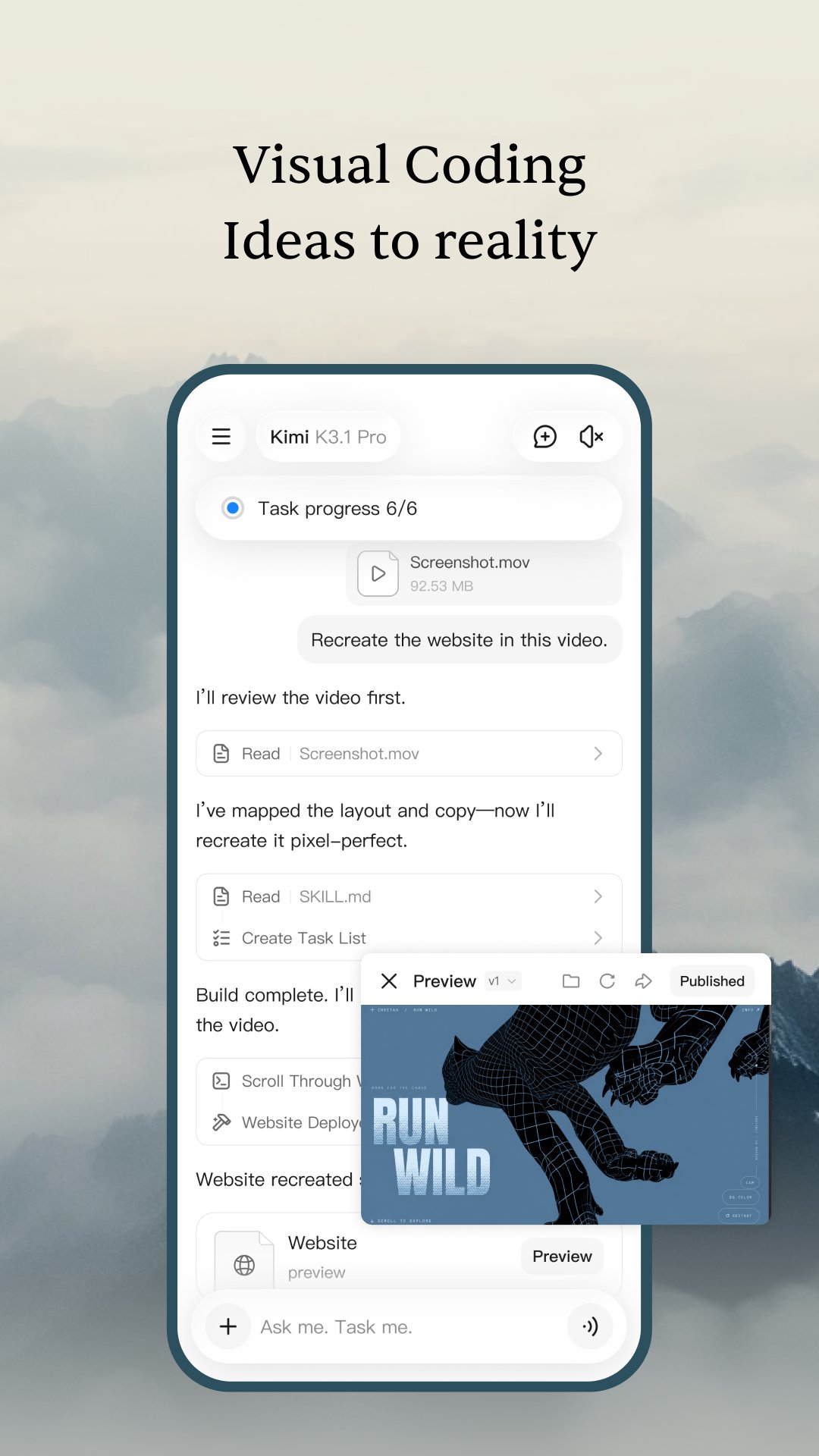
Kimi Code lets users describe a website or app idea in plain language and receive generated code and content. It can also work from a visual reference, which helps when a layout or style is easier to show than explain. This suits early prototypes, landing-page concepts, and small experiments where seeing a working structure quickly matters more than building every element manually.
After sending a description, the preview panel shows how the generated website looks, including a mobile layout view. Project files appear in All files, where items such as an HTML file can be saved for further use. Generated code should always be tested carefully, especially before it is added to a live product or connected to real user data.
Kimi AI keeps Chat conversations synchronized across mobile, web, and desktop, making it easier to continue an unfinished idea in another setting. A research request started during a commute can later be expanded into a document or coding task on a larger screen. Image analysis, information search, and task setting also fit naturally into this shared conversation flow.
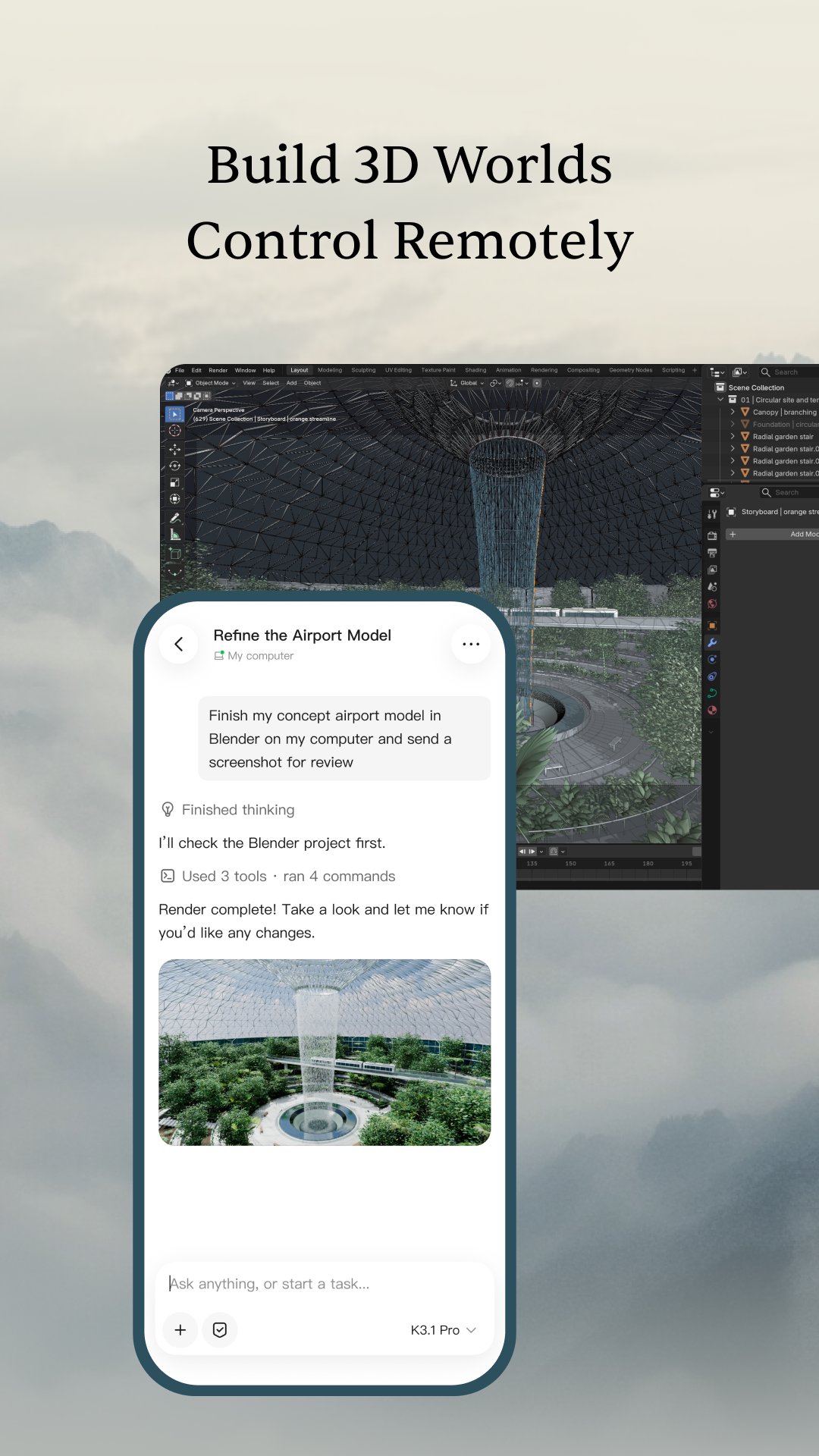
Desktop Kimi Work adds local-folder workflows and browser automation for users whose projects depend on files stored on their computer. Those features can be device-dependent, so some local-file tasks cannot simply continue on a phone. Large uploads, long-context requests, and multi-agent jobs may also take longer and use more network data than a normal chat.
Kimi combines several creation tools around a single conversation, which is especially useful for work that moves between research, files, and drafts. Its broader features also create a few practical limits when tasks depend on local desktop files or unverified generated results.
Pros
Combines chat, research, file work, slides, and coding.
K3 supports long-context reasoning and iterative follow-up requests.
Cross-device Chat sync supports flexible ongoing projects.
Creates website drafts from text descriptions and visual references.
Works with common office documents and PDF files.
Cons
Web-based research answers require human fact-checking.
Some local-file features remain limited to desktop devices.
Large files and Agent Swarm tasks can take longer.
You can download Kimi latest version from APKPure and install it after the file finishes downloading. The package is around 65 MB, so it should download fairly quickly on a stable connection, while slower networks may need a few extra minutes. Keeping some free storage available also helps avoid interruptions during installation.
After opening Kimi latest version, start with a simple New Chat request to check how its workspace fits your needs. For demanding research, uploads, or coding projects, a stable connection is helpful because longer tasks may take time to process.





One-click to install XAPK/APK files on Android!

Thanks for your rating and feedback!
You have already rated.