Safe & Fast APK Downloads on APKPure
APKPure uses signature verification to ensure virus-free AutoAir APK downloads for you.

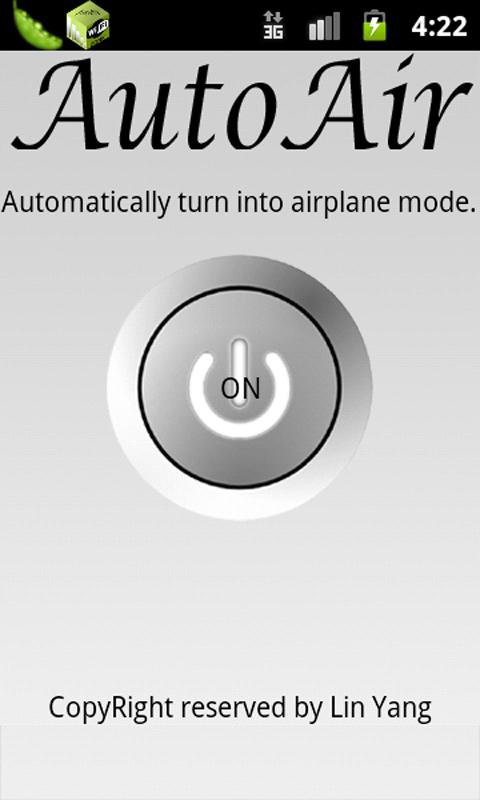
AutoAir, your Free Calling assistant and airplane mode toggle!
For Android 4.2 and higher, use
https://play.google.com/store/apps/details?id=com.YangSoft.AutoAirRoot
AutoAir helps you control your cellular radio automatically according to the WIFI status. Once your phone is connected to the internet through WIFI, you cellular radio will be turned off. Once your phone is losing WIFI connection, cellular radio will be turned on. This application helps you keep the WIFI and cellular radio exclusively available and keep you connected by at least one way. The motivation for this application is the free calling provided by Google Voice. With Google Voice and some other apps (see introductions below), you could make any call through WIFI or 3G without spending the minutes provided by the carrier. If WIFI is available to you all the time, this application will help you to reduce your payment to carrier to almost zero! Of course, Google Voice service is only available at the US and Canada. Sorry for other countries' users.
Free Calling Methods
Here I list several easiest way for you to use your Android Phone make and receive calls for free.
1)
AutoAir + GrooveIP: If you have a GV account, this is the simplest way. Download and install the app, input your GV account and password, start connecting. Open AutoAir start service. That’s it, no more operation on your phone.
One more thing you need to do is go the Google Voice “SETTING”, select your phone number as Google Chat and your Cell Phone Number. You can buy GrooveIp with $4.99. After that, you can tell your friends your GV phone number without telling them your true cell phone number.
2)
AutoAir + Google Voice Call Back Free + Skype:
The first thing is that you need to do is having a Google Voice Account. Then you need to apply a Skype-In number. Reminder, this is not free. Skype will charge you $14.99 for 3 months. It’s really cheap.
Then go to Google Voice setting, forward your phone call to your Skype-In number and your true cellphone number.
On your android phone, you need to install AutoAir, Google Voice Call Back Free and Skype. Start AutoAir service, setting your Google Voice Call Back (set “make all calls with Google Voice” and Call Back to your Skype-In number) and login your Skype. Now you could make and receive all calls for free.
3)
AutoAir + CSipSimple + Google Voice Call Back Free: This method is totally for FREE. Those software are all free, the services they provide are also free. But this method is also the most complicated. The first step you need to get a Google Voice Account. Secondly, get a SIP provider, for instance, Sip2Sip (you could get a list of them from the list of CSipSimple). After registering, you will receive an email from Sip2Sip, telling you your SIP account and SIP server. Main is like this:
SIP address: [email protected]
Password: abcdefg
- Username: abcdef
- Domain/Realm: sip2sip.info
- Outbound proxy: proxy.sipthor.net
- XCAP root: https://xcap.sipthor.net/xcap-root
The third step is forwarding this number to a phone number. This service is provided by IPKall, totally free. Click the IPKall super-link and fill the blanks with the information you received from Sip2Sip. You then will get a number like 425-XXX-XXXX.
Fourthly, install CSipSimple and AutoAir on your android phone. Set up your account with the Sip2Sip account. Start your AutoAir service.
Fifthly, go to Google Voice Account Setting. Set your phone number the IPKall Number and your cell phone number.
Finally, install your Google Voice Call Back Free. Set make all calls with GV and set the callback number the IPKall Number.
I’m waiting for your support for my other apps:
3DDIY: DIY a simple device to make your cellphone a 3D displayer.
ConditionalEXE: Make your cell phone an intelligent robot. Make your life better.
Lin Yang
2011/10/8
Search Tag: Free Call, Google Voice, GrooVeIp, Skype, Airplane mode, Auto, Air, WIFI, Sip2Sip, CSipSimple, Google Voice Callback
Ver 1.2:
Remove ads.
Bugs known:
I received several report that this app no longer working. So please don't update until I fully fixed it. Sorry about that.
This app no longer works in android system higher than android 4.1. You may need use the rooted version:
https://play.google.com/store/apps/details?id=com.YangSoft.AutoAirRoot
Ver 1.1
Correct bugs.
Promote the donate version.


One-click to install XAPK/APK files on Android!

Thanks for your rating and feedback!
You have already rated.