Scan Date:Jan 21, 2026
Show More


9.0
4 Reviews
6.7 MB
File Size
Everyone
Android 4.0+
Android OS
Bright LED torch & color LCD screen light. One tap flashlight, zero clutter.
Need light? One tap and it's on.
Screen Flashlight turns your phone into two lights in one: a powerful LED flashlight and a full-color LCD screen light. No clutter, no confusing menus, no pointless permissions. Open the app, get light, done.
INSTANT LED FLASHLIGHT
The brightest torch light your phone can produce, on in under a second. The screen dims automatically while the LED flashlight is on, so your battery lasts longer exactly when you need it most. Turn it off and the app restores your screen light just the way you had it.
COLOR LCD SCREEN LIGHT
Turn your whole display into a lamp. Pick from 16 million colors with the built-in color picker: warm white for reading in bed, soft amber as a night light, red light to protect your night vision, or any color you like for parties, photos and mood lighting. No camera flash on your device? The screen flashlight still gives you bright, even light on any phone or tablet.
FULL BRIGHTNESS CONTROL
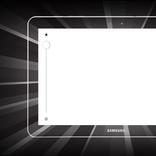
A simple slider takes the light from a gentle glow to full blast. Set your favorite color and brightness once and the app remembers them for next time.
WHEN YOU'LL REACH FOR IT
- Power outages and emergencies
- Finding keys, keyholes and dropped things in the dark
- Reading at night without waking anyone
- A soft night light for the kids' room
- Makeup mirror light and selfie fill light
- Camping, hiking, night dog walks and dark stairwells
- Concerts, parties and festivals
- Video calls that need better light on your face
WHY PEOPLE KEEP THIS FLASHLIGHT APP
- Starts instantly and works every time
- Tiny download that goes easy on your battery
- Clean, modern design: light on, light off, done
- Works as a flashlight, torch, lantern, night lamp, reading light and photo light in one
- Free to download and use
A FLASHLIGHT THAT RESPECTS YOUR PHONE
No strange permissions and no bloat. The app only needs access to your camera flash to run the LED torch, nothing else. It will not touch your files or your contacts.
Download Screen Flashlight: LED Light now and stop fumbling in the dark.



One-click to install XAPK/APK files on Android!

Thanks for your rating and feedback!
You have already rated.