Package Name:com.mestrio.studio
Show More

Create, record, and stream professional live productions from your phone.
Mestrio Studio turns your Android device into a portable live production workspace. Create projects, arrange scenes, combine multiple media sources, record your production, and stream live—all from one app.
BUILD YOUR PRODUCTION
Create independent projects for different shows, events, channels, or workflows. Organize scenes and reusable sources, adjust layouts directly on the canvas, and switch between scenes while producing.
SUPPORTED SOURCE TYPES
Add cameras, screen capture, images, video, audio, text, browser content, drawings, network media, compatible external capture devices, and other production sources. Sources can be shared between scenes to avoid unnecessary duplication.
LIVE PRODUCTION TOOLS
Use Studio Mode to prepare a scene in Preview before sending it to Program. Apply transitions, source filters, scene filters, visual effects, transformations, cropping, positioning, and audio adjustments to build a polished production.
STREAMING AND RECORDING
Record productions locally or stream to configured destinations. Connect supported streaming services or use custom stream addresses when available. Output settings let you control resolution, frame rate, encoding, audio, and other production options supported by your device.
PROJECT MANAGEMENT
Duplicate projects, import project archives, and export projects for backup or transfer. Exported archives can optionally be protected with a password. Project history helps you locate and manage previous exports.
MOBILE-FIRST CONTROLS
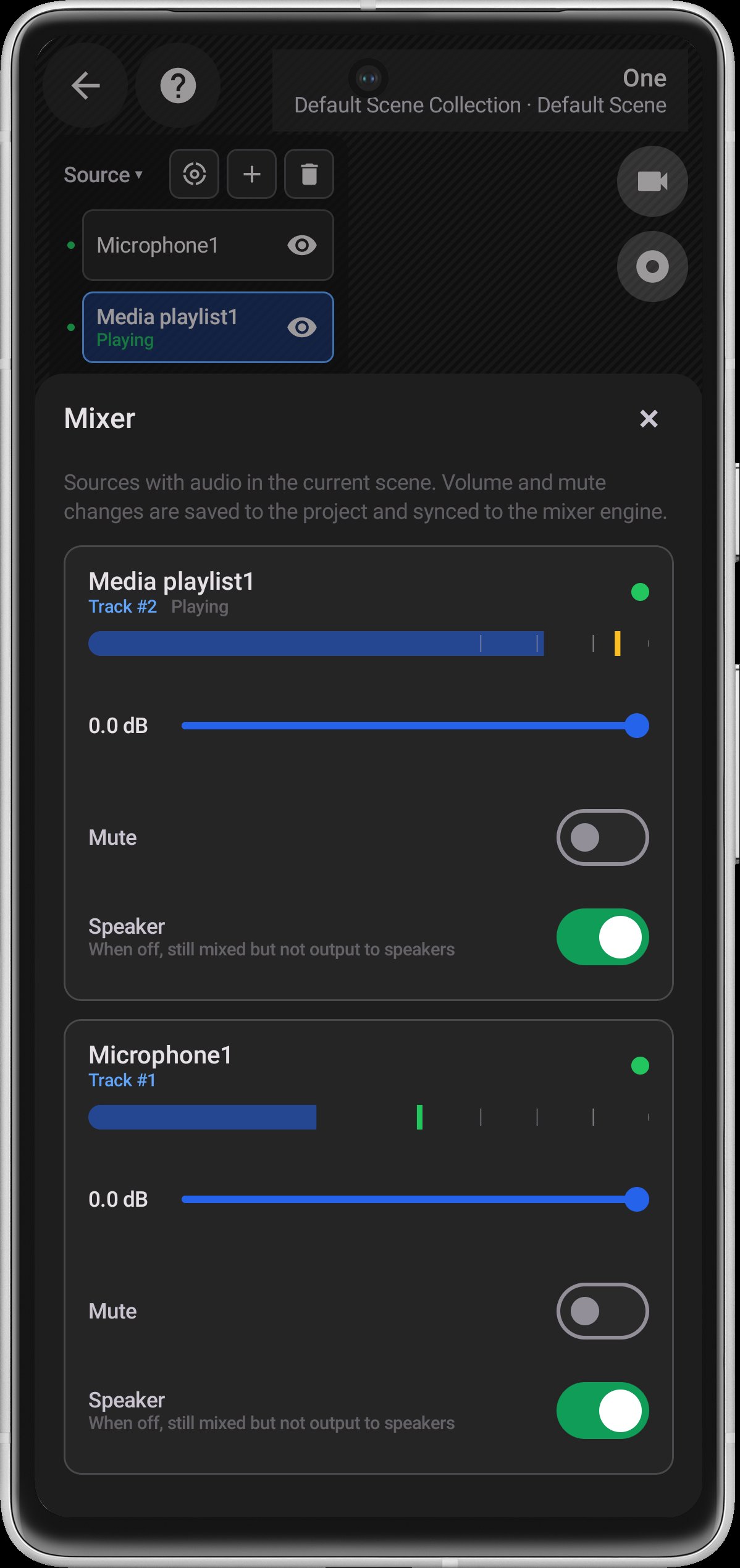
Mestrio Studio is designed for touch-based production. Its canvas tools, source controls, scene management, audio mixer, and optional floating controls help you operate a live production directly from your Android device.
LOCAL-FIRST DATA
Mestrio Studio does not operate its own server for uploading or storing your projects and media. Project configuration and local media remain on your device unless you choose to stream, export, share, or connect to an external service.
MESTRIO PRO
Some distributions may offer an optional Mestrio Pro subscription that unlocks advanced production capabilities. Available plans, trial eligibility, pricing, renewal terms, and subscription management are shown through Google Play before purchase.
Feature availability and performance may vary depending on your Android version, device hardware, connected accessories, media formats, and external services.
Shared Microphone Accessibility Service
On Android 10 and earlier, Mestrio Studio provides an optional Shared Microphone feature. When enabled by the user, it uses Android AccessibilityService solely to keep the selected Studio microphone source receiving live microphone audio while another app is recording. This allows the audio to be previewed, recorded locally, or included in a live stream started by the user.
The service does not read or collect screen content, interface text, passwords, touch input, or accessibility events. It does not control other apps, interact with controls, change settings, or perform gestures.
Microphone audio is processed on the device. It is saved or sent to the user’s selected destination only when the user explicitly starts recording or streaming. This feature is optional, normal microphone use remains available without it, and the service can be disabled at any time in Android Accessibility settings.




One-click to install XAPK/APK files on Android!

Thanks for your rating and feedback!
You have already rated.