
Safe & Fast APK Downloads on APKPure
APKPure uses signature verification to ensure virus-free Mi GetApps APK downloads for you.

Mi GetApps is Xiaomi’s official Android app and game store.
Built by Xiaomi Inc., it delivers verified listings and a safe install flow. Recommendations and updates sit in one place. Before you download Mi GetApps, these highlights set expectations.
Verified catalog across communication, social, tools, and entertainment categories.
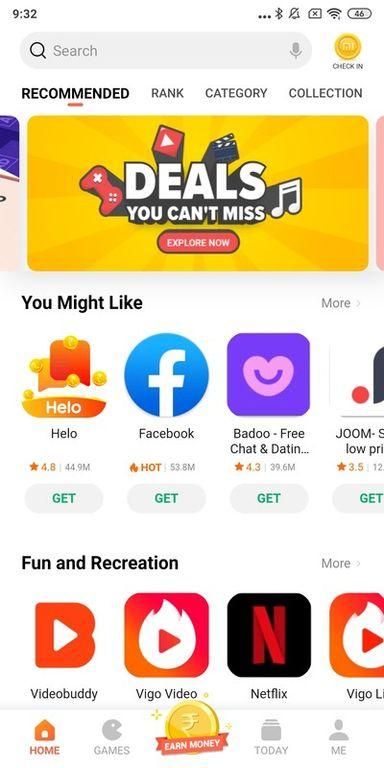
Fast discovery via Recommend, Category, and Games tabs with relevant picks.
In-app download manager for installs and updates, keeping your library tidy.
Localized availability and recommendations tailored to region and language.
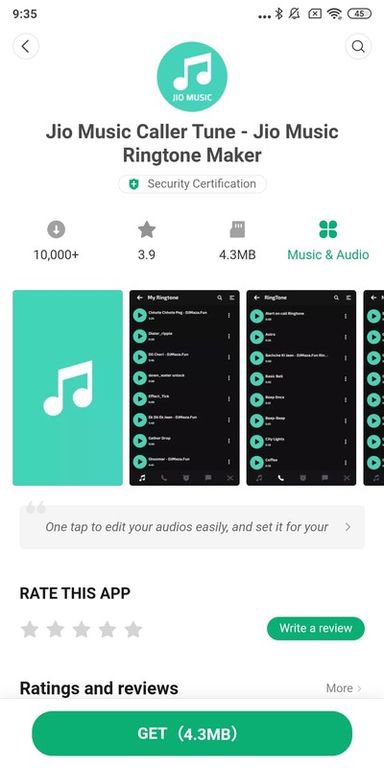
Security and trust stand out because the store is official, with listings reviewed before appearing. App detail pages clearly show descriptions, screenshots, and version information so you can gauge what you are getting. Downloads finish with a familiar Android install prompt, which keeps the process consistent and easy to follow.
Mi GetApps gives a controlled install experience that feels predictable. In practice, this reduces the chance of confusing pop-ups or mismatched packages. Availability can still vary by market, so some titles may appear later in certain regions. When a favorite app is not visible, checking categories or browsing recommendations usually surfaces alternatives that fit the same need.
The catalog covers everyday needs, including communication, social, tools, and entertainment. Popular names such as WhatsApp, Instagram, TikTok, and Netflix are easy to find when available in your region. The Recommend tab surfaces timely picks, while Category and Games help narrow the list when you know the type of app you want.
Mi GetApps adapts suggestions to the device and location, so the feed stays relevant. A quick scroll when setting up a new phone often surfaces the essentials within minutes. When exploring new apps, browsing screenshots and brief descriptions helps decide faster without leaving the store. This keeps discovery simple and reduces the need to jump between apps or websites.
Installs and updates live under one roof, reducing the hassle of juggling multiple menus. After tapping Download on an app page, the in-app manager shows progress without clutter. Later, the Manage or Updates section lists pending updates so you can batch refresh your library when connected to Wi‑Fi.
Mi GetApps also shows running and queued downloads under Profile > All downloads, which makes multitasking easier. If a queue stalls, canceling or clearing the stuck item and retrying often fixes it. In rare cases, clearing the Package Installer and Package Uninstaller cache in phone Settings may help, then returning to the store to restart the download. These steps are occasional troubleshooting, not everyday maintenance.
Recommendations adjust to region and language, so content feels relevant wherever you use the phone. Localized listings improve the chance that apps match local services and media. This approach is useful when traveling or living in markets where app availability changes frequently.
Mi GetApps integrates smoothly with many Xiaomi phones, offering a default-store feel on supported models. The app library remains organized as installs and updates flow through the same manager. For users who prefer a tidy home screen and consistent update reminders, keeping everything within one store reduces friction. Some content and features still depend on regional policies, so results can differ by location.
The strengths come from being Xiaomi’s official store with verified listings, while regional policies and occasional queue issues shape the limits. Mi GetApps balances safety, discovery, and device-friendly management for everyday use.
Pros
Official, verified listings with a safe install flow.
Curated recommendations that feel relevant and timely.
Integrated download and update manager simplifies maintenance.
Localized content by region and language settings.
Smooth integration on many Xiaomi devices.
Cons
Availability varies by region and market.
Occasional stalled downloads require manual retry.
You can download the Mi GetApps latest version APK from APKPure. Download time depends on your connection, and installation typically starts after the APK finishes. APK size may vary depending on the version, so storage needs can change across updates.
After the file saves, follow the on-screen prompts to install. If an install does not begin, re-download and ensure the network is stable. Once installed, open the store to browse recommendations, check app pages, and manage updates in one place.
For a smoother first run, connect to Wi‑Fi and let the store refresh content before installing multiple apps. This helps the manager queue downloads efficiently and keeps your library organized.





One-click to install XAPK/APK files on Android!

Thanks for your rating and feedback!
You have already rated.