Safe & Fast APK Downloads on APKPure
APKPure uses signature verification to ensure virus-free Mirror Lock Screen APK downloads for you.

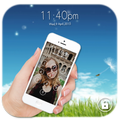
Mirror Lock Screen is a phone lock app with built-in camera capture.
Developed by Droid Atom, it focuses on catching unauthorized unlock attempts through automatic photos. A four-digit PIN and a clean camera lock screen work together for everyday security. You can choose the front or back camera and keep the look tidy with simple date, time, and name color tweaks. Installing Mirror Lock Screen APK offers a quick privacy boost without changing daily habits. Here is what stands out in daily use.
In the Mirror Lock Screen latest version, intruder snapshot captures a photo when someone tries to unlock the device. Leave the phone on a desk and any curious attempt gets recorded, giving a clear view of who touched it. Later, open the in-app gallery to quickly skim faces and timestamps without digging through folders.
Mirror Lock Screen pairs a four-digit PIN with front or back camera control. Some users prefer the front camera for clearer faces, while others switch to the rear camera in dim rooms. These options make the lock feel practical, not fussy, so security stays part of everyday routine.
Get the latest APK for Mirror Lock Screen from APKPure. On a steady connection, the download usually finishes in a short time and installation begins once the file is opened. Tap download Mirror Lock Screen to start, then follow your device prompts to complete setup.
On first launch, the app may request camera access so snapshots can be taken and saved. After that, pick a camera and set a four-digit PIN from settings. If needed, adjust date, time, and name colors to match your wallpaper for a cleaner lock screen look.



One-click to install XAPK/APK files on Android!

Thanks for your rating and feedback!
You have already rated.