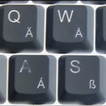
More Physical Keyboard Layouts

More Physical Keyboard Layouts

călin
Jan 5, 2024
  • 10.0

    1 Reviews

  • 278.5 KB

    File Size

  • 0/67
    Security
  • Everyone

  • Android 4.1+

    Android OS

About More Physical Keyboard Layouts

More Physical Keyboard Layouts is a utility that adds extra layouts for hardware keyboards.

Created by călin, it expands Android’s physical keyboard options with many tested regional and alternative layouts. The More Physical Keyboard Layouts APK installs without a launcher icon and integrates directly into system settings. Expect a practical boost if you type in multiple languages or prefer Colemak-style layouts, then explore the highlights below.

  • Adds many tested layouts for languages like Albanian, Armenian, Thai, and Urdu.
  • Includes alternatives such as Colemak, EurKEY, Halmak, and Swedish Dvorak variants.
  • Works with OTG and Bluetooth keyboards; options appear when a keyboard is connected.
  • Integrates under System > Language and Input; no extra app icon or clutter.
  • Offers experimental layouts you can try; availability may vary by device and version.
  • Lightweight install with minimal footprint and no distracting background extras.
  • Community-tested approach where user reviews help confirm reliable everyday layouts.


System integration for connected keyboards

New layout choices show up once a physical keyboard is connected. After you download More Physical Keyboard Layouts, those layouts appear under Language and Input, ready to select without extra setup. For example, plug in a USB keyboard and switch to Belgian (Comma) if you prefer an AZERTY variant or to Thai Kedmanee for local typing.


Wide language and layout coverage

It covers many languages and ergonomic styles. More Physical Keyboard Layouts includes tested options like Romanian Programmers and Polish Programmers for coding-friendly symbols, plus alternatives such as EurKEY and Colemak for familiar shortcuts. Bluetooth pairings respond quickly, making it easy to alternate between work and personal layouts during a busy day.


Download and install More Physical Keyboard Layouts

Get the More Physical Keyboard Layouts latest version from APKPure with a quick download. On most connections, it installs like a standard APK. There is no launcher icon; layout choices appear in settings when a physical keyboard is attached.

If nothing shows, connect your OTG or Bluetooth keyboard and revisit Language and Input. Start with a tested layout for dependable results, then try experimental ones as needed. Download the latest APK from APKPure to keep layouts current.

Show More

What's new in the latest 1.29

Last updated on 2024-01-05
v1.29 + Urdu Phonetic + Thai Writer layouts + Thai Manoonchai + Santali Inscript + Nias + EurKEY + Bangla Probhat
v1.28 + Russian Phonetic (Linux) + US Dvorak Programmer; fix Portuguese Magic Keyboard tilde accent; Android 12 support
v1.27 + Tamil 99
v1.24: + Portuguese (magic Keyboard)
v1.23: Neo 2 fix ι
v1.22: Neo 2 fix ä & W
v1.21: + Santali + Neo 2
v1.20: fix Turkish F. You can now type İ with caps lock on now
v1.19: fix Kurdish: now able to type ڵMod-DH
Show More

Videos and Screenshots

  • More Physical Keyboard Layouts poster
  • More Physical Keyboard Layouts screenshot 1

More Physical Keyboard Layouts APK Information

Latest Version
1.29
Android OS
Android 4.1+
File Size
278.5 KB
Developer
călin
Available on
Content Rating
Everyone
Security Report
0/67
Scan Result: Secure
No security vendors flagged this file as malicious
No Virus
No Spyware
No Malware
No Virus
No Spyware
No Malware
Scan Date:Oct 31, 2025
Package Name:varzan.extraKeyboardLayouts
SHA-256:b6dae3e60d890986e18042472251f632dd5065a4c72e42bdde49a52edbceebbd
SHA-1:68e13ae9970c2d42b275a5daa5af85d4d626eca6
Show More

Old Versions of More Physical Keyboard Layouts

APKPure icon

Super Fast and Safe Downloading via APKPure App

One-click to install XAPK/APK files on Android!

Download APKPure
thank icon
We use cookies and other technologies on this website to enhance your user experience.
By clicking any link on this page you are giving your consent to our Privacy Policy and Cookies Policy.
Learn More about Policies