Package Name:com.stepely.stepcounter
Show More

Pedometer. Set step goals for each day and your step length. Walking quests.
Stepely is a step counter and pedometer for everyday walks. Count steps automatically, follow your walking progress, and build a routine that fits your life. Use it as a simple step tracker or turn everyday movement into personal walking quests. No GPS or Stepely account needed.
Count steps offline and in the background
Use your phone's built-in step sensor to record daily steps, even when the app is in the background. Check your progress in the activity notification and pause or resume counting from the home screen. Phone-based step counting works without an internet connection.
Set a daily step goal that fits your schedule
Keep one daily target or create a weekly plan with a different goal for each day. Set a custom goal for a specific date. Daily and weekly progress rings help you see how your walking adds up.
Make your walks more rewarding
Choose a solo walking challenge lasting 1, 7, or 30 days, with three difficulty levels. Try a morning target, three separate walks, or a secret step goal. Take on a seven-day step challenge with rising targets, collect keys for steps, distance and energy, battle a monthly boss, or earn stars to build a constellation. Track active quests and revisit your quest history.
Quest progress starts after you accept a quest and uses phone-recorded steps by default. Eligible quests let you include manually edited steps. Morning and three-walk quests require a compatible individual-step sensor.
Understand your walking progress
View steps, estimated walking distance and calories burned, movement time, average speed and pace. Explore daily, weekly, monthly and yearly charts, or choose your own date range. Compare goal streaks and your most active periods. Adjust your step length to personalize distance estimates. Add steps manually or correct an hourly total to fill gaps in your history.
Celebrate your milestones
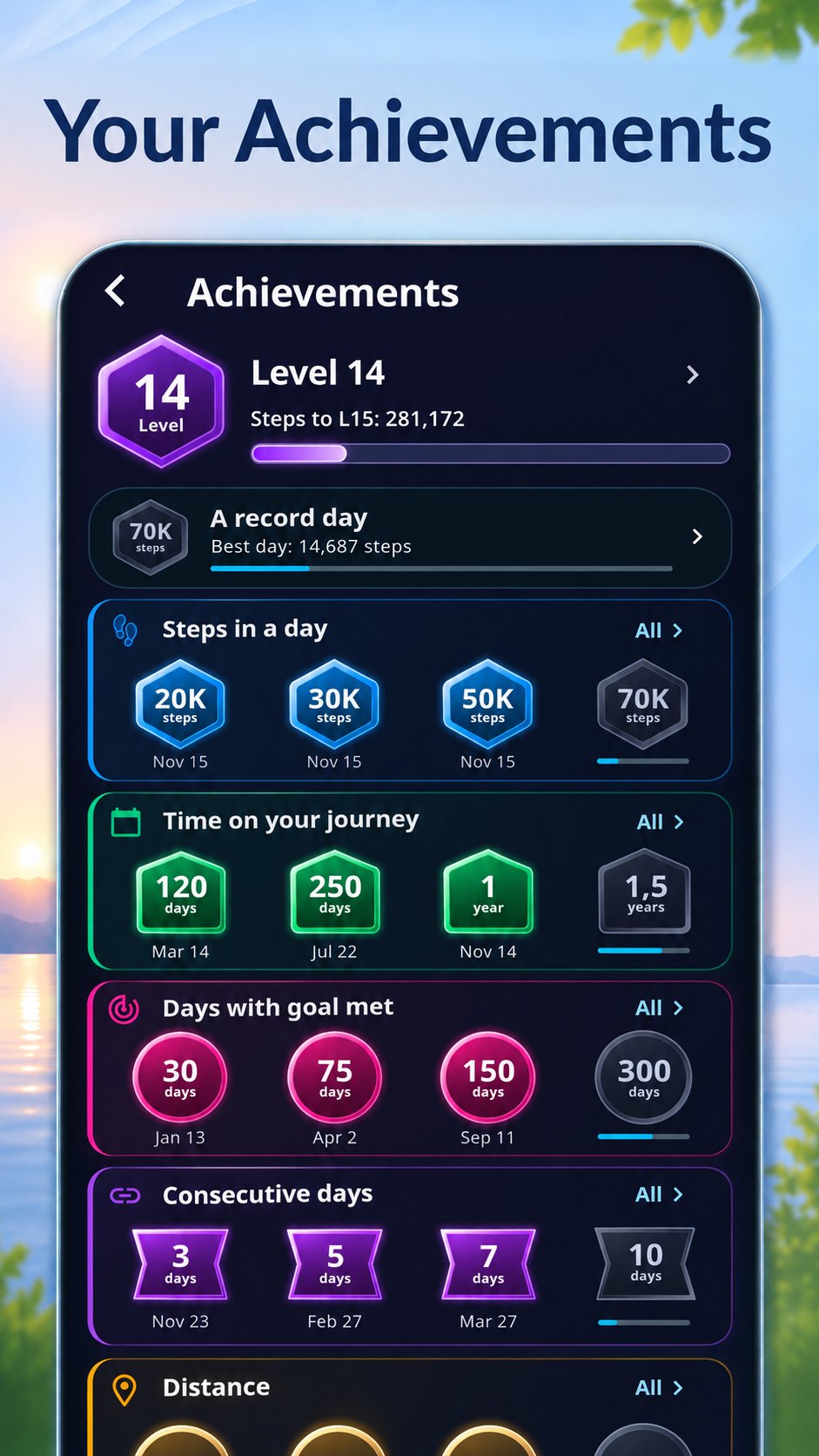
Build your level as your total steps grow. Unlock achievements for daily records, goal streaks, total goal days, distance and time using Stepely. See how close you are to your next reward.
Make the home screen yours
Rearrange cards, hide metrics you do not need, and choose line or bar charts. Switch between light and dark modes, explore five color themes, and choose metric or imperial units. Stepely supports 25 languages.
Connect your step history
With optional Health Connect access, import step history, view steps from a selected source, or export step records. Reading and writing are controlled separately.
Keep control of your data
Your history is stored on your device. Stepely has no ads or analytics services and does not automatically send your activity history or diagnostic logs to the developer. Health Connect sharing follows your permissions and settings.




One-click to install XAPK/APK files on Android!

Thanks for your rating and feedback!
You have already rated.