Package Name:jp.onmitsu.nasu.myclockwidget
Show More

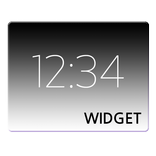
Simple and easy-to-read digital clock widget
【Main Features】
1. Large Date Font
The date is displayed in a large, easy-to-read font.
If it feels too large, you can reduce the size.
2. Resizable Widget
You can resize the widget on your home screen by long‑pressing it and adjusting the frame.
3. Simple and Easy Settings
No complicated setup is required. You can customize the widget with simple operations.
4. Focused on Clock Display
This app does not include flashy decorations or extra functions.
It is designed to display the date and time in a clear and straightforward way.
5. Various Customization Options
A variety of settings are available so you can adjust the widget to your liking:
・Clock position: 3 options
・Clock layout: 2 options
・Background color: approx. 16.77 million colors
・Text color: approx. 16.77 million colors
・Text shadow: 3 options
・Use 12‑hour format: ON/OFF
・Show AM/PM: ON/OFF
・AM/PM format: 4 options
・AM/PM position: 2 options
・Use zero hour: ON/OFF
・Two-digit hour format: ON/OFF
・Show seconds: ON/OFF
・Seconds style: 2 options
・Time size: 3 options
・Date format: 61 options
・Two-digit year format: ON/OFF
・Date size: 3 options
---------------------------
【Before You Start】
Adding, removing, moving, and resizing widgets follow standard Android operations.
If you are unsure how to use widgets, please refer to the following page: https://www.android.com/articles/45/#sub-section-6-2
On some devices, power‑saving settings may prevent the widget from updating.
This is not a bug in the app but a device‑specific behavior.
Solutions are summarized in the “FAQ” section inside the app.
【Limitations】
This app is designed for smartphones with vertically oriented screens.
On tablets or devices with wide horizontal screens, the widget may not display correctly.
【Open Source Licenses】
This app includes components distributed under the Apache License 2.0.



One-click to install XAPK/APK files on Android!

Thanks for your rating and feedback!
You have already rated.