















Thanks for your rating and feedback!
You have already rated.

9.9
17 Reviews
20.3 MB
File Size
Everyone
Android 10.0+
Android OS
Watch live speed in the status bar and see how your apps use data. Small, fast.
NetworkFlow is a small, fast and free network tool. Watch your download and upload speed live in the status bar, on a floating widget or from quick settings, and see exactly where your data goes.
Ever wonder why a page is loading slowly, or looking for an internet speed meter to keep an eye on your connection? Now you can check your network speed with an ongoing notification or a floating widget, with real time statistics at a glance.
NetworkFlow - Highlights 💯💯
★ Real-time internet speed meter
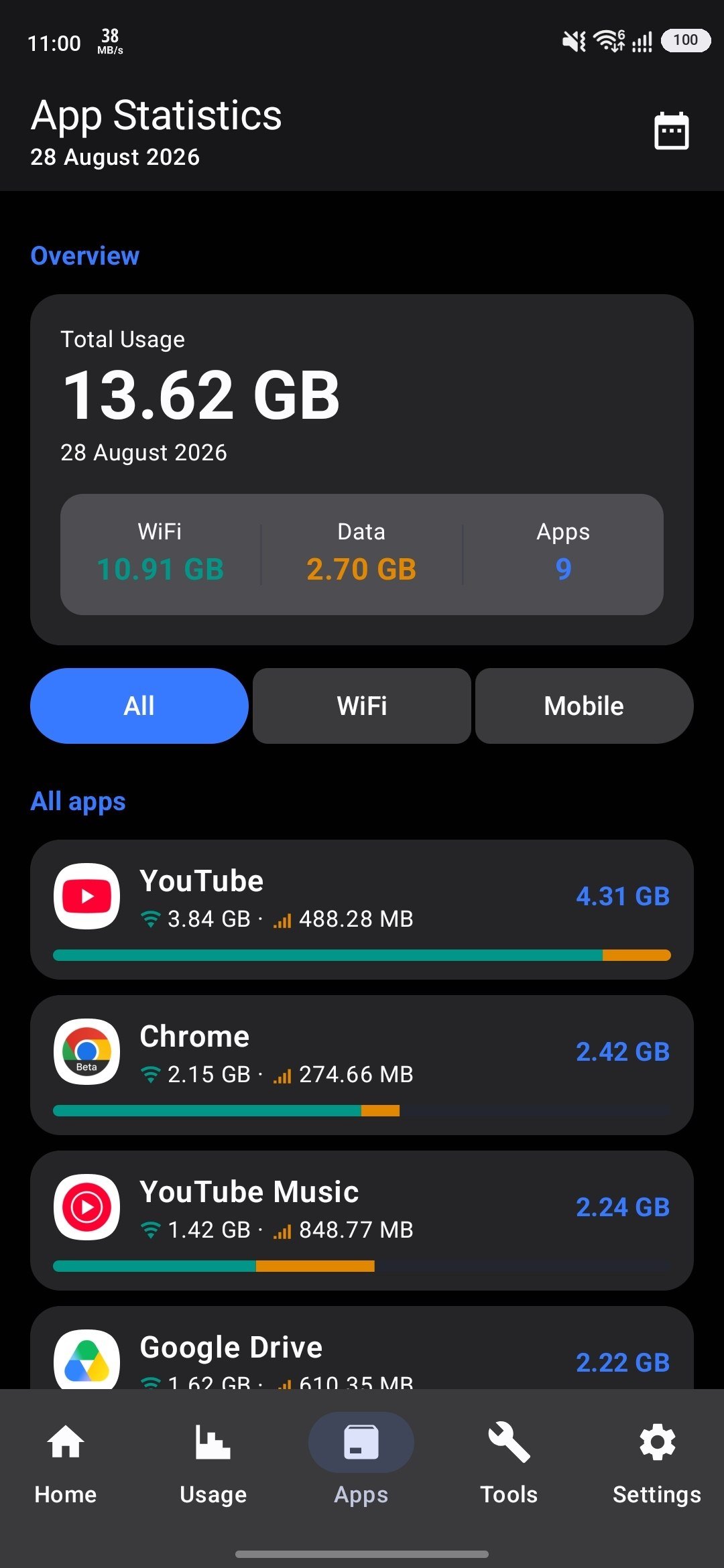
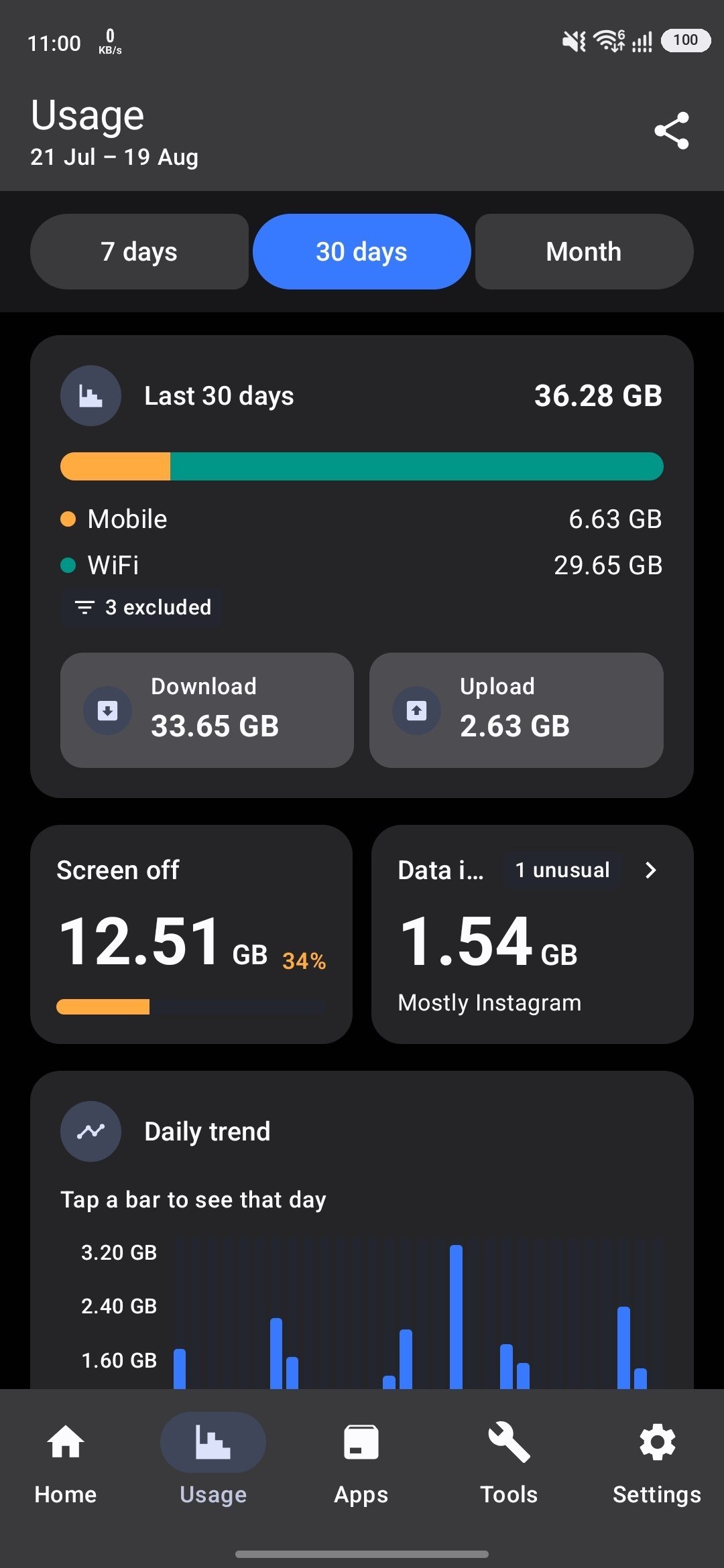
★ Per-app data usage statistics
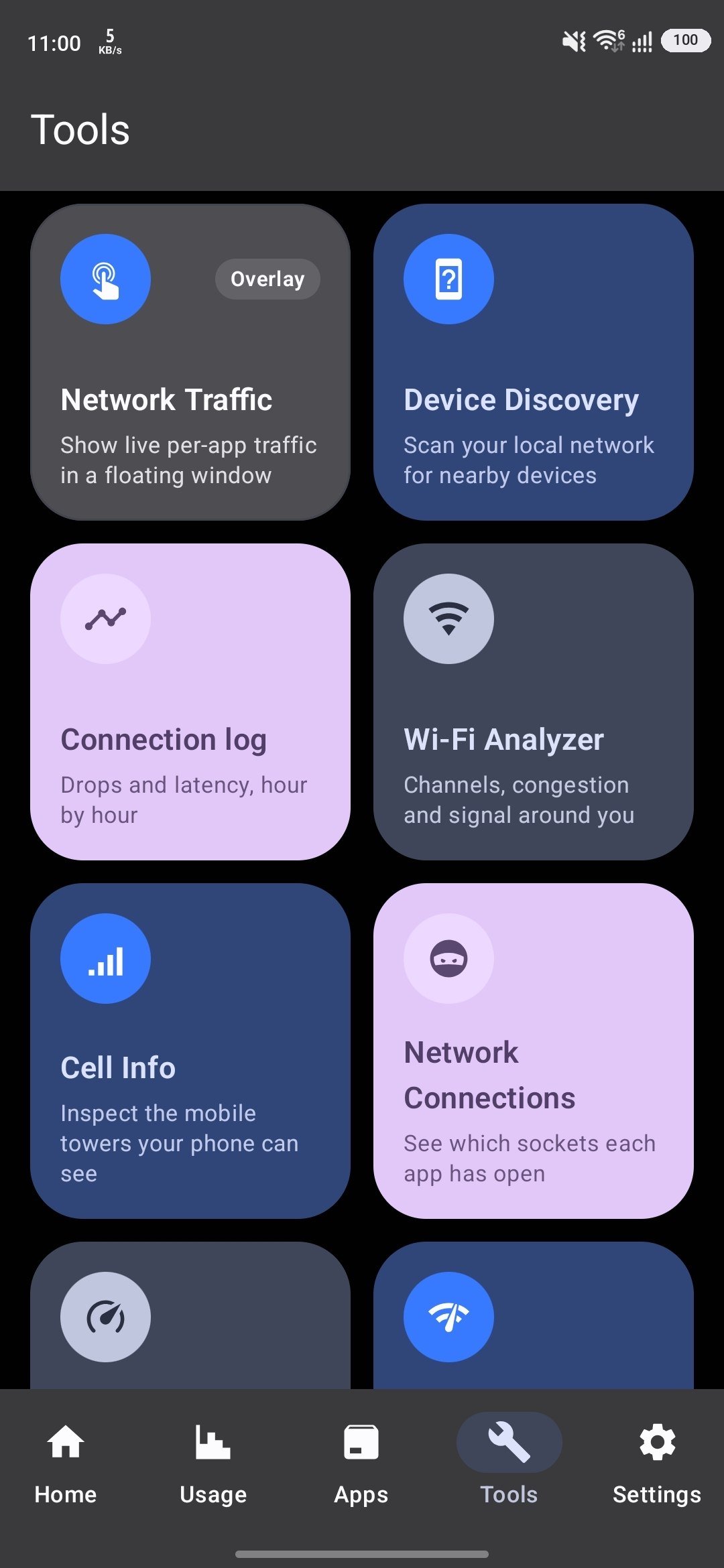
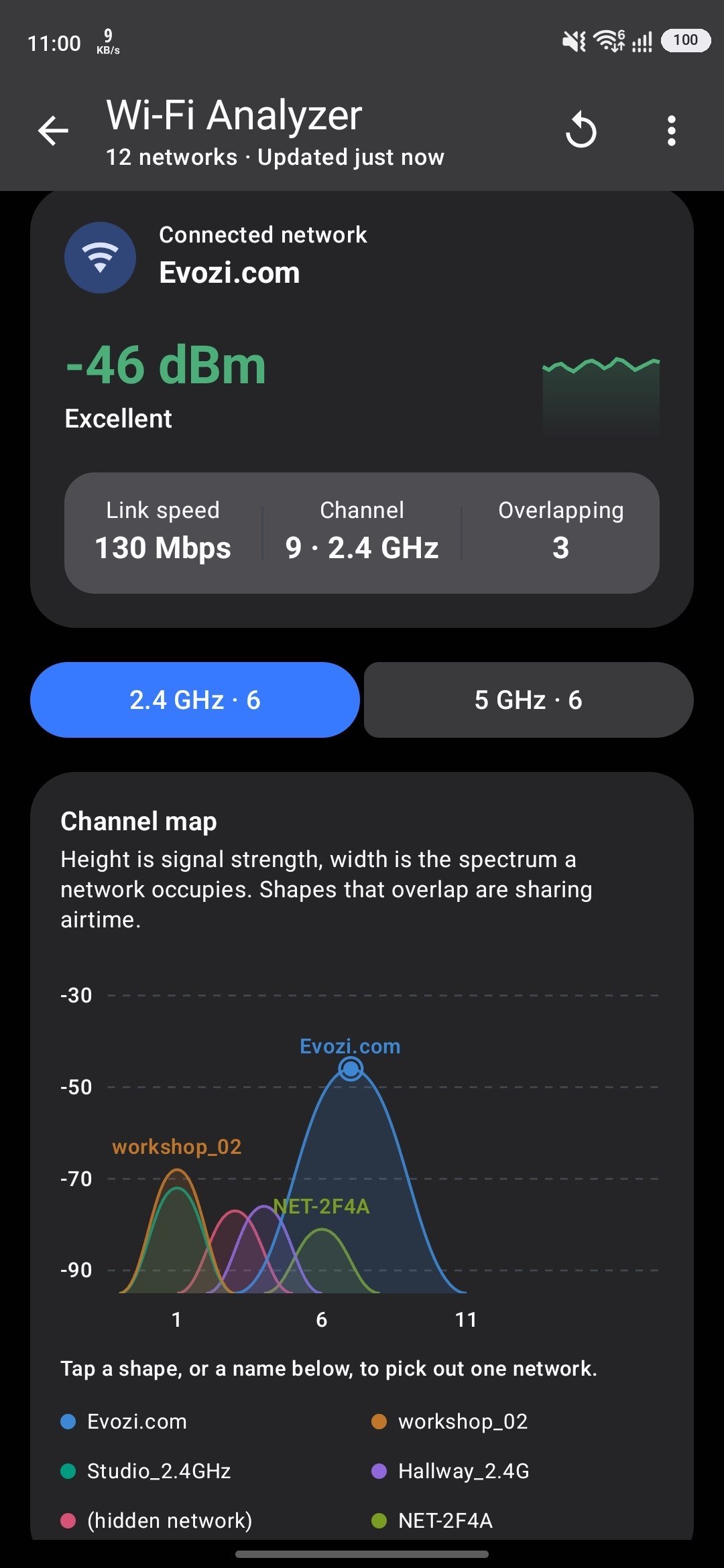
★ Wi-Fi analyzer, device scanner, ping and speed test
★ Data plans with alerts before your allowance runs out
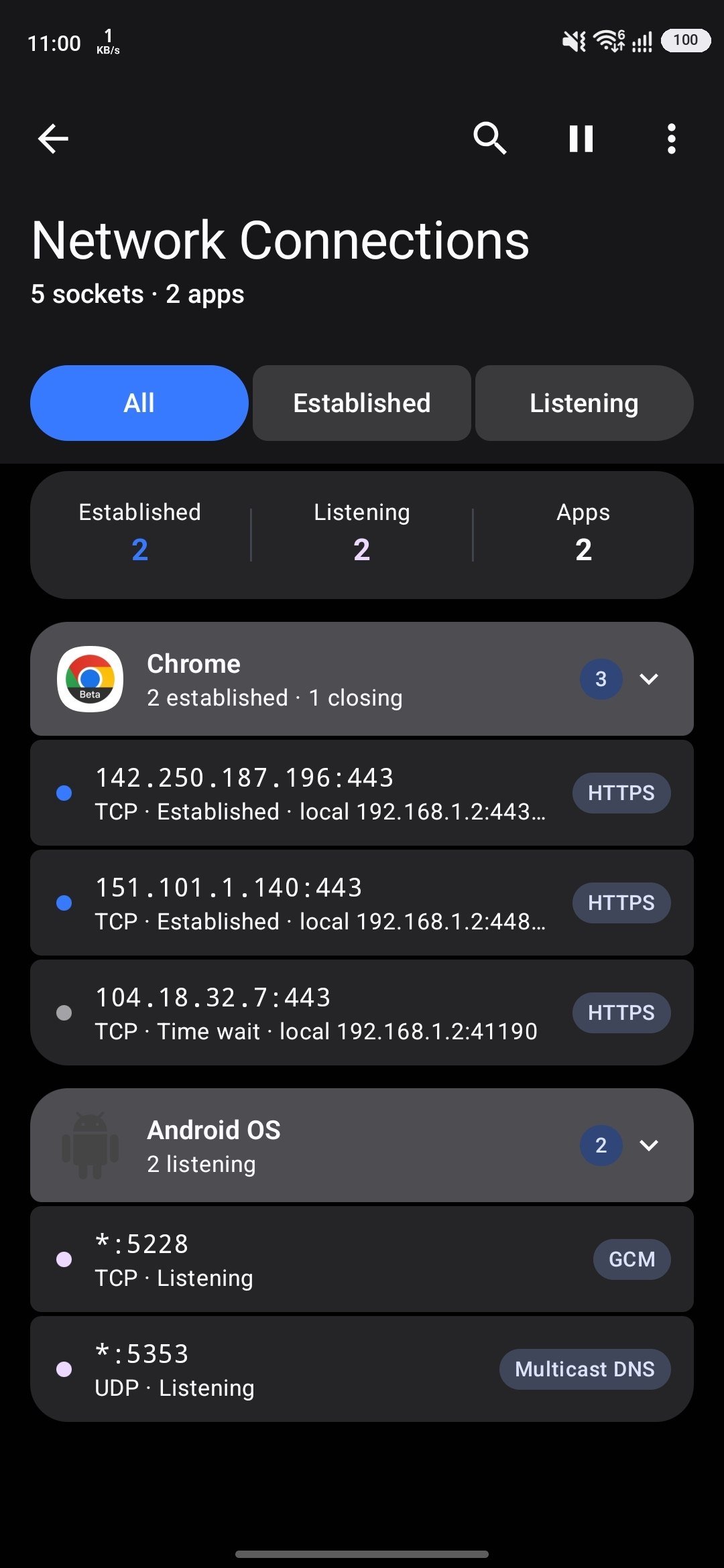
★ Network connections monitor (netstat)
★ Lots of customization options
★ Battery and memory efficient
Monitor your speed:
★ Live download & upload speed in the notification bar
★ Movable floating widget that stays on top of any app
★ Quick settings tile
★ Download & upload speed graph
★ Ping result on the floating widget
★ Hide when idle, on the lock screen, in fullscreen, or inside apps you choose
★ Bits or bytes, with custom colour, size, font and position
★ Unobtrusive notification to let you focus on what's important
Track your data:
★ Detailed daily, weekly and monthly usage statistics
★ See which apps spent your data, and which spent it in the background
★ Daily traffic usage in notification
★ Data plans: track one allowance or several, with usage alerts
★ Roaming days collected as separate trips
★ Insights when an app uses far more data than it normally does
★ Exclude the apps that shouldn't count against your plan
★ Compatible with all types of network (3G, 4G, 5G & LTE, WiFi, VPN)
Network tools:
★ Speed test - measure your real download and upload speed
★ Wi-Fi analyzer - channels, congestion and signal around you
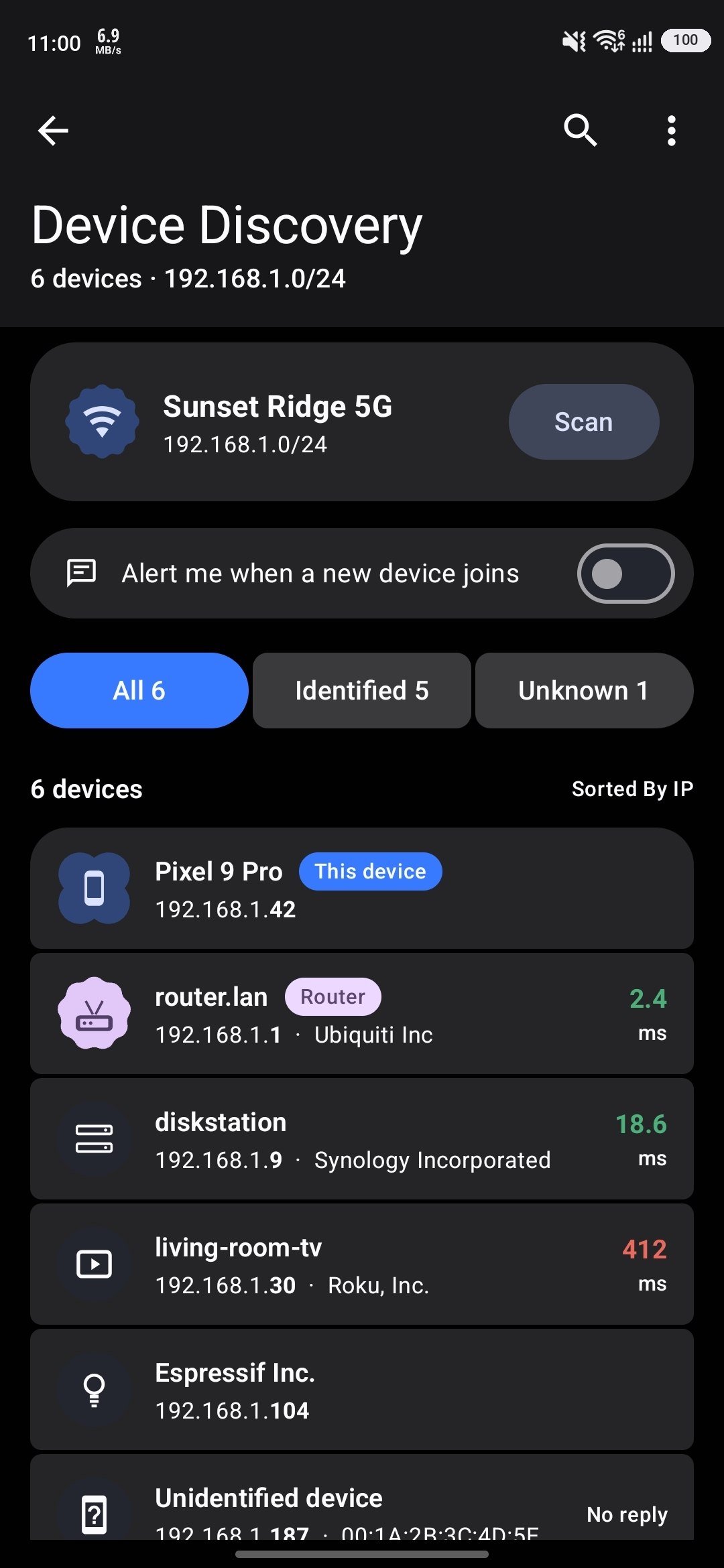
★ Device scanner - find what is on your Wi-Fi, and be told when something new joins
★ Ping test - latency and packet loss to any host
★ Cell info - the mobile towers your phone can see, with band and signal detail
★ Network connections - which sockets each app has open
★ Connection quality - drops and latency, hour by hour
and more! Download now and experience it yourself
Ability to display at:
- Notification bar
- Floating widget
- Quick settings
PERMISSIONS
This app requests certain permissions to help you, including:
● Phone - identifies the current SIM so mobile data is counted correctly. NetworkFlow doesn't make or receive phone calls on your behalf.
● Usage access - attributes data usage to each app.
● Location - required by Android to read Wi-Fi and nearby cell tower details. Used only by the Wi-Fi analyzer and cell info screens.
● Local network - scans your Wi-Fi for nearby devices.
● Display over other apps - shows the floating widget.
PRIVACY POLICY
https://www.evozi.com/privacy_network_speed.php


One-click to install XAPK/APK files on Android!
Thanks for your rating and feedback!
You have already rated.