













Thanks for your rating and feedback!
You have already rated.

Print photos, documents & PDFs from your phone. Scan to PDF with your camera.
Print photos, documents and PDFs straight from your phone, and turn paper into clean PDFs with your camera. Zama Smart Printer brings mobile printing, a document scanner and PDF tools together in one simple app.
Setup takes seconds. Zama searches your Wi-Fi network for nearby printers and prints through the printing system built into Android, so you do not need a computer or extra drivers.
PRINT FROM YOUR PHONE
• Photos — print a single photo, or fit 2, 4, 6 or 9 per page
• Documents — print files already saved on your device
• PDF — print any PDF, page for page, at full quality
• Web pages — print an article without the menus and banners
• Notes, labels, contacts and calendars
You choose paper size, colour or black and white, copies, quality, margins and double-sided printing. Every print shows a real preview first, so you can see the page before you use the paper.
DOCUMENT SCANNER
• Automatic edge detection finds the page for you
• Perspective correction straightens photos taken at an angle
• Auto capture takes the shot when you hold steady
• Colour, greyscale and black and white modes for clear, readable pages
• Multi-page scanning with reorder, retake and delete
• Scan to PDF in one step, then share it or send it to your printer
Use it as a PDF scanner for receipts, contracts, invoices, ID cards, homework, forms and notes. A phone photo becomes a straightened, sharp document instead of a crooked snapshot.
EXTRACT TEXT WITH OCR
Pull the words out of any scan or photo. Text recognition runs on your device, so you can copy, edit, search, share or print the result. Useful for retyping a printed page, saving a receipt total, or getting a quote out of a book.
PDF TOOLS
• Merge several PDFs into one file
• Split a PDF into two
• Reorder, rotate and delete pages
• Extract chosen pages into a new document
• Convert images to PDF
• Compress a PDF to make it smaller
• Add text and a signature
• Preview every page and zoom in before printing
LABEL MAKER
Design address labels, shipping labels, name badges and file folder labels. Add a QR code or a barcode, set the text size and alignment, and fill a whole sheet at once.
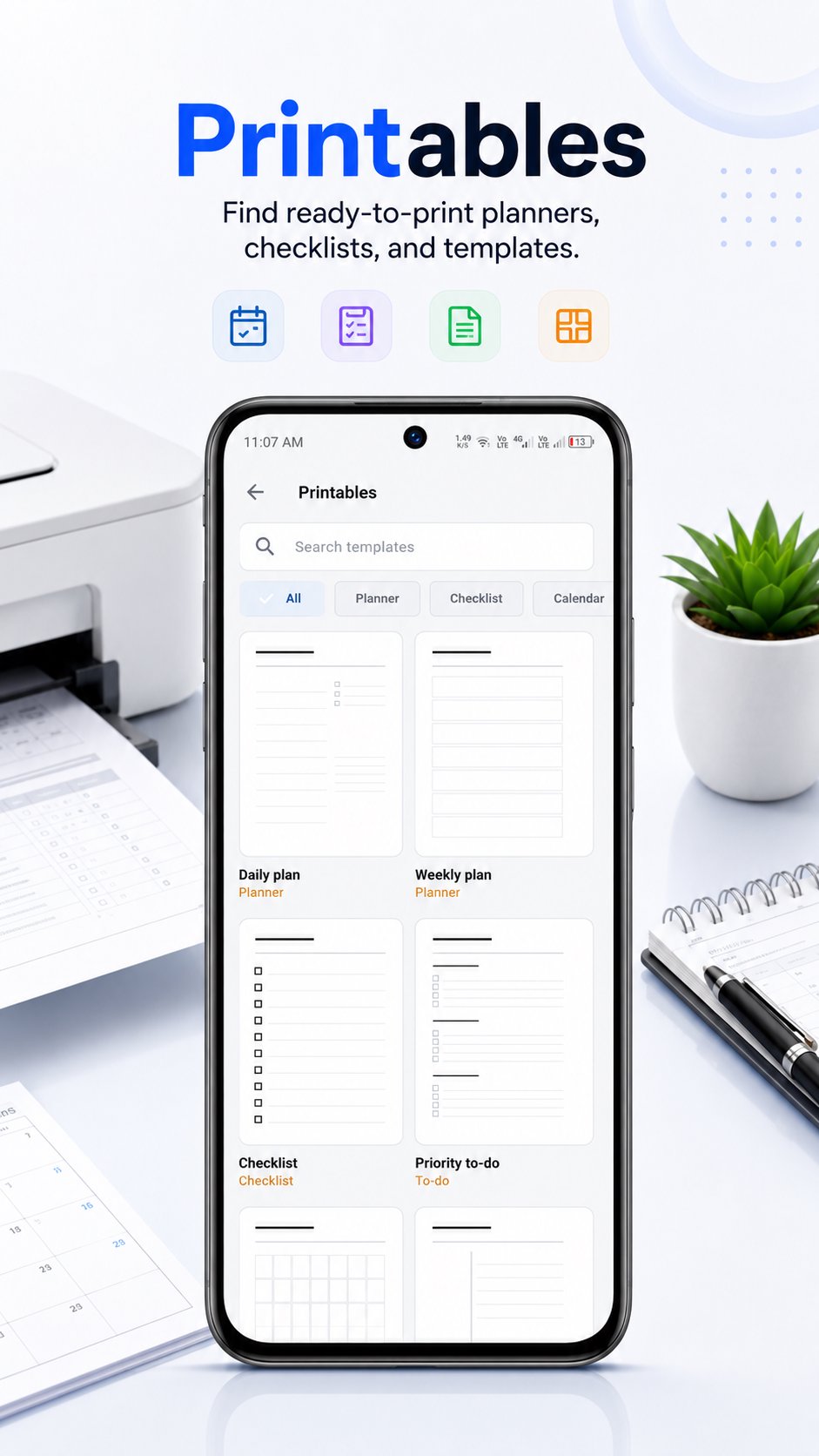
READY-MADE PRINTABLES
Print lined paper, dot grid, graph paper and isometric paper. Plus daily and weekly planners, checklists, to-do lists, blank calendars, handwriting practice, maths worksheets and colouring pages. Every template is drawn at full resolution, so it stays sharp at any paper size.
BUILT FOR EVERYDAY USE
• Works with Wi-Fi printers that support standard network printing
• Clear, readable layout with a proper dark mode
• Large tap targets and screen reader support
• Straightforward wording, with helpful messages when something goes wrong
YOUR DOCUMENTS STAY ON YOUR PHONE
Scanning, text recognition and PDF editing all happen on your device. Your documents, photos and scans are not uploaded to a server for processing. Zama asks for the camera only when you scan, photos only when you pick a photo, and contacts or calendar only when you print those.
WHO IT IS FOR
Students printing assignments and revision notes. Office workers printing contracts, invoices and reports. Parents printing school worksheets and activity sheets. Small business owners printing shipping labels, receipts and price lists. Anyone who wants to print from a phone without turning on a laptop.
WHAT YOU CAN DO IN ONE APP
Print a photo. Scan a contract to PDF. Merge two PDFs. Copy the text out of a receipt. Design a sheet of address labels. Print a week planner. All without switching between apps.
Install Zama Smart Printer and print your first page in a couple of taps.




One-click to install XAPK/APK files on Android!
Thanks for your rating and feedback!
You have already rated.




