
















Thanks for your rating and feedback!
You have already rated.

Everything Adaptive Icons is an adaptive icon pack for customizing supported Android launchers.
NARIK DESIGN builds this pack around a clear red, black, and white Nothing-style look for cleaner home screens. It helps users make app icons feel more consistent while pairing them with matching wallpapers and widgets. The Everything Adaptive Icons APK is mainly useful for users who already enjoy launcher customization. Key highlights include:
The main value of Everything Adaptive Icons is its large collection of more than 5800 premium adaptive icons. The pack focuses on shaped icons that keep the home screen cleaner, especially when many apps from different developers normally use mixed colors and styles. Its red, black, and white look gives folders, docks, and app drawers a more controlled appearance without making icons hard to recognize.
The latest update added 163 new icons and fixed some icons that did not apply automatically, which matters for users who change app sets often. If an app still appears in its original style, the built-in icon request tool gives users a practical way to report missing coverage. This is useful for less common banking, shopping, or regional apps that may not be included yet.
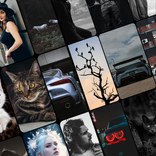
Everything Adaptive Icons uses a strong Nothing Adaptive inspired design with red, black, and white tones. The style works best for users who prefer a minimal Android setup where the wallpaper, icons, and widgets feel like part of the same layout. On a dark wallpaper, the icons stand out clearly, while lighter setups can still keep the same sharp visual identity.
The pack is not only about changing single app icons. It helps the whole screen look more intentional when paired with matching cloud wallpapers. Users who like simple clock widgets, monochrome folders, and clean dock layouts will get the most from this style. The result depends on the launcher, wallpaper choice, and whether the device theme is set to light or dark.
Everything Adaptive Icons works through supported Android launchers rather than replacing the device system icons by itself. Users can open the app, go to the Apply section, and choose a listed launcher when available. If a launcher is not shown inside the app, the icon pack can often still be applied from that launcher’s own icon pack or appearance settings.
Support includes popular options such as Nova, Niagara, Lawnchair, Smart Launcher 6, and Nothing Launcher. Samsung One UI users may need Theme Park for custom icon styling, while Pixel Launcher users may need Shortcut Maker for a more manual setup. This means the pack is flexible, but the final icon shape and color behavior can change depending on the launcher.
Everything Adaptive Icons supports light and dark visual setups, but automatic color changing is limited to specific launchers. Lawnchair 12.1 Dev, Hyperion Beta, Niagara Launcher, Stario Launcher, and Smart Launcher 6 are listed for automatic switching behavior. On many other launchers, users may need to change the device theme and then reapply the icon pack to refresh the look.
This limitation is important for users who switch themes often during the day. A practical approach is to choose one main home screen style first, then pair it with wallpapers that suit that theme. Users who want automatic theme changes should check launcher support before spending time arranging widgets and folders.
Everything Adaptive Icons also includes 13 Kustom widget designs for users who want more than icon changes. These widgets can help create a matching home screen with clocks, information blocks, or design elements that fit the same red, black, and white style. They are best suited for users who already enjoy building custom launcher layouts.
The widgets require KWGT and KWGT PRO before they can work, so this feature is not ready out of the box for every user. The cloud wallpapers are easier to use and give the icon pack a stronger visual match with less setup. For many users, applying the icons and choosing one of the matching wallpapers will be enough to refresh the home screen.
These points come from the app’s launcher-based setup, icon coverage, and customization requirements. Everything Adaptive Icons offers strong visual consistency, but some features depend on extra apps or supported launchers.
ProsUsers can download Everything Adaptive Icons latest version from APKPure and install the APK on a compatible Android device. Since the provided package size can vary by version and device listing, it is best to check the download page before starting, especially when using mobile data. Icon packs are usually quicker to download than large games, but wallpaper and widget assets may still affect the total package size.
After installation, open the app and apply the pack through a supported launcher, or use the launcher’s own appearance settings if it is not listed. Before arranging a full home screen, check whether light and dark switching works automatically on the chosen launcher. This helps avoid repeated setup work and makes the red, black, and white theme easier to keep consistent.



One-click to install XAPK/APK files on Android!
Thanks for your rating and feedback!
You have already rated.