
Safe & Fast APK Downloads on APKPure
APKPure uses signature verification to ensure virus-free NouTube APK downloads for you.

NouTube is a bookmark manager for organizing YouTube and YouTube Music favorites.
Developed by Nonbili, NouTube’s main appeal is keeping videos and music saves in one tidy library. It is useful when scattered links, favorite artists, and long-running playlists are difficult to revisit later. Users looking to download NouTube can expect a focused tool rather than a replacement for a media player. Its main functions include:
Save YouTube videos, channels, and playlists for later viewing.
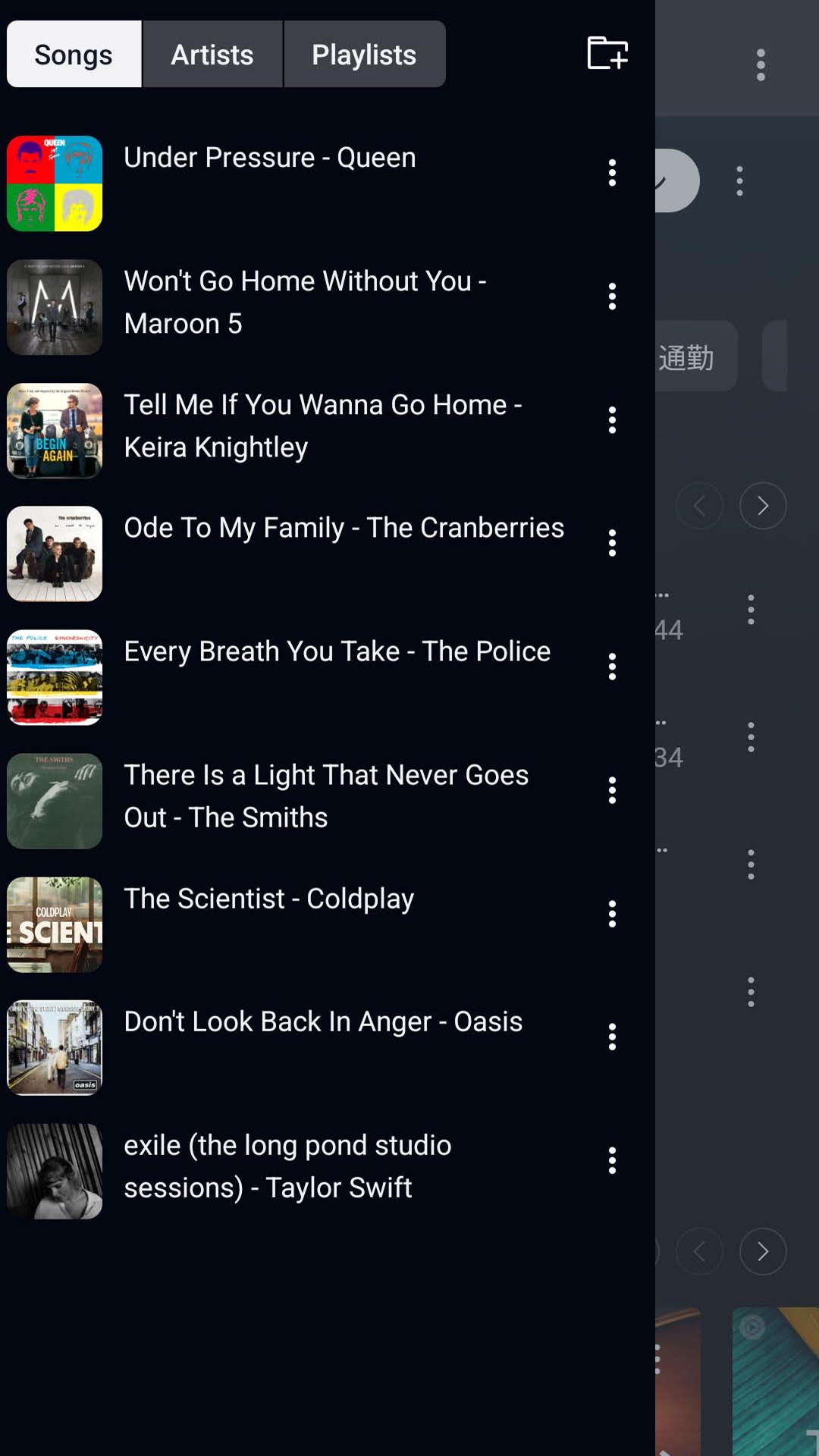
Keep songs, artists, and playlists from YouTube Music together.
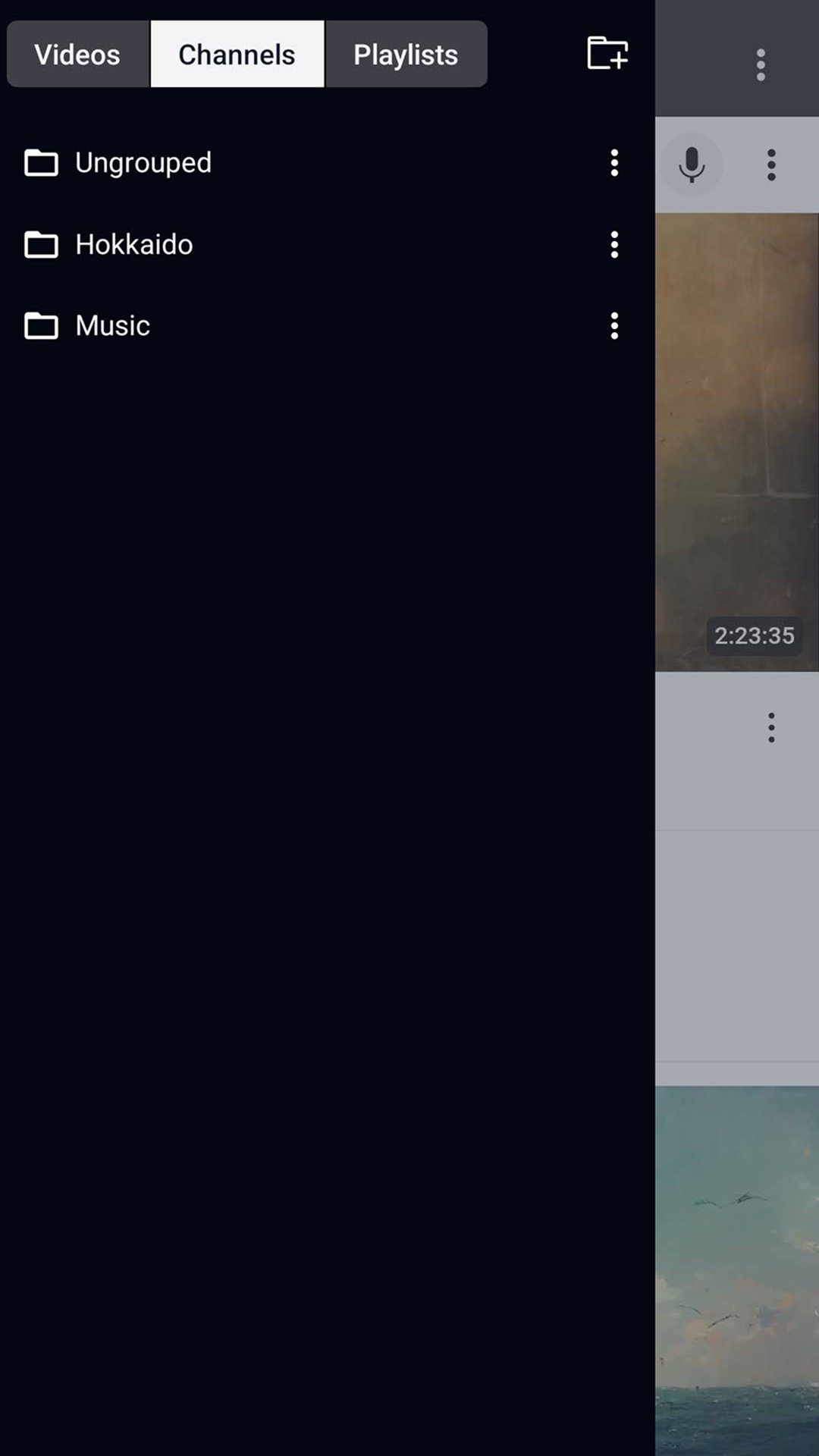
Create folders for topics, moods, projects, or learning resources.
Browse saved media from one central bookmark list.
Sync bookmarks and folder structures across supported devices.
NouTube brings YouTube bookmarks and YouTube Music bookmarks into the same collection. Instead of leaving a useful tutorial in one list and a favorite album somewhere else, users can keep both types of content available in a single place. This works especially well for people who save material over time, such as workout mixes, language channels, podcasts, recipes, and study playlists.
The bookmark options extend beyond individual videos and tracks. A channel can be saved for regular updates, while a YouTube playlist can be kept as a complete resource for a particular interest. From a content page, the relevant video, channel, playlist, song, or artist can be added to the library, making it easier to preserve the source as well as one specific item.
NouTube uses folders to separate saved content by subject, purpose, or media type. A large library can quickly become hard to scan when entertainment, work references, and music are mixed together. Folder-based sorting gives users a simple way to keep a “Watch Later” collection apart from a “Cooking” channel list or a music folder for commuting.
New categories are created through the folder area, then bookmarks can be placed according to the user’s preferred structure. This approach suits people who want a personal video and music archive without turning every saved link into an unlabelled pile. The available information does not confirm tags, search tools, bulk editing, or import and export options, so folders are the primary known method for managing larger collections.
NouTube is designed for collecting whole sources of content, not only one-off videos. Saving a channel helps when a creator regularly posts useful material, and saving a playlist keeps a sequence available without searching for it again. For music, users can also bookmark artists and playlists, which is practical when an artist’s catalog or a curated set matters more than one song.
Once saved, items appear in the bookmark list and can be opened through their linked video, channel, or music page. This makes the app useful as a reference shelf: a viewer can return to a course playlist after several days, or find an artist collection when choosing music later. It remains a bookmark organizer, so it does not replace dedicated video playback or editing apps.
NouTube supports bookmark syncing across devices, helping users keep the same folders and saved items available when switching screens. This is valuable for a collection built gradually, since manually recreating dozens of video and music bookmarks would be inconvenient. A person might save a channel while browsing on one device, then later find it in the same folder elsewhere.
After sync is enabled, the bookmark library and folder layout can be viewed on another device using the same setup. The feature is best suited to users who frequently move between a phone and other personal devices, or who simply want their saved resources to remain consistent. Syncing keeps the organizational side of the experience continuous, while the linked content remains based on YouTube and YouTube Music.
NouTube’s strengths come from its narrow focus on collecting and sorting media references rather than adding unrelated tools. The limitations mainly affect users who need more advanced library controls or a standalone player.
Pros
Combines video and music bookmarks in one library.
Saves channels, artists, playlists, and individual media items.
Folders help separate topics and everyday viewing needs.
Cross-device sync preserves saved collections and organization.
Cons
Advanced sorting and bulk management features are not confirmed.
Useful mainly for YouTube and YouTube Music content.
You can download NouTube APK latest version on APKPure. The file is around 65 MB, so it should usually finish within a few minutes on a stable Wi-Fi connection. Mobile data may take longer and can use a noticeable part of a limited plan.
Before installing, leave some extra storage space for the download and installation process. After opening NouTube, start by creating a few folders for the content you save most often, such as music, learning, or favorite channels. Checking for the NouTube latest version later can also help keep syncing and bookmark access current.


One-click to install XAPK/APK files on Android!

Thanks for your rating and feedback!
You have already rated.