Safe & Fast APK Downloads on APKPure
APKPure uses signature verification to ensure virus-free One Hand Clock APK downloads for you.

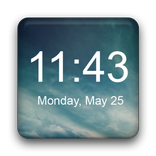
One Hand Clock widget. Hand is in place, the disc moves.
One Hand Clock widget. Hand is in place, the disc moves. Pressing this widget allows to set alarm clock.
Setting alarm clock may be not available to some Android Devices. Every Manufacturer has different Standard Alarm Clock.
If you find an error or have any questions, write me an email.
After installation, you must manually add the widget to the home screen.
How to add widget to the home screen:
1.On your home screen of your Android device, tap any blank or "empty" area and hold down your finger.
2.The "Add to Home screen" window will appear. Tap on "Widgets".
3.List of all the installed Widgets on your Android device will appear.
4.Select the widget to add to your home screen.
Note: On Android Ice Cream Sandwich add widget by selecting icon widgets menu near apps menu.



One-click to install XAPK/APK files on Android!

Thanks for your rating and feedback!
You have already rated.