








Thanks for your rating and feedback!
You have already rated.

Enjoy multiple beautiful wallpapers on our secure pin lock screen
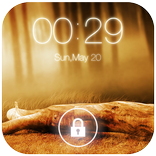
Give your phone a fresh look with a clean and easy-to-use PIN lock screen. Set a personal 4-digit PIN, choose a wallpaper you like, and enjoy a different way to unlock your device.
The app combines a simple design with useful everyday features. You can check the date and time, view supported notifications, and customize the background to make the screen feel more like your own.
✨ A Lock Screen That Feels Right
🔐 Personal PIN
Choose a 4-digit PIN that you can easily remember. Enter it whenever you want to unlock your phone through the app.
🎨 Choose Your Background
Browse the available HD wallpapers and pick one that suits your taste. You can also use your own wallpaper to give the screen a more personal touch.
🕒 Date and Time Display
Keep an eye on the current date and time without having to open another app. You can also choose the 24-hour time format.
🔔 Stay Updated
View supported notifications directly on the lock screen, so you can keep up with incoming updates.
📞 Manage Incoming Calls
Attend or reject calls while your phone is locked, where supported by your device and Android version.
⚡ Simple to Use
The interface is straightforward, making it easy to set up your PIN, change your background, and manage the available settings.
⭐ More Features to Explore
4-digit PIN configuration
Attractive HD wallpaper collection
Option to use your own background
Current date and time display
24-hour clock format
Support for lock screen notifications
Incoming call controls
Easy enable and disable settings
Offline functionality for supported features
Compatible with a range of Android devices
📱 Getting Started
Setting up the app takes just a few steps:
Open Pin Lock Screen and allow the required permissions.
Turn on the lock screen from the app settings.
Create your personal 4-digit PIN.
Choose a wallpaper if you'd like to customize the appearance.
That's it! You can return to the settings anytime to make changes.
🛡️ Your Privacy Matters
We respect your privacy and aim to handle your information responsibly. The app's supported lock screen features can work without an internet connection. For more information about data collection and usage, please read our privacy policy.
❤️ We're Here to Help
Have a suggestion or something isn't working as expected? Feel free to contact us. We appreciate your feedback and use it to make the app better.
If you enjoy using Pin Lock Screen, we'd also love to hear your thoughts through a Google Play rating or review.
Download Pin Lock Screen and enjoy a clean, personalized unlocking experience!



One-click to install XAPK/APK files on Android!
Thanks for your rating and feedback!
You have already rated.