











Thanks for your rating and feedback!
You have already rated.

Pixel Widget Plus is a home screen clock and info widget app.
Created by M.Ibrahim Apps, Pixel Widget Plus delivers Pixel-style clocks you can truly tailor to your home screen. The app focuses on clean design and smooth rendering, with a simple setup that fits most launchers. Colors, spacing, and font choices help your widget match any wallpaper or icon pack while staying readable at a glance. For quick personalization, download Pixel Widget Plus and start refining your clock to suit your layout. Here are the highlights users notice right away.
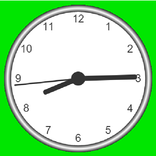
Pixel-inspired clock styles keep the home screen tidy while feeling familiar. Pixel Widget Plus offers both analog and digital designs that mirror the clean Pixel aesthetic. After choosing a look, users can fine-tune spacing and colors so the widget blends naturally with wallpapers and icon packs.
Multiple time zones in one widget make daily coordination easier. With Pixel Widget Plus, up to three clocks can sit side by side, each with a clear label. This helps remote teams, travelers, and families track local times without switching screens, and the Pixel Widget Plus latest version maintains smooth, sharp text.
You can download the latest Pixel Widget Plus APK from APKPure. The file typically finishes downloading within a short time on a stable connection. After saving, Android may prompt to allow installation from this source, and your launcher will list the new widgets once the app is installed.
On first run, the app may ask for basic permissions so clocks and alarms display correctly. If battery saver features are aggressive, allowing background activity helps keep the widget updated. Pick a style, place a widget, and resize to fit your grid; adjustments can be refined anytime as your theme changes.



One-click to install XAPK/APK files on Android!
Thanks for your rating and feedback!
You have already rated.