Package Name:com.bytehavenstudios.ntfsforge
Show More

Open NTFS, exFAT and FAT drives in Files. Copy off free, write NTFS with Pro.
Your Windows drive, on your phone.
Plug in a USB stick, an external SSD or a hard drive, and it shows up in the Files app you already use. Watch a movie from your backup drive, pull photos off a camera card, grab a document from a work stick. No root, no ads, no account, no subscription.
WORKS WITH THE DRIVES YOU ALREADY OWN
• NTFS: the format of almost every Windows PC and external hard drive, which most phones can't write to
• exFAT and FAT32: USB sticks, SD cards and cameras
• Linux ext4, ext3 and ext2 (read only)
• Flash drives, external SSDs and hard drives, and SD cards in a USB reader
NO NEW APP TO LEARN
NtfsForge adds the drive to Android itself. Your gallery, video player, PDF reader, office apps and file managers can all open files straight from the drive, with nothing to copy first.
FREE
• Browse, search and open everything on the drive
• Copy files and folders to your phone
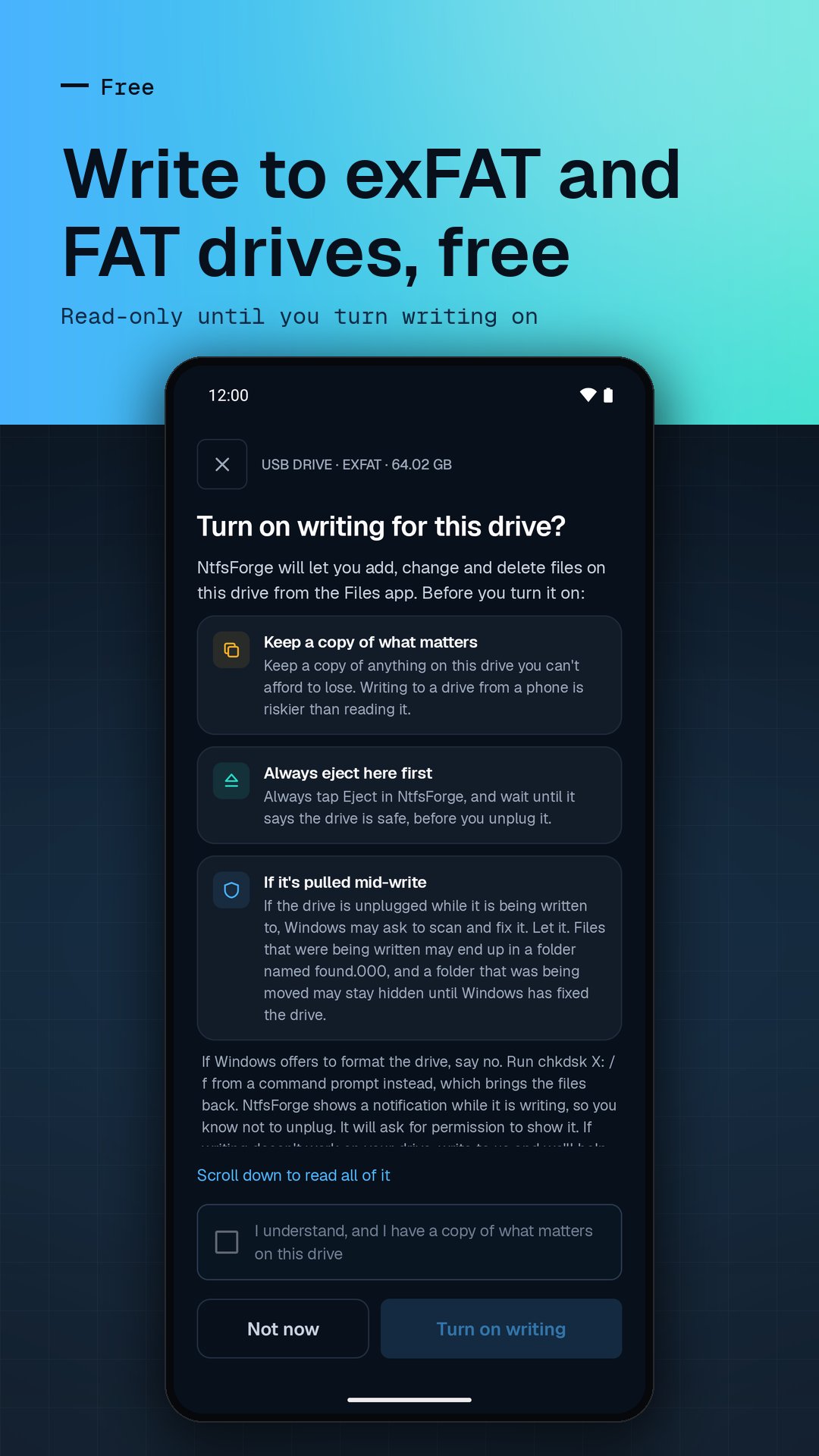
• Full writing on exFAT and FAT drives: add, edit, rename, move and delete
• Reformat a drive as exFAT, so it works on phones, Windows and Mac alike
• Eject the drive cleanly before you unplug it
PRO: PAY ONCE, KEEP IT
Most Android phones can't write to NTFS. Pro can:
• Save, edit, rename, move and delete files and folders on NTFS drives
• Format any drive as NTFS
One purchase covers every drive you connect. No subscription, ever.
BUILT WITH CARE FOR YOUR DATA
• Every drive starts read-only. Writing turns on only when you ask, drive by drive
• Write-protected drives stay read-only, and so do drives Windows left with unsaved changes (after Fast Startup or hibernation), until Windows opens them. If Windows only flagged a drive for a check, Pro can write to it anyway, after a warning
• Linux drives are never written to
• Formatting shows the drive's name and size, warns that everything on it will be erased, and waits for your confirmation. Real progress, and the result is checked
YOUR FILES STAY YOURS
Everything happens on your phone, and nothing from your drives ever leaves it. No account, no analytics, no tracking. The app goes online only for Google Play's purchase and rating sheet, and for a feedback message when you choose to send one.
WHAT YOU NEED
• Android 10 or newer with USB OTG (most phones have it), plus an adapter or cable if the drive's plug doesn't fit
• For microSD cards, a USB card reader; the phone's own card slot isn't used
GOOD TO KNOW
• Files Windows compressed can be opened and copied but not changed; files Windows encrypted can't be opened
• Back up anything you can't lose before writing to a drive
Plug in your drive and open it like any folder.
NtfsForge is an independent app, not affiliated with or endorsed by Microsoft. Windows is a trademark of Microsoft Corporation.





One-click to install XAPK/APK files on Android!

Thanks for your rating and feedback!
You have already rated.