Package Name:com.space.simpleclockwidget
Show More

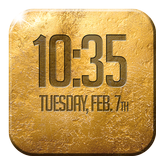
Elegant, customizable clock and date widget for your home screen.
Simple Clock Widget: Customize Your Time
Transform your home screen with a clean, elegant, and highly customizable Android widget that displays the time, date, and day of the week. This application is fast, clean, and allows you to create the perfect look for your device with an instant live preview system.
Key Features:
• No intrusive pop-up ads. Advertisement banners are strictly limited to the top of the settings screens to ensure a completely uninterrupted experience.
• One-tap shortcut. Set a custom application of your choice to launch instantly whenever you tap the left side of the widget.
• Deep text customization. Adjust fonts, text sizes, and fine-tune vertical text positioning independently for the day, time, and date displays.
• Flexible time and date formats. Choose between 12-hour and 24-hour time formats, select custom separator characters, and toggle leading zeros or weekday displays.
• Extensive styling options. Use solid colors or custom gallery images for the background, adjust widget opacity, and customize borders and corner rounding.
• Built-in calendar view. Navigate through months and years with an integrated calendar that visually distinguishes weekends.
• Offline functionality. All features and customization options work fully offline without requiring an internet connection or any account.
• Strict data privacy. All settings, background images, and app choices are stored securely and exclusively on your local device.
How to Use:
To start, long-press your home screen, select Widgets, find Simple Clock Widget, and drag it to your screen. Day and month names automatically adapt to your device's system language.
IMPORTANT:
Smooth Performance & Prevent Freezing:
Modern Android systems and battery savers may delay background widget updates during gaming or heavy device usage. To ensure instant real-time clock updates:
1) App Settings:
• Go to Settings > Apps > Simple Clock Widget
• Set Battery to "Unrestricted"
• Turn OFF "Manage app if unused" (or "Remove permissions if app is unused")
2) Samsung Devices:
• Go to Settings > Battery > Background usage limits
• Open "Sleeping apps" and "Deep sleeping apps" — if Simple Clock Widget is listed, long-press it to select and tap "Remove"
3) Xiaomi / Redmi / Huawei:
• Enable "Autostart" and set Battery Saver to "No restrictions"



One-click to install XAPK/APK files on Android!

Thanks for your rating and feedback!
You have already rated.