Scan Date:Jul 5, 2020
Show More

2.2 MB
File Size
Everyone
Android 4.0+
Android OS
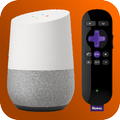
Voice control your Roku using Google Home! No additional hardware required!!
Stop looking for the remote when your phone rings! Just say "hey Google, ask Quick Remote to pause the TV".
Quick Remote helps you control your Roku with voice commands! Play or pause the movie. Rewind or fast forward your favorite shows. Start Netflix or CBS News channel. Navigate Roku's menu by saying go left, right or select!
It can follow multiple commands at once and also control multiple Rokus! You can even ask for it to wait for your next command.
Use Shortcuts in Google Home app to create shortcuts for your favorite commands! Just say "hey Google, pause the TV" instead of "hey Google, ask Quick Remote to pause the TV and wait". Look for Shortcuts in Google Home app > Left Menu > More Settings > Shortcuts
This app works with all Google Home devices and with Google Assistant in any phone.
Quick Remote app in Google Assistant: https://goo.gl/sUkDGM
You will never touch the Roku remote again! No hub or additional hardware required!!
Quick Start:
At Google Home or Google Assistant:
• Say "Ok Google, let me talk to Quick Remote" to your Google Home or Google Assistant
• It will ask you to link your Google Home/Assistant to Quick Remote account:
-- When using Google Home or Google Home Mini, look for the Quick Remote link card to popup in the Google Home app
-- You can find Quick Remote in the Google Home app's left menu > Explore > Search for 'Quick Remote' > Link
-- You can also open this link: https://goo.gl/sUkDGM in Google Assistant app to link Quick Remote
• Follow the link to sign into Quick Remote using your Google account -- you will only be sharing your email for linking
In your phone:
• Install Quick Remote for Google Home app in your phone
• Connect your phone to the same Wi-Fi network as your Roku device
• In your phone's Wi-Fi settings set it to keep Wi-Fi ALWAYS on during sleep
• Select the Roku device you want to control in the devices menu
• Sign-in using the same Google account as your Google Home device or Google Assistant app -- your email will only be used for linking the two
IMPORTANT: Your phone's Wi-Fi needs to ALWAYS stay on during sleep for it to receive commands from Google Home and send it to your Roku. Also, if your phone has trouble connecting with your Roku then turn off battery optimization for this app in Android Settings > Battery Optimization
Back at Google Home or Google Assistant:
• Say "Ok Google, ask Quick Remote to pause the TV" -- Voila! your Roku will do as you say!
• Say "Ok Google, ask Quick Remote to go home, right, down and select" -- it will follow multiple commands at once!
• Say "Ok Google, ask Quick Remote to start Netflix and wait" -- it will start a channel and wait for your next command!
• Say "Ok Google, ask Quick Remote to switch to Family Room Roku" -- it will even control multiple Rokus!
Help & FAQs: http://www.appestry.biz/qr
Demo Video: https://youtu.be/BaK-Dq8e5g8
The free version has a limit of 50 commands per calendar month. Upgrade to Full Pass subscription to use Quick Remote without limits!
Full Pass Subscription is needed to use more than 50 voice commands per month.
Monthly Full Pass: $0.99/month + tax
Includes 1 week free trial
Annual Full Pass: $9.99/year + tax
Includes 2 weeks free trial
Cancel your subscription any time in Google Play Store > Tap Menu > Subscriptions



One-click to install XAPK/APK files on Android!

Thanks for your rating and feedback!
You have already rated.