











Thanks for your rating and feedback!
You have already rated.

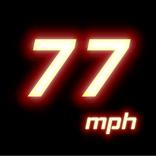
Professional high-precision GPS speedometer with 10 customizable trip meters.
Experience the ultimate driving companion with Speedometer EX. Whether you are driving, cycling, or touring, our professional-grade GPS speedometer provides real-time accuracy with a beautiful, smooth analog interface.
--- Key Features ---
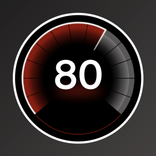
•Ultra-Smooth Meter
Powered by advanced animation logic, the needle moves as naturally as a luxury car's dashboard.
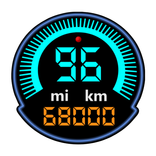
•10 Independent Trip Meters
Track multiple segments simultaneously. Perfect for touring, long-distance drives, or fuel efficiency tracking.
•Customizable Labels (New!)
Tap any distance meter label to give it a unique name like "Commute," "Weekend Trip," or "Fuel Lap."
•Auto-Range Display (New!)
The meter scale automatically adjusts based on your current speed (35 to 1400 km/h or mph).
•Share Your Results (New!)
Easily export and share your measurement reports with friends or other apps.
•Ad-Free Option (New!)
Watch a short video to enjoy a completely ad-free experience for hours.
•Modern Design (New!)
Fully supports Edge-to-Edge display and seamless screen rotation.
•Global Ready (New!)
Supports km/h and mph, with translations for 8 major languages.
~ Please Note ~
This app is designed to continue measuring distance even when the screen is closed. Therefore, measurement will continue even if you use other apps while it is measuring. To completely close the app, tap "Exit" in the notification.
*Please allow background battery usage before using the app. (This setting can be found in "App Info.")
Upgrade your dashboard today with Speedometer EX!



One-click to install XAPK/APK files on Android!
Thanks for your rating and feedback!
You have already rated.