Scan Date:Oct 25, 2026
Show More


58.9 MB
File Size
Mature 17+
Android 10.0+
Android OS
Go live & restream to Twitch, YouTube, Kick & any RTMP. Multi-chat, filters.
SplitCam — Live Streaming & Multistreaming Studio
Go live everywhere at once. SplitCam is a free live streaming app that turns your phone into a complete mobile streaming studio: multistream to multiple platforms at the same time, keep every chat in front of you and look your best with real-time filters. Completely free, with no watermark — multistreaming included.
MULTISTREAMING
• Stream to Twitch, YouTube, Kick, Facebook and more at the same time
• Go live once — reach every audience
• Connect any custom RTMP destination
• Stream in up to 4K, vertical (9:16) or horizontal (16:9)
STREAM ANYTHING
• Go live from your camera
• Share your screen or stream mobile games
• Record your stream locally while you broadcast
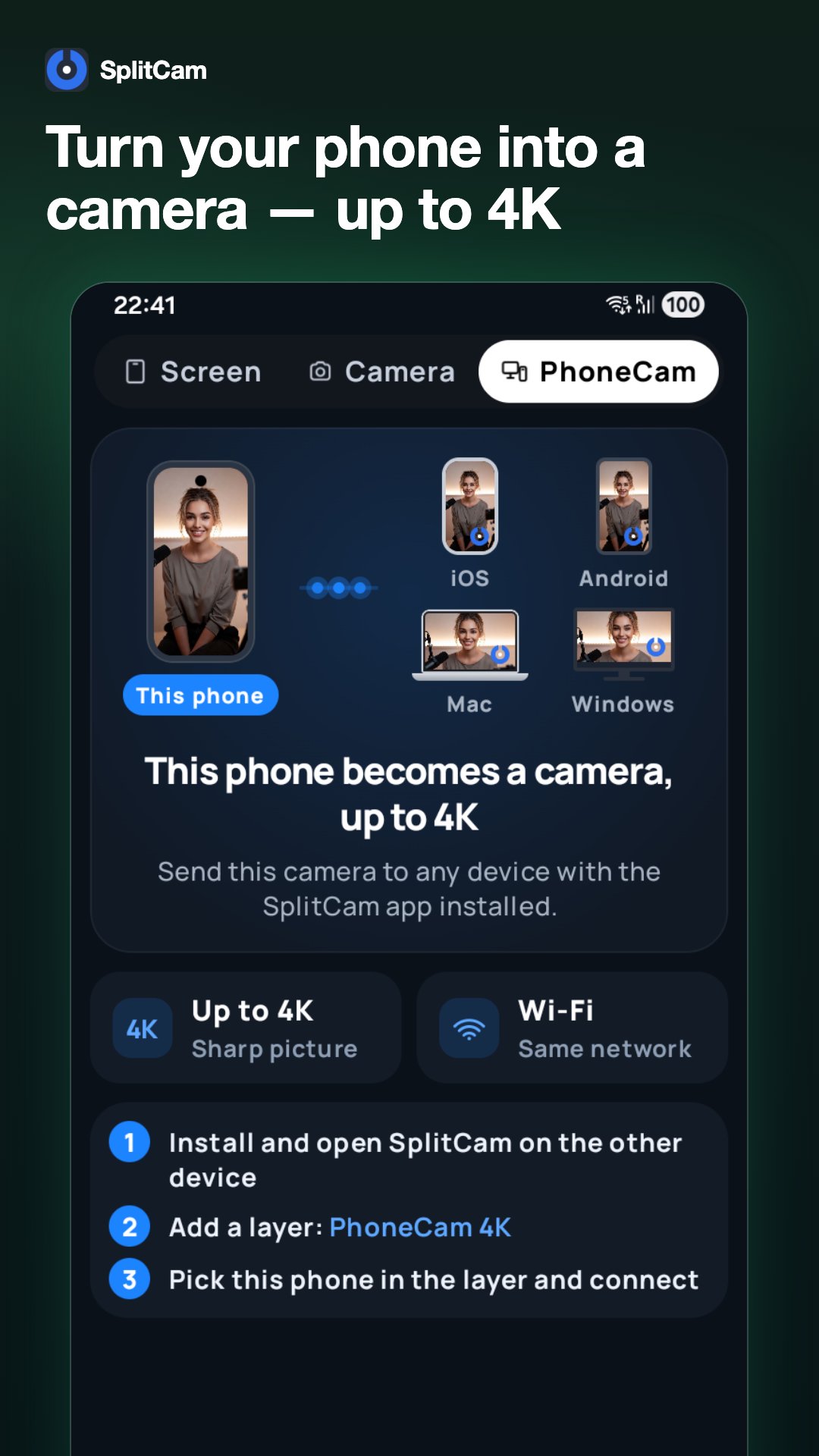
NEW · PHONECAM 4K
• Turn your phone into a wireless camera — up to 4K
• Send a sharp picture over Wi-Fi to SplitCam on iOS, Android, Mac or Windows
• Place the camera anywhere in the room
ALL YOUR CHATS IN ONE PLACE
• Every platform's chat merged into a single feed
• Reply to your whole community without switching apps
• Stay focused on your stream, not on juggling screens
EFFECTS & BEAUTY FILTERS
• Real-time AR filters, masks and visual effects
• Beauty filters that improve your look and lighting
• Color filters and fine-tuning for a professional look
• Scenes and overlays to make your stream feel like a real broadcast
BUILT TO STAY LIVE
• Auto-reconnect keeps you online if your network drops
• Fine-tune bitrate, resolution and quality
• Stable performance for long streaming sessions
MADE FOR STREAMERS
Gaming, IRL, just chatting or music — whether you're grinding your first followers or running an established channel, SplitCam helps you show up on every platform at once and grow your community across all of them.
Part of the SplitCam family: the free SplitCam desktop studio for Windows and macOS is trusted by streamers worldwide. Now your studio is always in your pocket.
Download SplitCam and go live everywhere — in one tap.



One-click to install XAPK/APK files on Android!

Thanks for your rating and feedback!
You have already rated.