














Thanks for your rating and feedback!
You have already rated.

“AirStationアプリ” lets you easily find and manage your AirStation.
You can set up, configure, and adjust the settings of the AirStation* through this app.
• Make sure your mobile device is connected to the same Wi-Fi network as the AirStation when using this app. If your AirStation supports remote access, you can also use the app from outside your local network.
• Product features may vary depending on the AirStation model. For more details, refer to the product package or visit the product page on our website.
Version 4.0 Features:
○ Setup
The app allows you to set up the following:
• Wi-Fi router
• Wi-Fi extender
• Migration of Wi-Fi router settings through the settings backup function
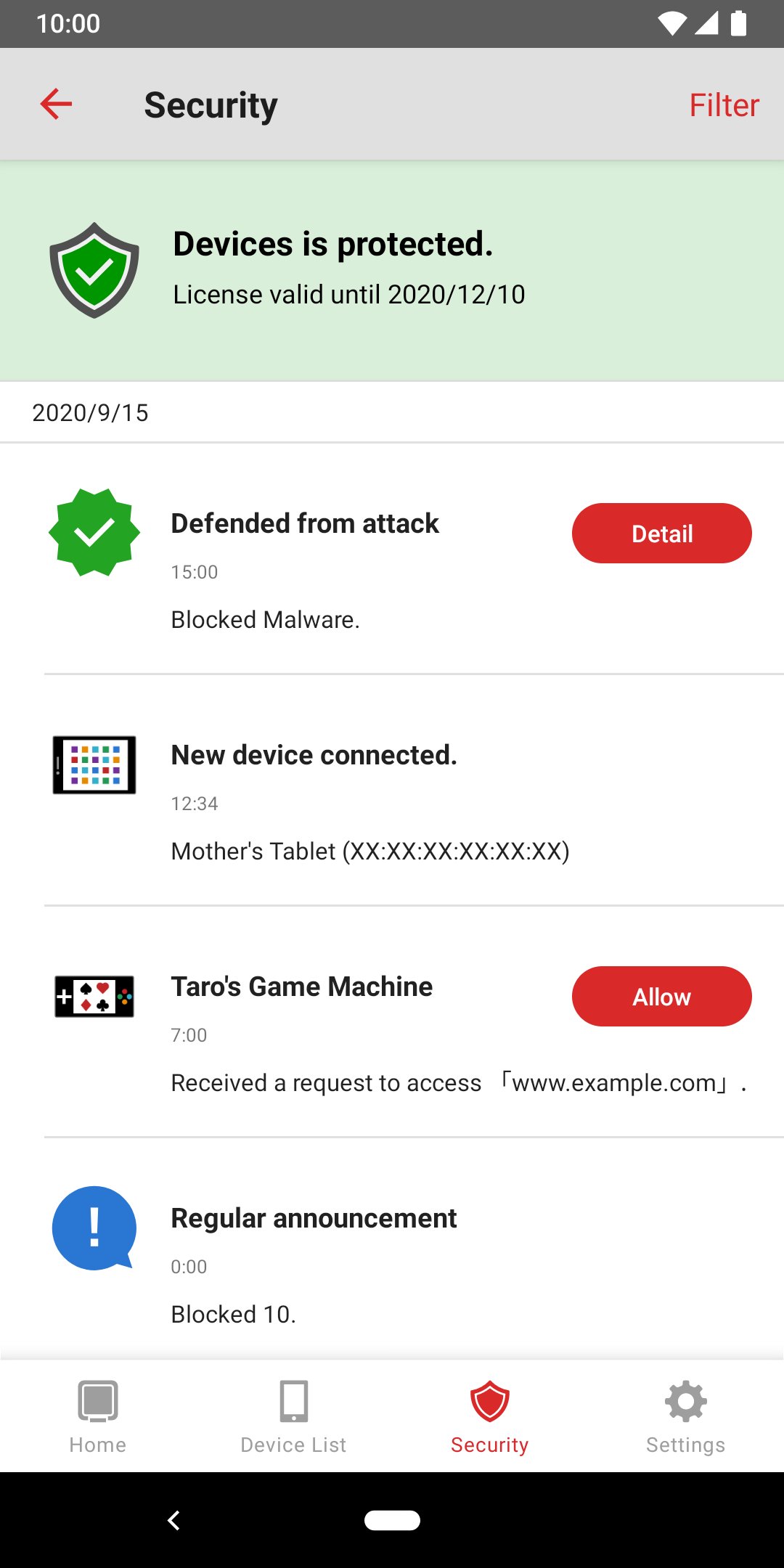
• Activation of Internet Security/Internet Security 2 feature
You can now set up your AirStation as a Wi-Fi router or Wi-Fi extender by following the on-screen instructions.
○ Administration
You can check the following through the app:
• Device status
• SSID, encryption key, or QR code for Wi-Fi connection
• Settings
You can use the following features through the app:
• Internet Security/Internet Security 2 feature
• Automatic login**
• Feature that notifies users about end-of-support products
○ Settings
You can configure the following features or settings through the app:
• Internet Security 2 feature (or Internet Security feature)
• Settings backup function
• SSID name and encryption key
• Guest port on/off
• Kids-Timer
• Internet connection settings
• Firmware update
• Administrator password
• Reboot
• etc
*Use the connect app for the AirStation connect series.
**You can log in automatically using the username and password previously entered and saved in the app.



One-click to install XAPK/APK files on Android!
Thanks for your rating and feedback!
You have already rated.