Safe & Fast APK Downloads on APKPure
APKPure uses signature verification to ensure virus-free Sunrise Clock Widget APK downloads for you.

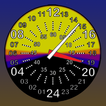
24 hour analog clock widget with face that represents daytime and night
SunriseClock is a 24 hour analog clock widget with a face that represents daytime/night. Sunrise and sunset times are displayed as well as the current moon phase.
Features
- 24 hour analog clock widget with multiple face and layout options
- Customizable color themes
- Displays sunrise, sunset as well as astromomical, nautical and civil times
- Moonrise and moonset times
- Moon phases
- App displays position of the sun and moon
- Sun and Moon positions
Helpful feedback welcome. If you have questions/suggestions, send me an email.
IMPORTANT:
You must configure your location after you add the widget to your home screen. To do this, tap the clock and go to settings. You may resize the widget by long-pressing.
If the clock "freezes", try disabling battery-saver or battery optimization.
Changes:
2.1
- Updated moon phase code/logic
- Updated API
- Added support for multiple locations/configs
- Bug fixes
2.0
- New activity layouts
- Graphics cleanup
- More aggressive widget updates (shouldn't affect battery usage)
- Many bug fixes
1.90
- Added option to show solar noon on clock face
- Added option to rotate clock face to align with solar noon
- Added Moon position in app
- Added 3 new clock faces
- New color themes
- Graphics cleanup
- Bug fixes and updates
1.80
- Updated to SDK 28
- Added color themes (Rocky Mountain Skies by Daniel)
- Option to display sunlight remaining
- Option to disable minute hand
- Taping left side now opens alarm on all layouts
- Fixes
1.70
- Added "Noon at Top" layout
- Added ability to change clock colors
- Added sun position details
- Layout and locale updates
- Updated SDK to 25
1.60
- New moon phase algorithm
- Settings fixes
- New moon-only layout
- Adjustable widget opacity
- Activity layout changes
1.51
- Minor layout tweaks
- Widget height reduced to two rows
1.50
- Auto location
- Fixes
1.40
- Fixed crash issues with several locales
- Improved support for devices without GPS or network
1.33
- Fixed settings for smaller screens
1.32
- Added ability to manually enter coordinates
1.30
- Additional layouts
- Additional clock faces
- Location search updates
1.20
- Now includes Civil, Nautical and Astronomical times
- Moon time DST fix
- Minor fixes
1.11
- Fixed compatibility with older versions
1.10
- bug fixes
- additional display options
- moon times
1.02
- display options
- lockscreen support
1.01
- Minor bug fixes



One-click to install XAPK/APK files on Android!

Thanks for your rating and feedback!
You have already rated.