









Thanks for your rating and feedback!
You have already rated.

Graphing calculator intended for use with TI-84 Plus, CE & Evo. SAT & AP prep
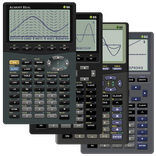
Taculator 84 is a graphing calculator and scientific calculator for high school and college math, intended for use with TI-84 Plus, TI-84 Plus CE, and TI-83 on Android phones, tablets, and Chromebooks. Work with functions, tables, lists, statistics, and matrices using the commands and menus students and teachers use in class.
Math and entry
• Scientific calculator with every basic and advanced math function.
• Textbook-style fractions and mixed numbers, with exact answers as n/d or Un/d.
• Scrollable calculation history: tap any previous entry to copy or reuse it.
• Complex numbers (rectangular and polar), probability (nPr, nCr, factorial, random), and angle modes (degree, radian, gradian, DMS).
• Piecewise functions, list arithmetic, seq(, ΔList(, and augment(.
Graphs and tables
• Four graphing modes: Function, Parametric, Polar, and Sequence, with trace, tables, Calc, and zoom in every mode.
• Smart trace snaps to zeros, maxima, minima, intersections, and asymptotes.
• Calc menu: intersection, zero, minimum, maximum, integral, and dy/dx derivative.
• Zoom tools (ZBox, ZSquare, ZTrig, ZoomFit) and drawing tools (text, pen, points, tangents, circles, shading).
• Split-screen view with graph and table side by side, plus statistical plots (histogram, box plot, scatter plot, xy-line).
Lists, statistics and distributions
• Stat list editor with 1-variable and 2-variable statistics and input wizards.
• List math: min, max, mean, median, sum, product, standard deviation, and variance.
• Regressions: LinReg (ax+b), LinReg (a+bx), QuadReg, CubicReg, QuartReg, LnReg, ExpReg, PwrReg, Logistic, and SinReg.
• Hypothesis tests and intervals: Z-Test, T-Test, 2-Sample Z and T tests, 1- and 2-PropZTest, Chi-square tests, ANOVA, and Z and T intervals.
• Distributions: Normal, Student-t, Chi-square, F, Poisson, Binomial, and Geometric (pdf, cdf, invT) shaded on the graph.
Matrices, built-in apps and programs
• Matrix calculator: store matrices as [A], [B], [C] and compute transpose, determinant, inverse, ref, rref, row operations, and identity.
• Finance app with TVM solver, NPV, IRR, and amortization.
• Polynomial Root Finder, Simultaneous Equation Solver, Numeric Solver, Conics, Transformation, and Inequality Graphing.
• Write and run calculator Basic programs, browse the searchable command catalog with syntax help at the cursor, and use physical keyboards on Chromebooks and tablets.
Made for students and teachers
• Pre-Algebra, Algebra 1 and 2, Precalculus, Calculus, and Statistics.
• SAT, ACT, AP Calculus, and AP Statistics exam prep.
• Students coming from a TI 84, TI84 Plus, TI-84 CE, TI-83 Plus, or TI84 Evo in class, and their teachers.
Support: [email protected]
TI-84, TI-84 Plus, TI-84 Plus CE, TI-84 Evo, and TI-83 are registered trademarks of Texas Instruments. Taculator is an independent app, not affiliated with or endorsed by Texas Instruments.
Terms of Service: https://taculator.com/terms/



One-click to install XAPK/APK files on Android!
Thanks for your rating and feedback!
You have already rated.




