Package Name:com.voxelnova.teleprompter
Show More


7.5 MB
File Size
Everyone
Android 8.0+
Android OS
Teleprompter with camera: read your script while you record a video
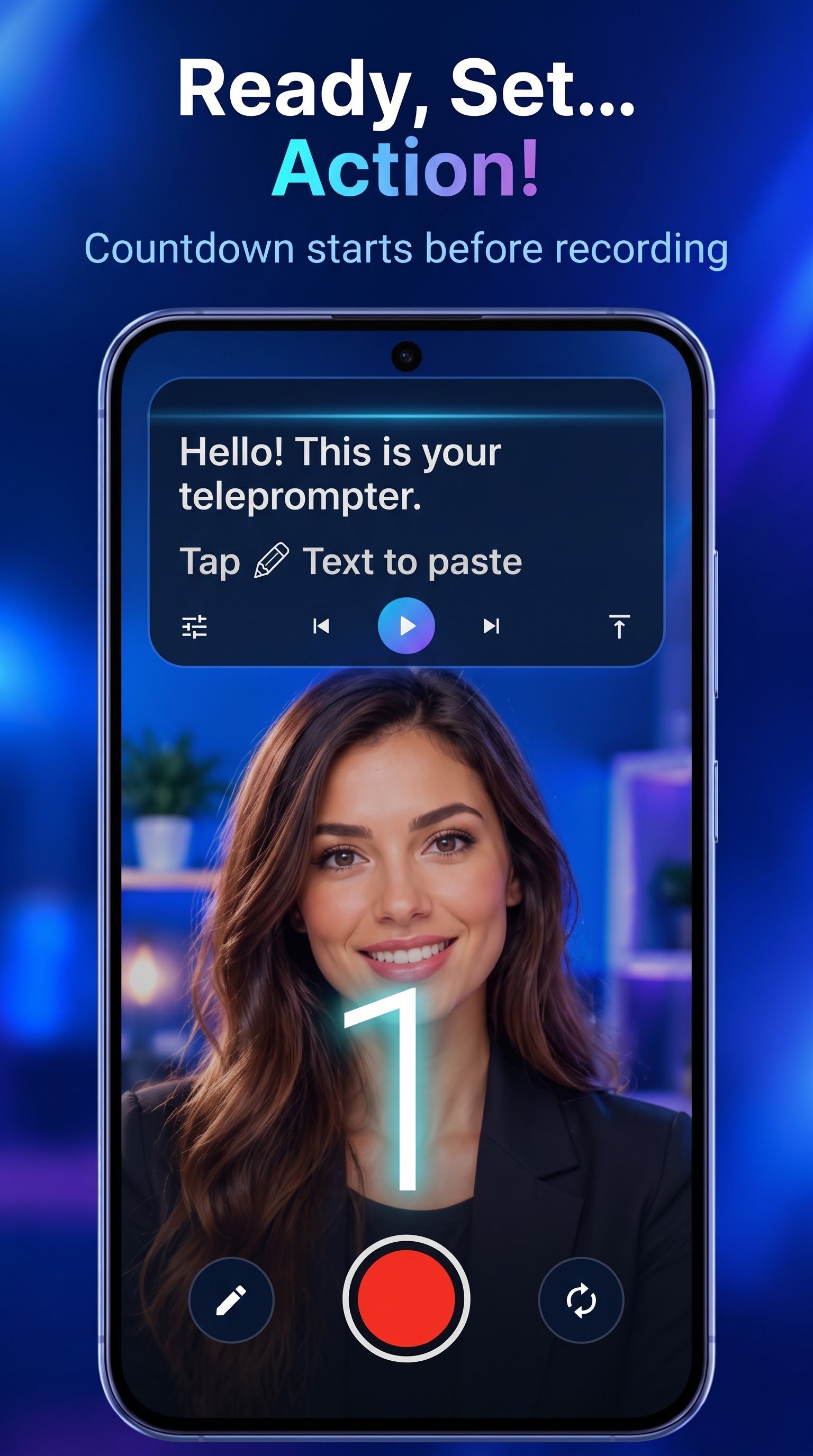
Teleprompter Pro turns your phone into a teleprompter. Your script scrolls over the live camera view, right next to the lens, so you can look into the camera and speak naturally without memorizing a single line.
Paste your text, press record and talk. The script moves at your pace, and it never appears in the final video. Your audience sees only you.
★ WHO IT'S FOR
• Bloggers and vloggers recording to camera
• Creators of short videos and social media clips
• Teachers, coaches and online course authors
• Business presentations, product demos and video messages
• Job seekers recording video CVs and self-introductions
• Anyone who wants to speak to camera with confidence
★ RECORD WITH YOUR SCRIPT ON SCREEN
• Script overlay on top of the live camera preview
• Front and back camera, switch with one tap
• Video recording with sound, up to Full HD
• 3-2-1 countdown, then the text starts scrolling automatically
• Videos are saved straight to your gallery (Movies/Teleprompter)
• The text is never recorded into the video
★ READ COMFORTABLY
• Glowing reading line keeps your eyes close to the lens
• Lines you have already read fade out, so you never lose your place
• Adjustable scrolling speed
• Adjustable font size, from small to extra large
• Resize the prompter area to fit your screen
• Adjustable background opacity behind the text
• Mirror mode for use with teleprompter glass and beam-splitter rigs
★ FULL CONTROL WHILE YOU TALK
• Play and pause right on the prompter, or tap the text
• Jump to the previous or next paragraph in one tap
• Scroll back manually with your finger at any time
• Back-to-start button for a quick retake
• Works in portrait and landscape
★ SIMPLE AND PRIVATE
• No account and no sign-up
• Your scripts and videos stay on your device
• Your script and settings are saved automatically
• Available in 17 languages, the app opens in the language of your phone
HOW TO USE
1. Tap the pencil button and paste your script.
2. Set the speed and font size in Settings.
3. Tap the record button. After the countdown, read the line at the glowing mark.
4. Tap stop. Your video is in the gallery, ready to share.
Teleprompter Pro is free and supported by ads. An ad may be shown after a recording is saved, never while you are recording.
Have an idea or found a bug? Write to us through the contact email on this page. We read every message.



One-click to install XAPK/APK files on Android!

Thanks for your rating and feedback!
You have already rated.