Package Name:com.dangundad.touchlock
Show More

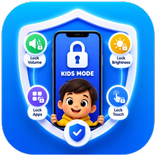
Keep the screen on while blocking touch.
Need to keep your screen visible without accidental taps?
Touch Lock blocks touch input while keeping the display on, so you can watch, read, or follow along without unwanted taps.
Perfect for videos, sheet music, maps, recipes, reading, or sharing the phone with a child.
📱 One-Tap Touch Lock
Tap the large button to block touch instantly.
Your screen stays on, but taps are ignored until you unlock.
✨ Key Features
🔒 Full-Screen Touch Lock
• Lock touch input with one tap
• Keep the display on while locked
• Clear locked / unlocked status on the main screen
⚡ Quick Settings Tile
• Add Touch Lock to your Android Quick Settings panel
• Toggle the lock without opening the app
• See the lock status at a glance from anywhere
🔓 Unlock with Repeated Taps
• Tap the top-left corner repeatedly to unlock (adjustable 2~7 taps)
• Works even when touch is blocked
🖼️ Floating Button
• Display a floating lock/unlock button over other apps
• Customize opacity, shape, and size
• Drag to move or hide it
🧭 Extra Controls
• Lock border for clear visual feedback
• Vibration feedback on lock/unlock
• Screen dim options while locked
• Auto-start on boot
• Persistent notification while active
Touch Lock helps you stay focused without accidental taps.



One-click to install XAPK/APK files on Android!

Thanks for your rating and feedback!
You have already rated.