Safe & Fast APK Downloads on APKPure
APKPure uses signature verification to ensure virus-free Touch Screen - Dead Pixel Test APK downloads for you.

Test your device screen's dead pixel and screen touch.
You can easily check the status of the touch panel and use it for confirmation of multi-touch.
Check your display for dead pixels or burn-in with Screen Check. Totally free application for a screen
test dead pixel check. Prepared for smartphone and tablet. Simple and Easy to use. Switch colours with
Swipe or Tap gestures. Checking in full-screen, status and navigation bars will be hidden during the test.
Use of different base colors to find all dead or stuck pixels and display burn-in. Switch colors forward and
backward with Swipe or Tap gestures to visualize dead pixel. DisplayTester makes it easy to test almost every
aspect of your device's LCD/OLED screen touch sensitivity and pixels.
- Comprehensive tests for touch screens in portrait orientation
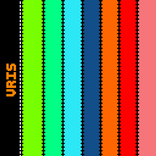
- Detect dead pixel with Dead pixels test on different solid base colors backgrounds.
- Test screen color with Color tests contrast, gradient (banding) and color saturation.
- Gamma calibration tests (grey/red/green/blue)
- Wide gamut color test
- Test Screen Touch with Multi-touch test.
- Screen burn test with scrolling black and white bars
- Device info Display measures info e.g, screen size, GPU type, dpi, density-independent pixel size, OpenGL 1.x info, pixel format, DIP / PX calculator
- Pixels test with Pixel format & dithering tests
- Screen response test with touch screen dead spot tester
There are different numbers of color-related tests (purity and shades) and two touch-related ones (single and multi-touch).
The Display information function to display data about the screen resolution, pixel density, aspect ratio and
current brightness. Depending on your mobile phone model, these tests will help you decide, if the eye comfort mode
must be enabled to prevent eye strain, if the brightness level requires some adjustment or find out if the touch sensitivity
is still good all over the screen surface. The pixel color tests and Info require one tap for every page. The Single-touch test is complete
when the whole screen is filled with colored square grid view. If the touch screen proved to function properly, the Multi-touch test helps
you check if several fingers / multiple touch test can be used simultaneously to make multi-finger gestures in your apps.
Video pixel tests indicate the frame rate of your display.



One-click to install XAPK/APK files on Android!

Thanks for your rating and feedback!
You have already rated.