Package Name:com.upstairlift.visual
Show More

Measure your stairs with your phone and see the stairlift on your own stairs.
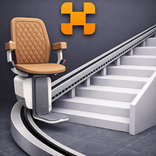
UP Visual measures your own stairs with the camera and puts a stairlift over them in augmented reality, at full size on the stairs themselves. That way you can see at home what fits and how it looks, before anyone comes out to measure.
You do not have to sign in. Open the app and start.
How it works
1. Configure the lift. Upholstery in cognac, anthracite, brown or sand, a seat housing in white or anthracite and a rail in silver or anthracite, in a 3D model that updates its colours straight away and that you can turn around.
2. Measure the stairs, with markers or by hand.
3. View the lift on your own stairs. The rail sits on the steps, you run the chair up to the top and you choose the rail end at the bottom and at the top that suits your hallway.
4. Take three photos of the setup and fill in your details.
5. Email the PDF to a UP partner near you.
Two ways to measure
With markers. The app makes its own A4 sheet of round markers, 5 to 25 of them, which you print at 100% and cut out. You put one on the nose of every step and walk slowly along the stairs; the app recognises them as you scan and records the points itself. Of the two ways, this is the most accurate.
By hand. No printer needed. You tap the nose of every step. If a point sits slightly off, you nudge it in steps of 5, 10 or 25 mm.
From those points the app works out the rail length, the number of bends, the height difference and the average incline.
You choose the rail ends in the room itself
At the bottom you choose from no ending, horizontal, a parking bend of 90 or 180 degrees, drop or a folding rail. At the top you choose from no ending, horizontal or a parking bend of 90 or 180 degrees. Which one fits depends on the spot, and you only see that once the rail is lying on your stairs on screen.
What you end up with
On the device the app builds a PDF with the rail model and the upholstery colour, the measured length of the straight rail, the number of rail segments in the bends, the height difference, the average incline, a drawing of the rail and the three photos. Your own email app then opens with that PDF attached, addressed to the partner you choose. You read it over and press send yourself. To look for partners near you, the app may use your approximate location. If you do not give that permission, the app goes by your language and country and the rest carries on as normal.
For professionals too
If you work for a UP partner, you sign in through the settings cog with your UP Studio account. You get the same route, with a step for the price breakdown after the contact form and a price indication in the PDF you leave with the customer. Without signing in the app calculates nothing and no amount appears anywhere: the partner gets in touch with a tailored quote.
Everything on the device
The live camera image does not leave your device. Recognising the markers, the measuring, the 3D model and laying out the PDF all happen on the device itself. The photos and the PDF stay on your device until you send them yourself. Signing in goes to UP Studio and is only needed for the price step.
Good to know
The app uses Google's ARCore and therefore only works on devices that support ARCore.
Measure with the light on: the camera has to be able to see texture on the stairs, and a plain carpet in the dark gives too little to hold on to.
If you measure with markers and the app or the device shuts down, point the camera at the stairs again and the measurement comes back.
The app runs in portrait and works on phone and tablet.
Languages: Dutch, English, German, French and Italian, switchable in the app.



One-click to install XAPK/APK files on Android!

Thanks for your rating and feedback!
You have already rated.