Scan Date:Nov 13, 2026
Show More


11.4 MB
File Size
Everyone
Android 6.0+
Android OS
Internet radio and any stream URL, with alarm, sleep timer and widget
Url Player is for everyone who listens to internet radio: play any station or audio stream by its link, in MP3, AAC or HLS. When the network drops, the stream comes back on its own, and your favourite station is one tap away from the home screen.
Stations and streams
- Thousands of stations from all over the world in the open radio-browser catalogue
- Paste any stream URL: Icecast and Shoutcast, HLS and M3U8, or a .pls, .m3u, .asx or .xspf playlist link
- A playlist link with several streams lists them on the station card, each with its own song history
- The song on air and its cover, HLS stations included; the app finds the cover or the logo when the station sends none
- Auto-reconnect: short drops go unheard, and the app waits for the network
Your list
- Favourites stay on top; drag stations into your own order
- Swipe a station to edit, share, star or delete it; swipe the now-playing bar to change station
- Backup & restore: one file with your stations, favourites, settings, history and liked tracks, restored by replacing or merging
- Import and export M3U8 playlists for VLC and other players; after a reinstall, the first start offers your last backup or export
Listen on any speaker
- Cast to Chromecast and TVs with Google Cast: stations start fast on the app's own TV screen, with song and cover, at your last volume
- Smart TVs and speakers with DLNA/UPnP in the same picker: the TV shows the station's name and logo, HLS stations included
- Stream to AirPlay-compatible speakers
- Reconnect Bluetooth speakers and headphones you used before with one tap
- Equalizer in Settings > Sound: off, the device's presets or your own bands
- Android Auto, plus controls in the notification and on the lock screen
Alexa on your Echo
- Sign in with Amazon in Settings and tap Connect to Alexa: the Url Player skill links in one tap on Android 12 and later
- Say "Alexa, open U. R. L. Player" or "Alexa, ask U. R. L. Player to play my favourites"
- Pause, resume, next, previous and stop by voice; ask what's playing, or say "play my phone" to move the phone's station to the Echo
- Https streams play on the Echo, an Echo Show shows the cover and the song, and a name not in your list is found in radio-browser
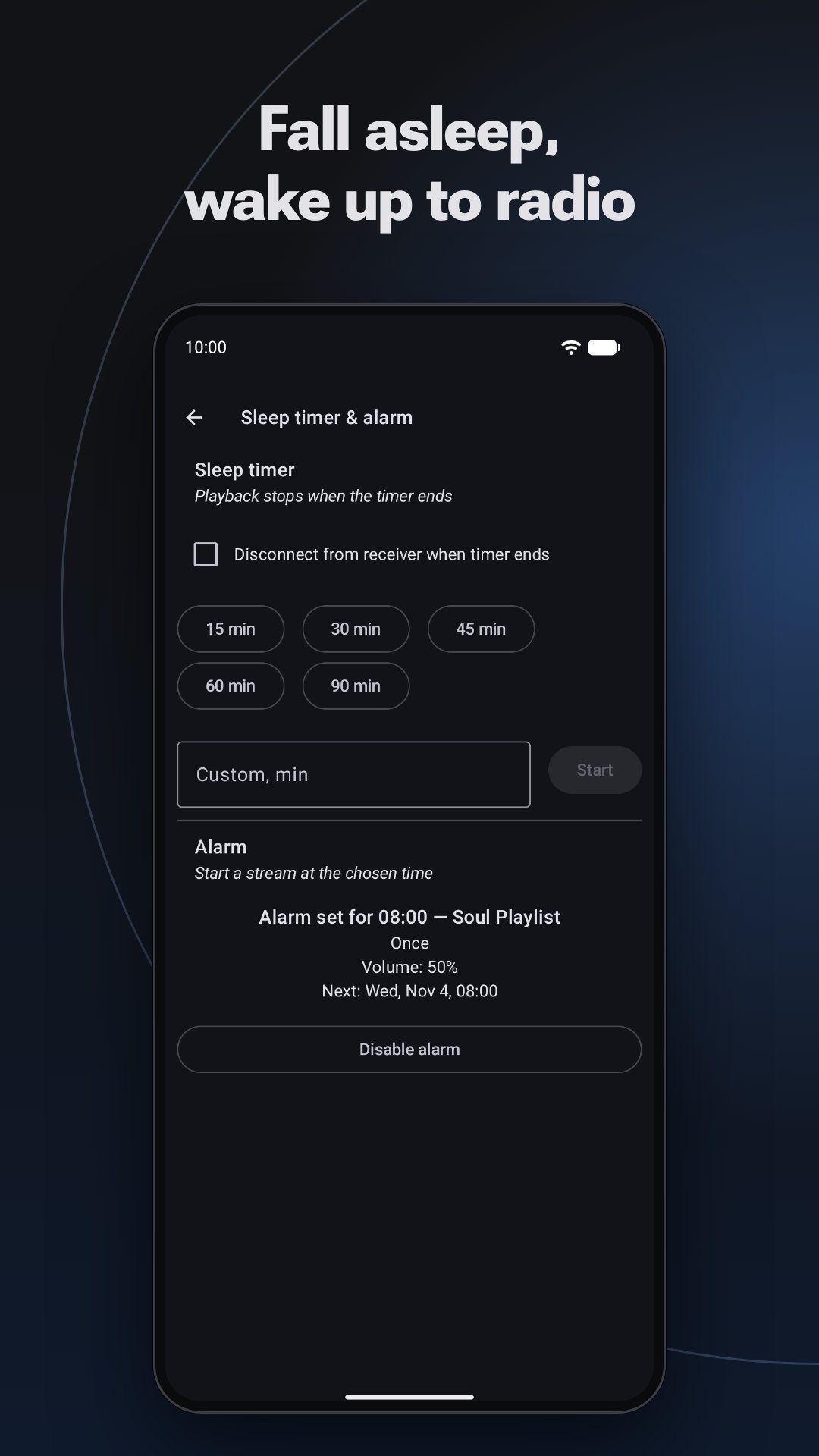
Sleep timer and alarm
- Fall asleep to the radio: playback stops after 15 to 90 minutes or a time you set
- Wake up to a station you pick, at the alarm's own volume, on the phone, a Bluetooth speaker or a Chromecast, on the days you choose
Widget and Quick Settings tile
- Play or stop the last station from the home screen; the widget shows the song on air and skips stations
Stream history, Liked tracks and stats
- See what just played on each station, and tap the heart to keep the songs you love in Liked tracks
- Listening stats: how long and how often you played each station
My AI music
- A library of AI-made tracks with search and sorting
- Favourites, likes, previous / next and shuffle; seek, -10 / +10 s and repeat
- Played tracks also play offline; share a track with friends as a link
Look and language
- Light, dark or system theme, wallpaper colours on Android 12 and later
- Colours that follow the cover; covers and screens slide in, nothing jumps
- Landscape layouts for phones and tablets, and an orientation lock
- Start screen: Main, Favourites or Last opened
- Long-press any icon button to see what it does
- English, Russian and German
No account needed; Alexa uses your Amazon account. Support and privacy: neronovs-urlplayer.web.app



One-click to install XAPK/APK files on Android!

Thanks for your rating and feedback!
You have already rated.