Package Name:dev.jx.clickconnect
Show More

VLX Tunnel VPN is a secure Android VPN for private, unrestricted internet access.
Developed by sando--k, it focuses on strong encryption and fast, stable connections that keep browsing, streaming, and messaging private on mobile data, Wi‑Fi, and hotspots. Users can download VLX Tunnel VPN for quick, secure access on any network. It also helps bypass ISP and firewall limits with a lightweight, easy setup. Below are the key highlights to consider before installing.
VLX Tunnel VPN creates an encrypted tunnel that shields internet traffic from snooping or interference. It works across mobile data, home Wi‑Fi, and public hotspots to keep your browsing, streaming, and messaging private. The no‑logs policy adds an extra layer of peace of mind on shared networks.
In practice, this matters when connecting at a café, hotel, or airport. You can open a news site, send messages, or stream without exposing session details to a local network. The VLX Tunnel VPN app keeps usage discreet and consistent, even when switching between hotspots and cellular data during a commute.
VLX Tunnel VPN helps bypass ISP controls, firewalls, and network restrictions so services load more reliably. This is useful on school or office networks that limit social apps, or when an ISP throttles certain traffic. It routes your connection through a secure path to maintain access.
Speed can vary by server and your provider, so performance may change during the day. If a server feels slow, enable auto server selection for better results or switch to a nearby country to reduce latency. The VLX Tunnel VPN app aims to keep everyday services reachable, yet results depend on your network conditions.
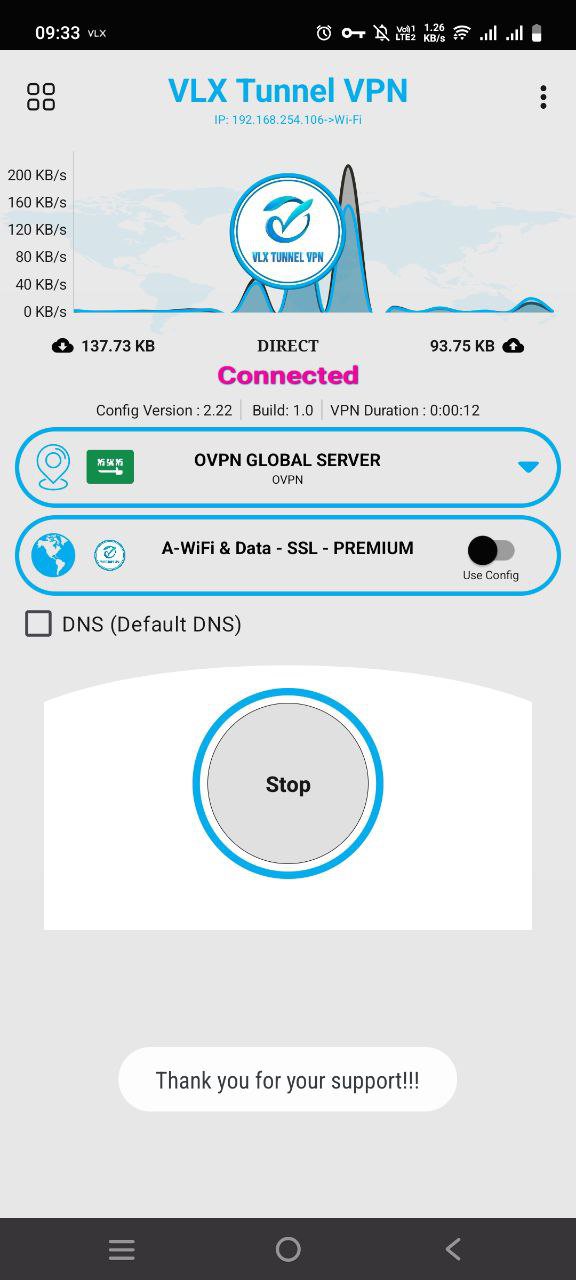
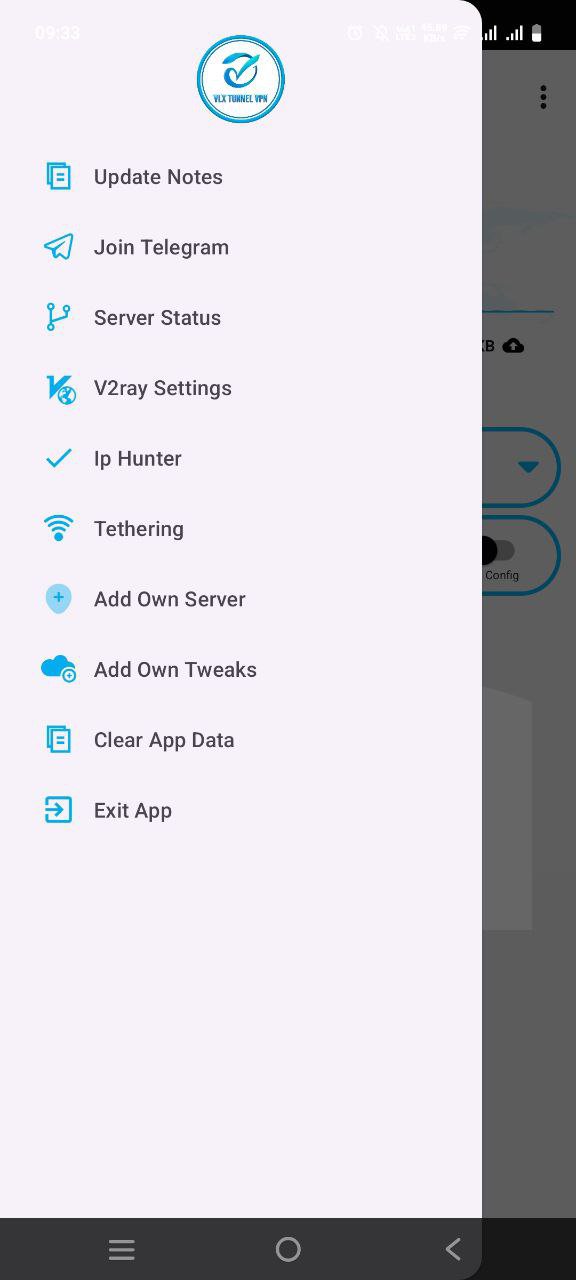
VLX Tunnel VPN favors a clean layout with a single Start button, so you can connect without digging through menus. It’s a practical setup for users who want a secure VPN without complex steps. The four‑box icon opens tools and settings for essentials only, avoiding clutter.
When a connection needs a refresh, check Update notes to update app resources and improve stability. Auto select server typically offers the best match for speed and reliability. If auto selection doesn’t fit your needs, choose a specific country server and start a session. The VLX Tunnel VPN app keeps the flow straightforward for daily use, whether you’re streaming a match or joining a video call.
VLX Tunnel VPN is optimized for Android to balance speed with efficiency. It aims for stable connections while keeping battery drain and data overhead lower than heavy VPN clients. This makes it practical for long sessions of browsing, streaming, and messaging on the go.
There are trade‑offs. Server selection is basic, so advanced configuration options may be limited. Connection quality can vary by server or ISP, and running multiple VPN apps at once can cause conflicts. A simple workaround is to close other VPN apps before connecting and let auto select server pick the best route. The VLX Tunnel VPN app focuses on a dependable experience for everyday tasks rather than deep networking controls.
You can get the VLX Tunnel VPN APK on APKPure and install it in a few moments, depending on your connection speed. Make sure you have stable internet and enough storage, as size may vary with the APK version. During the first run, grant the VPN permission so the service can create a secure tunnel.
If another VPN is active, disconnect it before starting, and consider enabling auto server selection for better performance. For smoother updates, open the tools menu and use Update notes after installing the VLX Tunnel VPN latest version. Once connected, try your usual browsing or messaging to confirm stability and speed.
If a server seems slow, switch to a nearby country and reconnect. Keep an eye on battery usage during longer sessions and adjust settings to fit your routine.


One-click to install XAPK/APK files on Android!

Thanks for your rating and feedback!
You have already rated.