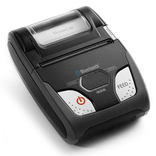
Package Name:com.woosim.labeleditor
Show More


44.8 MB
File Size
Everyone
Android 8.1+
Android OS
Label design and printing app for Woosim Systems's mobile thermal printers.
This is a label design and printing application which works with Woosim Systems's mobile thermal printers via Bluetooth, WiFi, and USB interfaces.
In order to run this App, you need a thermal printer manufactured by Woosim Systems Inc.
(Inquiry: Tel: +82-41-339-3700, E-mail: woosimsystems@woosim.com)
Application features:
- Visual label editor with text, barcodes (1D/2D), shapes, lines, icons, and photos
- Variable data printing from Excel files (serial numbering, list data)
- Multi-page batch printing
- Support for Bluetooth, WiFi, and USB (Android only) connections
- Full undo/redo editing
- Label template save and reuse
Supported printers:
- Woosim mobile thermal printers (203 DPI)
Connection Info:
- Bluetooth: Search and pair from the device list
- WiFi: Connect via printer IP address
- USB: Connect directly (Android only)



One-click to install XAPK/APK files on Android!

Thanks for your rating and feedback!
You have already rated.