Package Name:com.smarttoolsdev.worldclock
Show More


27.4 MB
File Size
Everyone
Android 7.0+
Android OS
Pin 100+ cities & see all time zones at once — meeting planner included.
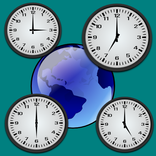
World Clock is a world clock time zone planner: pin 100+ cities, see the time in every city you pin at once, and use the meeting planner to compare the time difference between cities. It works as a simple world clock app, a city time zone clock and a meeting time planner across time zones, with live times on one scrollable pinboard and offset chips that show how far ahead or behind each city is, with no mental math.
KEY FEATURES:
• City pinboard: search and pin from 100+ cities in a bundled IANA timezone database; no network required for time display
• Time-difference chips: each pinned city shows its offset vs your local time (e.g. +3h, −5h)
• Day offset labels: cards show "Today", "Tomorrow", or "Yesterday" so you never miscalculate across midnight
• Meeting planner mode: set a custom reference time and see it mapped across all your pinned cities at once
• Drag to reorder: arrange cities in any order; order is saved automatically
• 12h / 24h toggle: a global setting applied instantly to every card
• Local clock anchor: your local time is always pinned at the top, non-removable
PERFECT FOR:
• Remote workers coordinating stand-ups across multiple continents
• Frequent international callers scheduling calls with family abroad
• Travelers planning itineraries across time zones
• Freelancers with clients in New York, London, Dubai, and Tokyo
No account required. Your pinned city list is saved locally on your device and is never uploaded.
Download World Clock and see every time zone at a glance.
WHY THIS WORLD CLOCK TIME ZONE PLANNER?
When the people you work or talk with are spread across time zones, "what time is it there?" becomes a constant, error-prone calculation. This world clock answers it at a glance: pin every city you care about to one scrollable board, each card showing its live time, its offset from you, and whether it's today, tomorrow, or yesterday, so you never schedule a call for the wrong day.
The meeting planner mode is the real time-saver: set a reference time and instantly see it mapped across all your pinned cities at once, making it easy to find a slot that works for everyone. Checking the time difference between cities takes a glance instead of a calculation.
Times come from a bundled timezone database, so the clocks work without a network connection, and your pinned list is saved locally with no account and is never uploaded.
Pin your cities, set a reference time, and let World Clock, your world clock time zone planner, do the time zone math.



One-click to install XAPK/APK files on Android!

Thanks for your rating and feedback!
You have already rated.