Safe & Fast APK Downloads on APKPure
APKPure uses signature verification to ensure virus-free AAAD APK downloads for you.

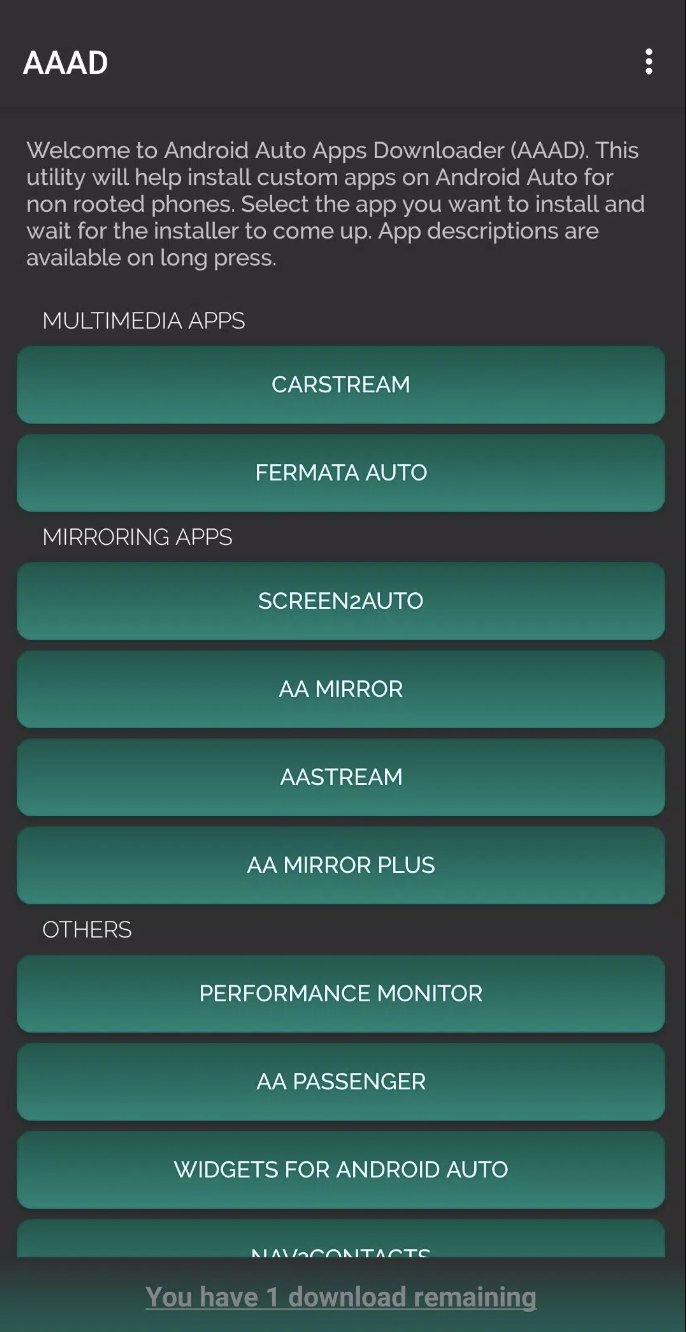
AAAD is a tool for adding Android Auto apps to your car screen.
Developed by Gabriele Rizzo, AAAD focuses on a simple way to fetch and set up unofficial Android Auto apps. Its main appeal is that it keeps the process short and easy to follow, even if you do not want to use a computer. If you plan to download AAAD, the next features show what it offers in everyday use.
Guided setup helps install supported Android Auto apps with fewer manual steps.
No root access is needed on most Android devices.
Open-source design keeps the launcher clear and easy to understand.
Free access includes one app download each month for testing.
Pro access removes the monthly limit for more installs.
Compact catalog focuses on a small set of unofficial car-friendly apps.
AAAD makes installation feel straightforward by handling retrieval and setup on the device itself. That is useful when you want to prepare an app for the car without moving files around or opening a computer. In practice, the flow stays short, and the launcher helps keep each supported app easy to find.
The experience also fits drivers who want a cleaner setup before a trip. Since the app works without root on many devices, it stays closer to the phone’s normal state and reduces extra risk.
You can download AAAD APK latest version from APKPure, and the 58.8 MB file usually finishes in a few minutes on a stable connection. The install may ask for permission to allow unknown apps, and the launcher can open its catalog soon after the download completes. Using the AAAD latest version helps keep the included apps aligned with the current catalog.
After installation, the next step is usually checking which apps are available for the car screen and whether they fit the device well. Because the catalog is limited and the apps are unofficial, it is smart to test them while parked and follow local driving rules.



One-click to install XAPK/APK files on Android!

Thanks for your rating and feedback!
You have already rated.





