Scan Date:Nov 13, 2026
Show More

900+ round, colorful icons and HD wallpapers for a clean, modern home screen.
Give your home screen a clean new look with the Native OS Icon Pack. Inspired by simple shapes and bright, balanced colors, Native OS brings round icons and bold, friendly symbols to your favorite apps.
Round, colorful icons pair with clear app symbols for a neat, coordinated setup. From calm blue and green to warm orange, red and purple, the icons and matching wallpapers add a fresh finish to your home screen.
🚀 Key Features:
• 900+ Themed App Icons: Explore a large collection of round, colorful app icons with clean, bold symbols.
• Clean, Modern Aesthetics: Simple circles, bright colors and crisp details give your app drawer a tidy, consistent look.
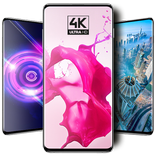
• High-Definition FHD+ Wallpapers: Choose from a collection of crisp backgrounds, most at 1080 × 2340, to complement your icons on tall displays.
• Icon Requests: Missing an icon? Send a request for the apps on your phone that aren't themed yet.
• Light & Dark Themes: The app follows your device's light or dark mode, so it looks right by day and by night.
• Offline Wallpaper Storage: Save your favorite included wallpapers directly to your device for quick access anytime.
• One-Tap Sharing: Share your favorite wallpapers and the icon pack with friends straight from the app.
• Compatible Launcher Support: Apply the icons with your favorite supported launcher. A compatible third-party launcher is required to apply the icon pack.
🛠️ Supported Launchers:
Native OS Icon Pack can be applied from its Apply Icon Pack screen to launchers including:
• Desktop Launcher
• OS Launcher 27
• Native OS Launcher
• Nova Launcher
• ADW Launcher
• Action Launcher
• Smart Launcher
• GO Launcher
💡Note: Other launchers may work if they support third-party icon packs. If your launcher isn't listed, look for Native OS Icon Pack in your launcher's internal "Icon" or "Theme" settings. Launcher support and application steps may vary.
✨ Quick & Effortless Setup:
1. Open Native OS Icon Pack.
2. Tap Apply Icon Pack and choose your compatible launcher.
3. Enjoy your new colorful home screen.
Whether you love a clean icon theme, a simple modern aesthetic or a bright, colorful setup, the Native OS Icon Pack brings these details together for a fresh look.
Give your favorite apps a clean, colorful makeover with the Native OS Icon Pack today!
Native OS Icon Pack is an independent app and is not affiliated with or endorsed by any operating system or device maker.



One-click to install XAPK/APK files on Android!

Thanks for your rating and feedback!
You have already rated.