













Thanks for your rating and feedback!
You have already rated.

Circle to Search is an on-screen visual lookup tool for Android devices.
Built by Sparks Devs, it instantly finds answers from whatever is on your screen. Results are powered by Google and include helpful AI Overviews, so you can identify items, translate text, or get local info without switching apps. For quick access and fast answers, download Circle to Search and start searching right where you’re browsing, watching, or chatting. Below are the core highlights users rely on every day.
This feature looks up anything on your screen without forcing an app switch. You can circle, highlight, scribble, or tap an object, a video frame, or text to trigger fast results that keep pace with what you’re doing. A common use is circling a recipe step in a video to find the full instructions or related tips. Some users map a trigger through routines or a Quick Settings tile so the overlay appears whenever needed. The Circle to Search app works across apps, though availability can vary by device, and uninterrupted results require an internet connection.
Multisearch lets you combine a picture with words to refine a query and get AI Overviews. For example, highlight a photo of sneakers and add “waterproof” to narrow options to the right material and style. AI Overviews summarize useful context, helping you understand what you’re seeing faster without digging through multiple links. The workflow feels similar to Google Lens but stays in whatever app you’re currently using. The Circle to Search app benefits when you add short, descriptive words that guide the visual match toward your specific need.
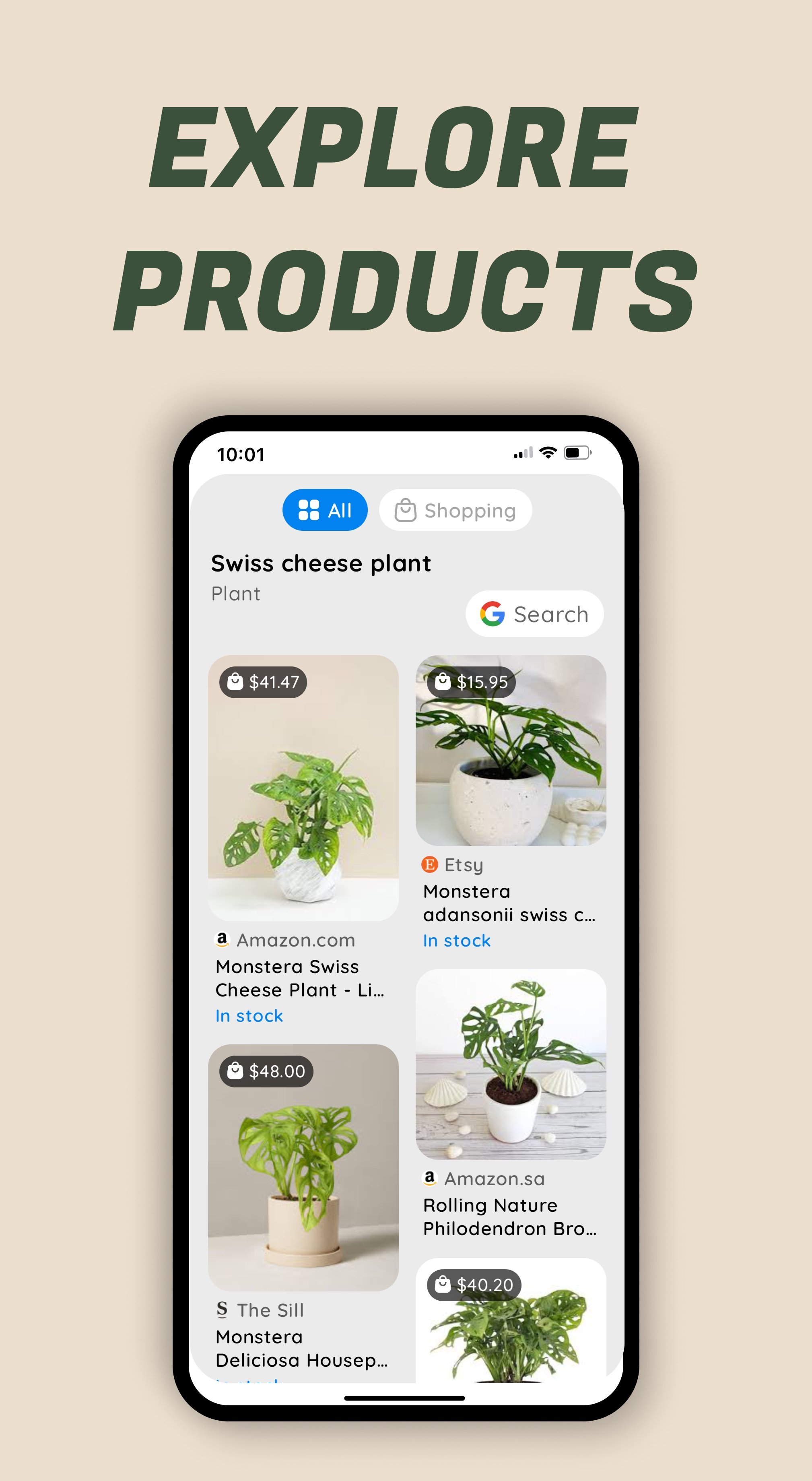
Shopping is straightforward: select a product in a photo or video and get exact or similar matches, plus pricing and store options. It’s handy for furniture spotted in a home tour or a jacket seen in a concert clip, especially when the brand isn’t tagged. You can add a word like “linen,” “budget,” or “blue” to steer results. Accuracy may vary based on photo quality and angles, and it still relies on a stable internet connection. The Circle to Search app focuses on speed, so results arrive fast, and you can refine with a couple of taps if needed.
Translation is built into the overlay, so you can tap Translate or highlight text to see instant translations that preserve the original layout and style. This is practical on menus, social posts, or web pages where formatting matters. Smart Text selection uses OCR to select and copy on‑screen text, making it easy to grab a coupon code or a quote from a video. QR codes are auto‑detected without opening the camera, so scanning an event ticket or payment code happens in seconds. The Circle to Search app keeps all of this in context, though offline translation isn’t supported and some formatting may vary with complex scripts.
These observations come from regular on‑screen tasks where visual matching, translation, and local lookups are useful; the Circle to Search app stands out most when keeping users in context.
ProsYou can download the latest Circle to Search APK from APKPure and start searching right on your screen. Download time depends on your connection, and APK size may vary by version, so ensure sufficient storage before installing. After installation, your device may ask for permissions, and some users set a trigger to open the overlay from a routine, gesture, or Quick Settings tile. For best performance, keep the Google app updated and allowed to run in the background.
If you prefer staying current, look for Circle to Search latest version to access ongoing improvements. Once installed, try circling a product in a video or translating text on a webpage to see immediate results. If triggering fails on customized firmware, recheck permissions or adjust your chosen overlay trigger. When ready, search by circling, refine with words, and let AI Overviews simplify the next steps.



One-click to install XAPK/APK files on Android!
Thanks for your rating and feedback!
You have already rated.