Package Name:com.vgp.keyboardmapper
Show More


21.7 MB
File Size
Everyone
Android 8.0+
Android OS
Play mobile games with a keyboard, mouse or gamepad. Map keys to taps & swipes.
Keyboard Mapper turns your physical keyboard into on-screen touches. Play touch games with WASD, Space and any key you like instead of your thumbs, and with Pro, aim with a mouse or play with a gamepad.
Place a key once, and every time you press it Keyboard Mapper taps, holds or swipes at exactly that spot.
■ How it works
1. Turn on the Keyboard Mapper accessibility service (shown as "KeyboardMapper Input" in Settings).
2. Open the layout editor and place keys right on top of your game.
3. Press a key: Keyboard Mapper touches the screen for you.
■ Key mapping
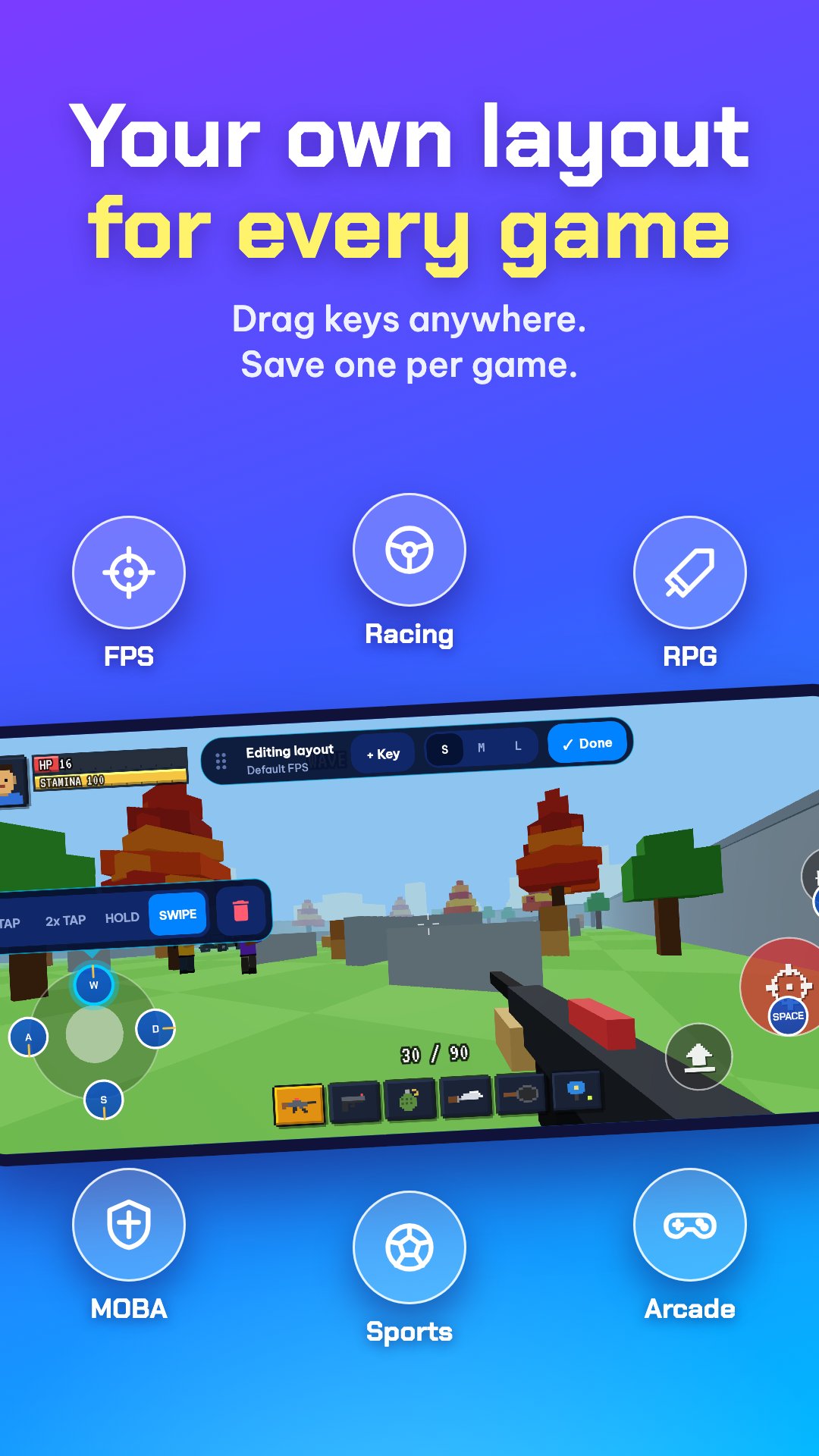
• On-screen layout editor: drop keys right on top of your game
• Tap, double tap, hold or swipe for each key, with swipe direction and length
• True multi-touch: hold several keys at once and each works as its own finger
• Transparent overlay: see your game as usual and still touch the screen
• Link games to a profile and it switches on its own when the game opens
• Share profiles as a file and import them on another device
• Layouts are stored as screen fractions, so they survive rotation and other screen sizes
• Hotkeys: release stuck keys, switch layout, chat mode for typing in game
• Alignment guides while you drag keys, undo / redo and a snap grid
• Key size (small, medium, large) and border color, dark and light themes
• Works with USB, Bluetooth and docked keyboards, mice and gamepads that Android recognizes
■ Pro features
• Auto-click: press Shift + key in game to start or stop it; set the interval, hold time, number of clicks, or a start and stop time
• Macros: chain taps, swipes, holds, waits, app launches and text into one macro and run it on any app. Find text or an image on screen, then tap it or jump to another step. Start a macro from the floating bubble or with Shift + 1…0 on your keyboard
• WASD joystick: four keys drive one on-screen stick, diagonals included
• Mouse: aim by moving the mouse, map its buttons and wheel like keys
• Gamepad: map all 17 buttons; the left and right sticks move or aim
• Unlimited profiles and extra layouts per game
■ Also included
• App launcher: ⌘/Win + Space opens a search box to start any app from the keyboard
• Setup wizard that tests your keyboard, mouse and gamepad
• "Why isn't it working?" check that finds what is missing and how to fix it
• 70+ languages
■ Free and Pro
The free version includes one profile, shows ads, and asks for a short break after a stretch of play (watch a short ad to keep playing right away).
Pro is a one-time purchase, not a subscription: unlimited profiles, auto-click, macros, joystick, mouse and gamepad, no ads and no play-time limit.
■ Accessibility service
Keyboard Mapper uses Android's accessibility service to read the keys you press on your physical keyboard (and, in Pro, your mouse and gamepad while a layout that uses them is playing), to perform the touches you set up, and to run the macros you start. While a macro you started is running, it may read the text shown on screen, take a screenshot to find text or an image, and type or paste into the field you are in. Screenshots are examined on your device and never saved or sent.
Nothing the accessibility service reads leaves your device, and no account or sign-in is needed. The app uses Google AdMob to show ads in the free version and Firebase Analytics for usage statistics.
■ Notes
• A physical keyboard is needed for key mapping; macros work without one.
• The on-screen layout needs the "Display over other apps" permission.
• Works on Android 8.0 and newer.
• Some games with anti-cheat do not accept injected touches, and some games forbid auto-clickers or macros. Check the game's terms before you use them.





One-click to install XAPK/APK files on Android!

Thanks for your rating and feedback!
You have already rated.