Package Name:com.gamekey.mapper
Show More

20.9 MB
File Size
Everyone
Android OS
Map keyboard and mouse controls to mobile games with custom touch layouts.
Bring your keyboard and mouse controls to mobile gaming with GameKey Mapper.
Create custom key mappings that turn keyboard presses and mouse actions into touchscreen controls. Place buttons over your game, adjust mouse sensitivity, and save a layout that suits how you play.
CUSTOM KEYBOARD AND MOUSE MAPPING
Map keyboard keys and mouse buttons to on-screen actions. Drag controls to the required touch positions, resize them, and customize their appearance. Assign left, right, middle, and supported side mouse buttons.
WASD MOVEMENT AND RUN CONTROLS
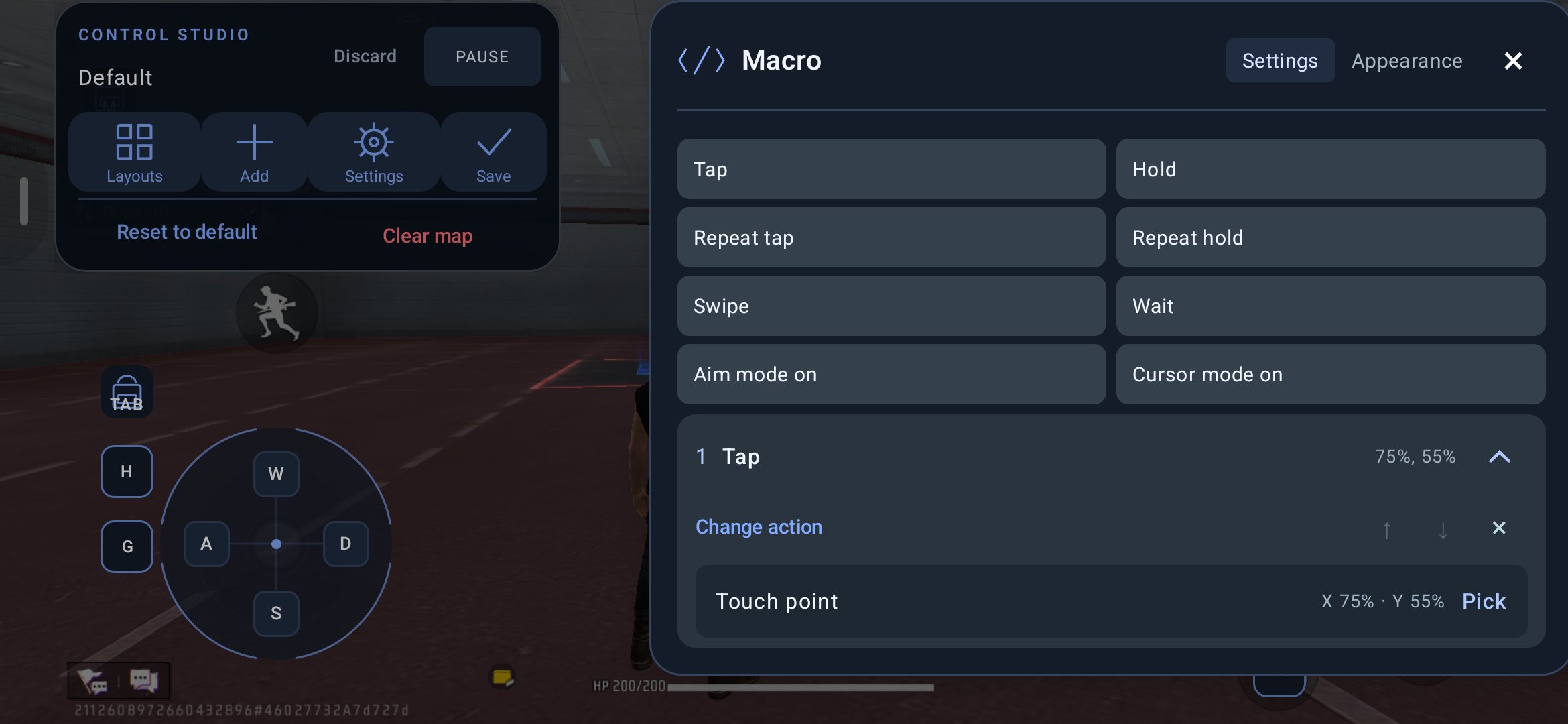
Use a WASD joystick for character movement. Adjust the movement area and timing, then assign a run key to switch between walking and running.
MOUSE AIMING AND CAMERA CONTROL
Use mouse movement for camera swipes and aiming in compatible games. Adjust horizontal and vertical sensitivity independently, or link them for easier tuning. Switch between aiming and cursor mode using your assigned shortcut.
FIRE, FREE LOOK AND ZOOM
Place a dedicated fire mapping over your game's fire button. Choose hold, single-tap, or repeat behavior. For games with a draggable fire button, enable mouse dragging while holding fire.
Add free-look controls and separate zoom-in and zoom-out key assignments to complete your layout.
CONTROLS FOR DIFFERENT PLAY STYLES
Choose from touch buttons, swipe gestures, radial menus, MOBA movement, and smart-cast controls. Position skill and cancel controls separately where your game needs them.
Pro includes macros, ordered actions, and repeated taps. Create action sequences with configurable timing and select touch positions directly on the screen.
SAVE AND MANAGE YOUR KEYMAPS
Keep separate profiles for different games and control layouts. Switch profiles from the floating toolbar, edit existing mappings, or create a new layout.
Start with included layouts for selected games, then adjust them to match your game's controls. Clear a layout or reset it to an available default when you want a fresh start.
Import configurations and use Pro export options to back up or transfer your keymaps.
CUSTOMIZE YOUR OVERLAY
• Adjust control size, color, and play-mode opacity.
• Preview opacity changes while adjusting the slider.
• Use alignment guides when positioning controls.
• Enable an optional center-screen crosshair.
• Show or hide the mapping layout with a shortcut.
• Pause mappings when you need to type, then resume playing.
• Enable visual touch feedback to check mapping positions.
GUIDED AND AUTOMATIC ACTIVATION
Activate through on-phone Wireless debugging, Shizuku, a computer using ADB, or an authorized local ADB connection over TCP/IP. On-phone Wireless debugging activation requires a compatible device running Android 11 or later.
• Root activation: Automatically activate on rooted devices after granting root permission.
• TCP/IP activation: Automatically connect when ADB over TCP/IP is enabled and authorized.
Root access is optional. Follow the activation instructions and allow the floating overlay to display controls over your game.
FREE CONTROLS AND OPTIONAL PRO
Start with basic keyboard and mouse mapping. Upgrade to Pro to remove ads and unlock all available features, including macros, ordered actions, repeated taps, recoil presets, and keymap export.
Available plans and prices are shown in the app.
BEFORE YOU PLAY
A compatible external keyboard or mouse is required for its corresponding controls. Device, Android version, and game compatibility can vary. Activation may be required again after restarting your phone.
Default layouts may need adjustment for your screen size or customized in-game controls. Use external input and automation features only where permitted by the game.
GameKey Mapper is an independent tool and is not affiliated with or endorsed by game publishers or device manufacturers.
Build your layout. Map your controls. Play your way.





One-click to install XAPK/APK files on Android!

Thanks for your rating and feedback!
You have already rated.