Package Name:com.pocketflightdeck
Show More

View GPS altitude and speed, explore an offline globe and record your flights.
Follow your journey with Pocket Flight Deck, a flight information app for passengers. View readings from your phone's satellite positioning system, see your position on an offline globe and save your flight route.
FREE FEATURES
• GPS altitude relative to the WGS-84 reference ellipsoid.
• Ground speed, vertical speed and ground track.
• Satellite status and position accuracy.
• An offline globe with zoom up to 16×.
• Airport search and departure and destination selection.
• Straight-line distance and estimated time to your destination, without recording.
• Flight recording, history and route summaries.
• Storage for up to three saved recordings at a time. Older recordings are not deleted automatically.
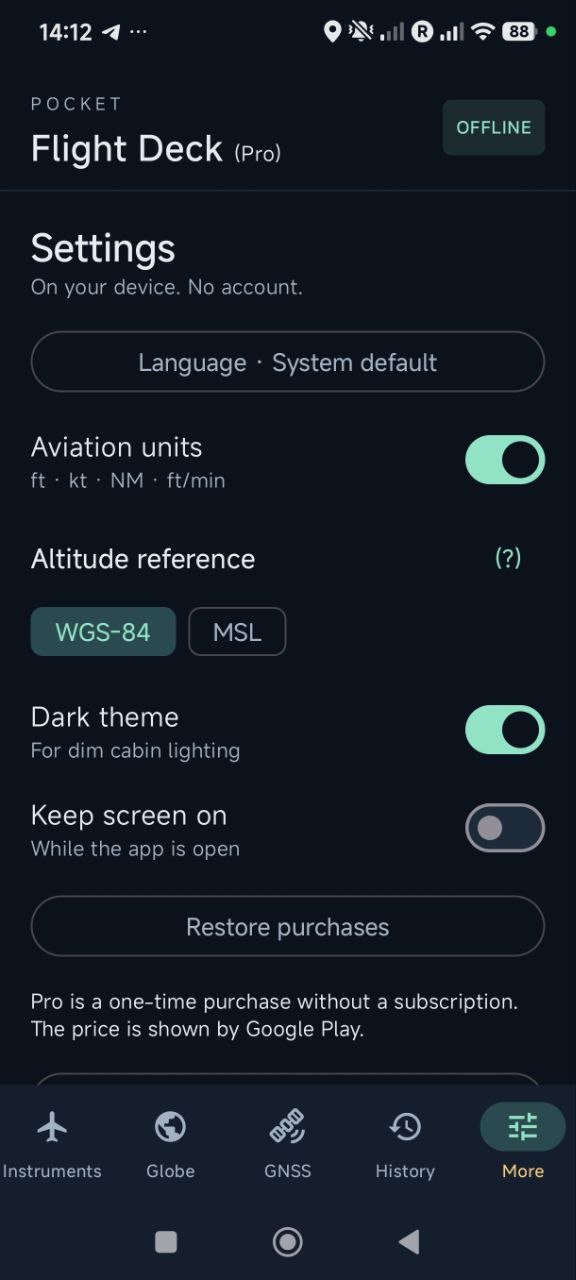
• Selectable units, light and dark themes.
• English and Russian interfaces.
• A demonstration flight using simulated data, without GNSS reception.
PRO FEATURES — ONE-TIME PURCHASE
• GPS-derived altitude above mean sea level (MSL), calculated using the EGM96 geoid model.
• A Primary Flight Display (PFD) with flight readings.
• A nearby-city map below the PFD, with distances and directions.
• Altitude and ground speed charts.
• GNSS Lab and Sky Plot.
• CSV, GPX and ZIP export.
• Replay of your own recordings and CSV import.
• No app-imposed limit on the number of saved flights, subject to available device storage.
Pro is a one-time in-app purchase, not a subscription. In Free, the PFD is available as a preview with hidden readings. Demonstration mode provides simulated PFD readings, the nearby-city map and MSL/WGS-84 selection in both editions.
DISTANCE AND TIME TO YOUR DESTINATION
Select your destination airport at any point during the flight, without recording or choosing a departure airport. Once your phone obtains a satellite position, the app shows the straight-line distance and, when valid speed data is available, an estimated time to your destination. If reception is lost, the last values remain visible with an indication of how long ago they were determined.
This feature is available in Free and Pro. Without recording, new data is received while the app is open on screen. The estimate uses straight-line distance and your current smoothed ground speed. It does not account for future speed changes, route deviations, holding or the landing approach.
RECORD WHEN YOU CHOOSE
Live instruments work without recording. You can start recording during your journey and stop it manually while continuing to view live readings. During an active recording, tracking can continue with the screen off or the app minimised.
Flight recordings are stored on your device. Exporting a recording is a user-initiated action.
RECEPTION AND ACCURACY
Live readings require precise location permission and GNSS reception. GNSS reception during flight depends on your position in the cabin and may be unavailable away from a window. Place your phone near a window for better reception when airline rules allow. Track recording may be interrupted if the signal is lost. Signal acquisition time varies. Try reception in Free before buying Pro: Pro does not improve satellite reception. Readings and flight phase estimates may be inaccurate or unavailable.
MSL and WGS-84 readings are GPS-derived altitude references. Neither is barometric altitude or height above the ground. The PFD attitude background is static and does not measure aircraft roll or pitch.
IMPORTANT
Pocket Flight Deck is intended only for passenger information and entertainment. It is not certified aviation equipment and must not be used for aircraft navigation, flight planning or safety-related decisions. Follow airline rules and crew instructions regarding electronic devices.
Support: [email protected]



One-click to install XAPK/APK files on Android!

Thanks for your rating and feedback!
You have already rated.