Package Name:com.aicareles.dlnareceiver
Show More

DLNA & UPnP receiver to cast videos, photos and music to your TV.
📺 **DLNA RECEIVER — CAST TO TV**
Turn your Android TV into a powerful **DLNA & UPnP media receiver** and easily **cast to TV** from your phone, tablet, or computer.
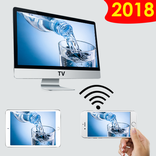
Stream and play your favorite **videos, photos, and music** on the big screen over your local network. No complicated setup — simply connect your devices to the same Wi-Fi network and start casting.
🎬 **CAST VIDEOS TO TV**
Easily **cast videos to your TV** and enjoy movies, personal videos, and other supported media on the big screen.
📡 **DLNA & UPnP MEDIA RECEIVER**
Works as a **DLNA and UPnP receiver** for compatible devices. Discover your Android TV on your local network and use your phone or computer to control media playback.
📱 **EASY CAST TO TV**
Turn your Android TV into a convenient **TV casting receiver**. Select your TV from a compatible DLNA or UPnP app and start streaming your media.
🖼️ **STREAM PHOTOS TO TV**
Display photos from your phone, tablet, or other compatible devices on your TV. Enjoy your favorite memories on a larger screen.
🎵 **STREAM MUSIC TO TV**
Stream music to your Android TV and enjoy your favorite songs through your TV speakers or connected audio system.
🌐 **LOCAL NETWORK STREAMING**
Stream media directly over your local Wi-Fi network. Your media does not need to be uploaded to the cloud to use the receiver.
📺 **DESIGNED FOR ANDROID TV**
Built specifically for **Android TV**, with a clean interface designed for large screens and TV remote controls.
🚀 **HOW TO CAST TO TV**
1️⃣ Connect your Android TV and casting device to the same Wi-Fi network.
2️⃣ Open a **DLNA or UPnP-compatible app** on your phone, tablet, or computer.
3️⃣ Find and select your Android TV from the available media receivers.
4️⃣ Choose a video, photo, or music file and start **casting or streaming to your TV**.
✨ **YOUR MEDIA. YOUR TV. YOUR WAY.**
Enjoy an easy and reliable way to **cast to TV, stream videos, play music, and view photos** using DLNA and UPnP.
🔹 **KEY FEATURES**
• DLNA receiver
• UPnP receiver
• Cast to TV
• Video casting
• Video streaming
• Photo casting
• Music streaming
• Local network streaming
• Android TV media receiver
• Big-screen media playback
• TV remote playback control
⚠️ **IMPORTANT**
DLNA Receiver is designed to receive media from compatible devices on your local network. It does not provide movies, TV shows, or other copyrighted content.
DLNA Receiver is an independent third-party application and is not affiliated with or endorsed by the Digital Living Network Alliance.
DLNA and DLNA Certified are trademarks of Digital Living Network Alliance.



One-click to install XAPK/APK files on Android!

Thanks for your rating and feedback!
You have already rated.