Scan Date:May 16, 2026
Show More


10.0
2 Reviews
18.7 MB
File Size
Everyone
Android OS
Drum Machine is an Android drum app for finger drumming and beat creation.
Built by Trajkovski Labs, it centers on authentic vintage drum character. Download Drum Machine to pair those sounds with a simple recorder and sequencer. Here are the key features users tend to rely on.
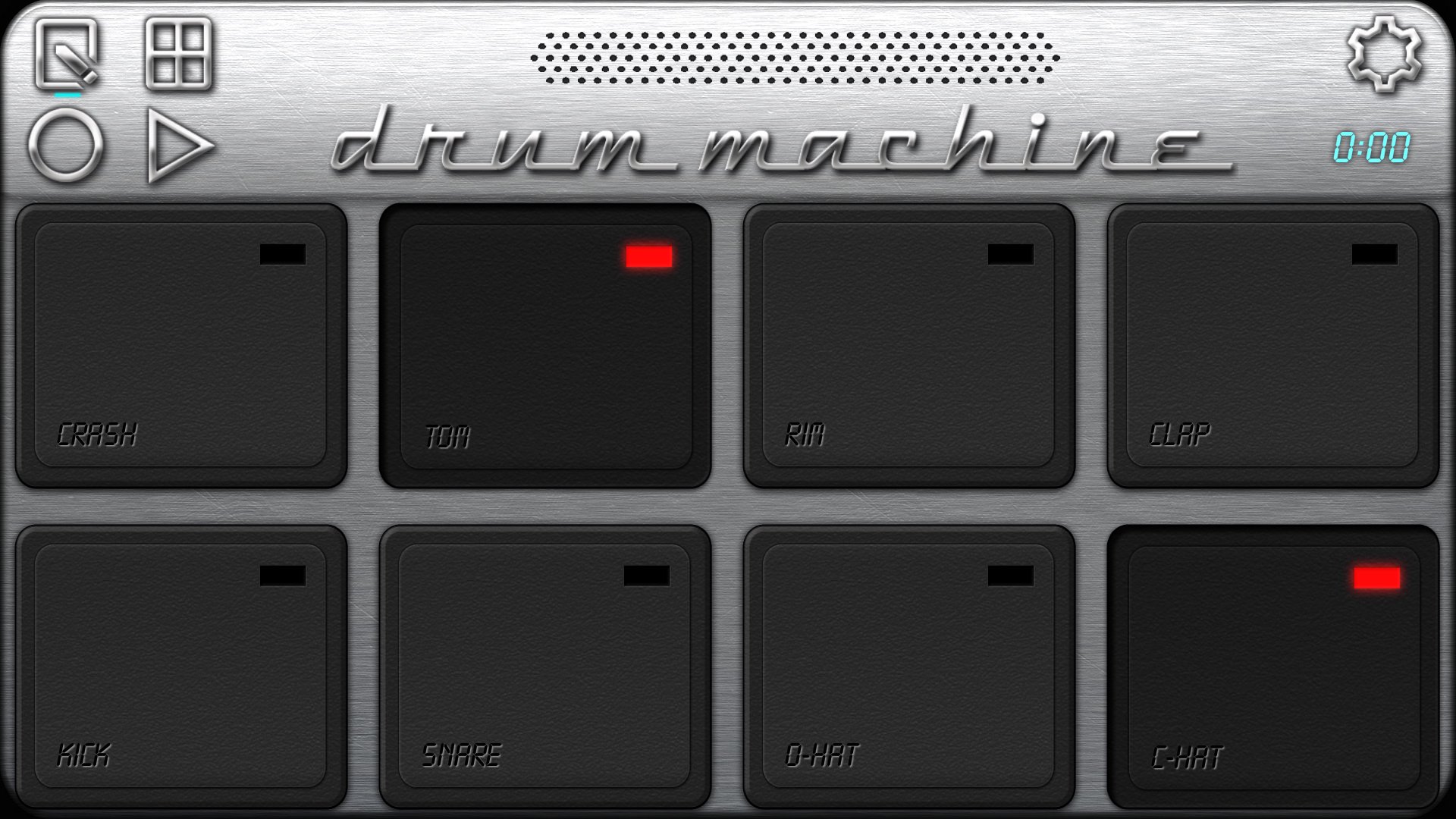
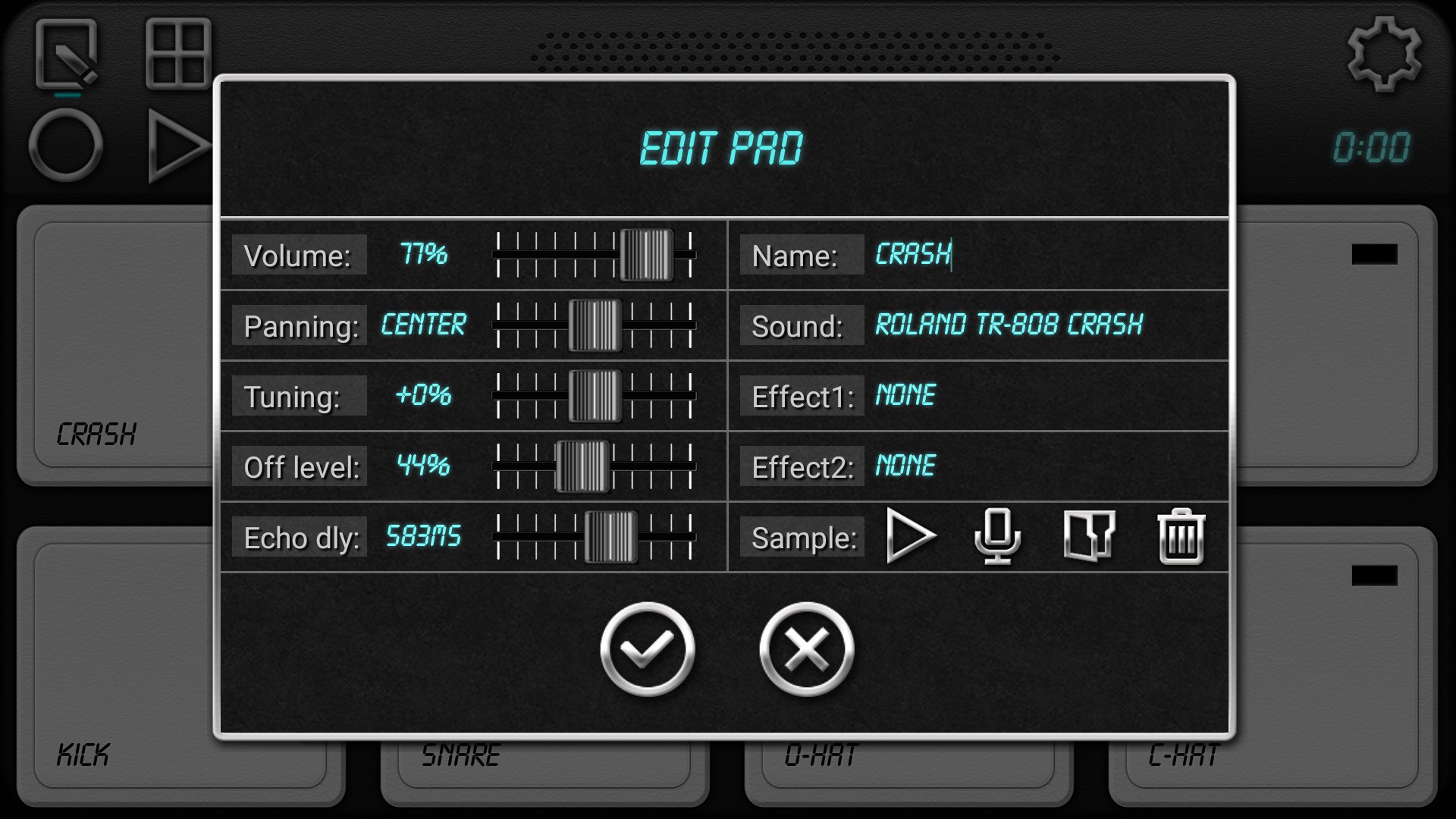
The sound library blends classic vintage drum machines, vintage computers, and real drum kits. Eight responsive pads and a machine editor let you assign a different kick, snare, hat, or sample to each pad for fast, hands-on playing. In the Drum Machine app, users can audition kits, pick individual sounds, and build a custom set that fits the beat they have in mind.
Finger drumming feels natural, and velocity settings help accents cut through. Pad-bending adds character to hits, which works well for fills or transitions without diving deep into menus. The eight-pad limit keeps layouts simple on mobile, and those who want more layers often rely on the sequencer to stack variations across patterns.
The step sequencer lays out beats on a clear grid, with tempo control and a flam option when you hold the sequencer button. You can record a live performance or your voice, then play it back, save, and export. In v2.3, saving and loading from any device folder makes project management straightforward, which helps when juggling multiple sample sets or sharing files.
The Drum Machine app encourages quick experiment–record–refine loops, and the sequencer is useful for locking down tight patterns. Some users notice a glitchy feel at very fast tempos or imperfect loop timing in freehand recordings. Setting tempo carefully, building the structure in the grid, and trimming the start/end before export usually produce cleaner results. Shorter takes can also reduce drift, especially in busy arrangements.
A per-pad mixer lets you balance levels, pan, and shape your kit with sound effects. Light saturation, reverb, or filtering can nudge a vintage machine toward modern punch or give a clean real kit more space. Velocity control keeps ghost notes and accents responsive, while pad-bending adds an expressive twist to single hits during fills.
Drum Machine gives practical control without overcomplicating the layout, so adjusting a loud kick or pulling back a bright snare takes only a moment. As with any effects, heavy settings may muddy the mix on mobile speakers. Conservative levels and quick A/B checks help you keep clarity while adding color.
MIDI support covers pad mapping to external controllers and network MIDI over WiFi, including ipMIDI in v2.3. This turns the phone or tablet into a portable sound module or a drum brain for a hardware pad controller. The Drum Machine app can also send and receive MIDI, which helps when sketching ideas alongside a desktop DAW or other gear.
Wireless MIDI depends on your network, so latency may vary. A strong router, minimal background traffic, and staying close to the access point usually improve feel. For tight live-playing needs, some users prefer wired setups where possible, then use WiFi or ipMIDI for flexible routing during production.
Hands-on testing highlights strong sounds and straightforward tools, with minor timing quirks at extreme tempos. The Drum Machine app balances creative features with a simple, mobile-friendly workflow.
ProsYou can download the latest Drum Machine APK from APKPure. Most downloads complete quickly, depending on your connection, but times vary. APK size may vary by version, so ensure sufficient storage before starting.
During installation, the system may ask for microphone and storage permissions for voice recording and saving/loading files. After installation, open the app, tap the pads to audition sounds, or load a sample and record a short loop to get familiar with the workflow.
If planning to use WiFi MIDI, staying near your router usually improves stability. Save projects regularly, especially when experimenting with new samples or longer recordings.





One-click to install XAPK/APK files on Android!

Thanks for your rating and feedback!
You have already rated.