
Package Name:br.easy.touch2
Show More

Floating button for quick actions, navigation, screenshots and system controls.
**Easy Touch – Floating Button & Quick Actions**
Make everyday Android navigation easier with Easy Touch, a floating button that gives you quick access to useful system actions from almost any screen. Open a customizable quick action menu without constantly switching between apps or navigating through multiple settings screens.
Place the floating button where it works best for you, personalize its appearance, and access frequently used actions with a tap.
**KEY FEATURES**
**1. Floating Button**
- Display a floating button over other apps.
- Drag and position the button on your screen.
- Snap the button to the left or right screen edge.
- Open the quick action menu with a single tap.
- Use double-tap, triple-tap, and long-press gestures to launch assigned actions.
**2. Quick Action Menu**
Access supported system functions from one convenient menu:
- Home – return to your home screen.
- Back – navigate to the previous screen.
- Recent Apps – switch between recently used apps.
- Notifications – open the notification panel.
- Volume – access volume controls.
- Brightness – open brightness controls or display settings.
- Screenshot – capture your screen.
- Lock Screen – lock your device when the required device administration permission is enabled.
- Settings – open Easy Touch settings.
Some actions require additional permissions or depend on your Android version and device manufacturer.
**3. Customize Your Experience**
- Adjust the floating button size and opacity.
- Customize the button shape, color, and icon.
- Configure menu layouts, themes, and animations.
- Choose system, light, or dark app themes.
- Personalize available menu actions and gesture assignments.
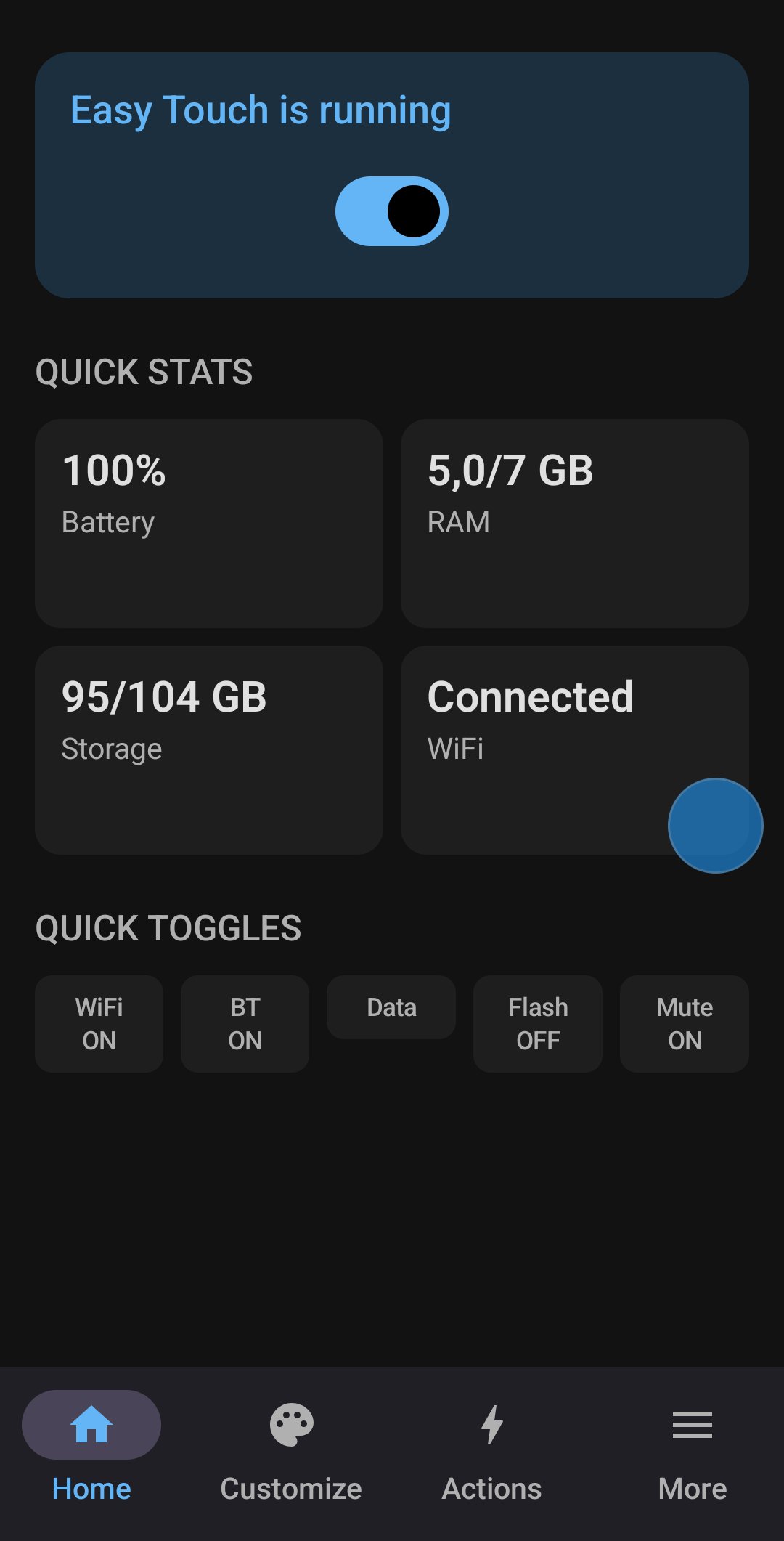
**4. System Information at a Glance**
View useful device information from the Home screen, including:
- Battery status.
- RAM usage.
- Storage information.
- Wi-Fi status.
**5. Convenient System Controls**
Quickly access supported controls and settings for Wi-Fi, Bluetooth, mobile data, flashlight, and sound. Availability and behavior may vary depending on your Android version and device restrictions.
**6. Additional Settings and Tools**
Explore available options for notification controls, vibration feedback, automatic startup, hiding the floating button in selected situations, app lists, profiles, backup and restore, FAQs, and diagnostic logs. The availability of individual options depends on the current implementation and your device.
**PERMISSIONS EXPLAINED**
Easy Touch needs permission to display over other apps to show its floating button and menu.
The Accessibility Service is required for supported system actions such as Back, Recent Apps, opening Notifications, and taking screenshots. These actions work only after you explicitly enable the service in Android settings.
Device administrator access is optional and can be used to lock the screen through Android's device administration API. Locking behavior may vary by device.
A foreground service keeps the floating button available while you use other apps. Notification permission may be requested on Android 13 and later to display the service notification.
Battery optimization settings may affect whether the floating button remains active in the background.
**IMPORTANT NOTES**
- Easy Touch requires certain permissions to provide its floating button and system actions.
- Some functions may not be available on every device or Android version.
- Easy Touch does not replace Android system settings; it provides convenient shortcuts to supported actions and controls.
- Review each permission request and enable only the permissions needed for the features you want to use.
**Make Android navigation more convenient with Easy Touch – your customizable floating button for quick actions.**





One-click to install XAPK/APK files on Android!

Thanks for your rating and feedback!
You have already rated.






