Package Name:com.bok.pixelcheck
Show More

Screen test for dead and stuck pixels, OLED burn-in, backlight bleed and touch.
🔍 Dead pixel test, OLED burn-in check and touch screen test. Each takes about a minute.
Dead pixels do not announce themselves. They hide in a dark photo, on a white
web page, or in a corner you rarely look at. This app fills the screen with the
solid colours that make them show up, then lets you sweep every spot with a
finger to find touch areas that stopped responding.
■ Who this is for
· You just received a phone or tablet and want to check it before the return
window closes
· You are buying a used device and want to look at the screen properly
· Your screen was recently replaced and you want to know it was done right
· You need something to attach to a warranty or refund request
■ What it tests
🎨 Dead and stuck pixel test
Full screen red, green, blue, white, black, cyan, magenta and yellow.
A dead pixel stays black on every colour. A stuck pixel stays the same colour
on all of them. Tap to step through, or let the colours cycle on their own.
👆 Touch and multi-touch test
Draw across the whole screen. Any area that misses your finger stays blank,
so dead zones are easy to see. Also shows how many fingers your screen
actually tracks at once.
⬜ Screen burn-in and uniformity check
Grey, white and green fields make OLED burn-in, backlight bleed near the edges,
tinted corners and uneven patches visible. Works on LCD, OLED and AMOLED
screens, and is useful on second hand phones.
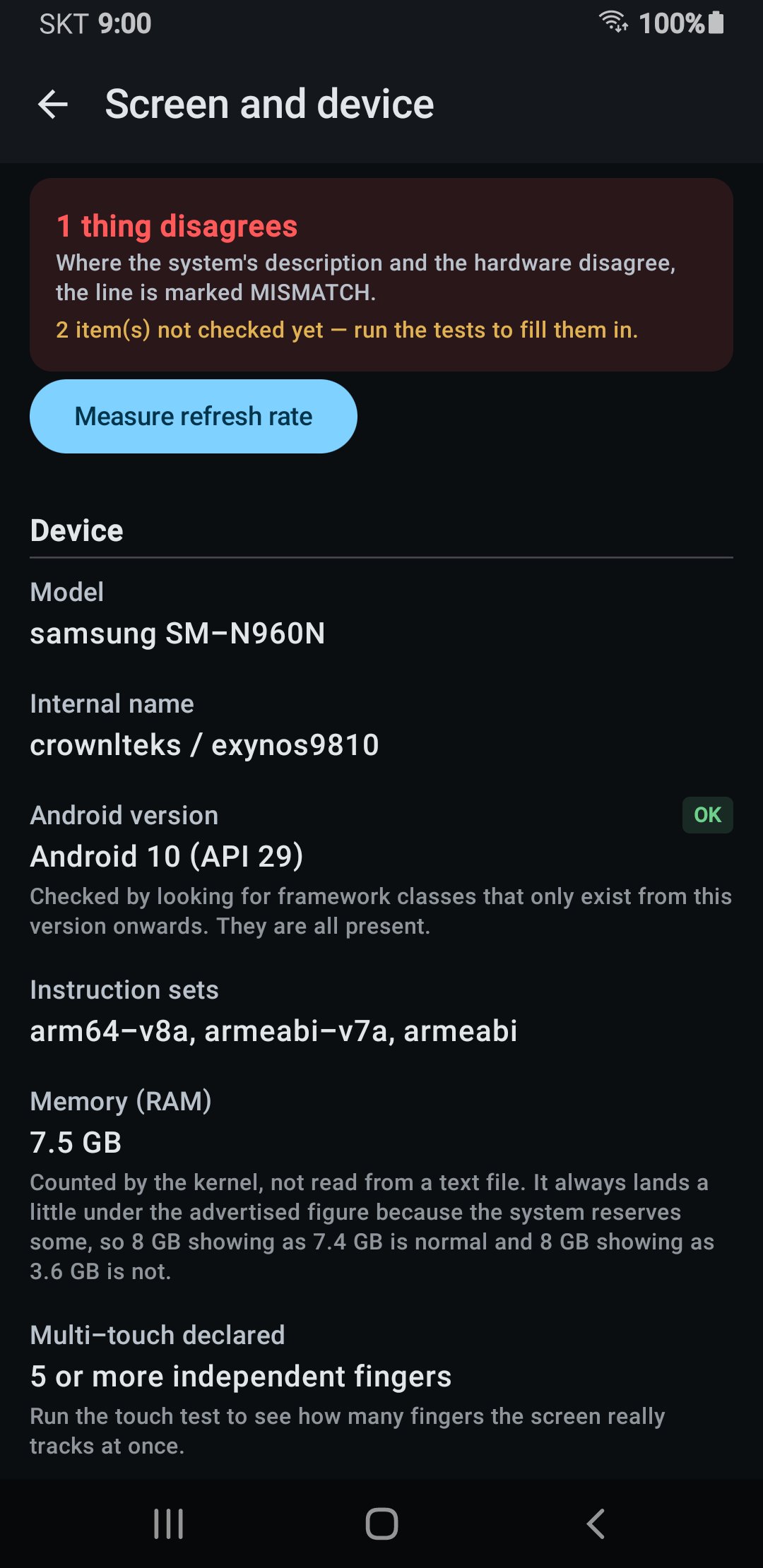
📐 Screen facts
Real resolution, the panel's own native size, every display mode it supports,
pixel density, calculated screen size and HDR support. A two second refresh
rate check counts the frames the screen actually draws and shows the result
next to the rate the system claims. Screens that lower their rate to save power
can read low, so treat a low figure as a reason to look closer, not as proof.
🚩 Mismatch flags
Some devices report one thing and do another. When the value the system reports
does not match what the hardware answers, it is marked in red rather than
quietly shown. Handy if a device was advertised with specifications you want
to check.
📋 Sensor list
Every sensor the device reports, with vendor, range, resolution and power draw.
Eleven common sensors are also checked against what the system declares, and
the ones that are missing are listed as missing, which is worth knowing on inexpensive
imports that are advertised with a gyroscope or compass they do not have.
🧠 Processor cores
Core types and top speeds, taken from the core ID codes the kernel lists for
each core rather than from the chip name the system reports. Compare them with
the chip the listing promised. Some devices do not allow this to be read.
🔋 Battery
Charge level and the condition the system reports. Design capacity and battery
health are shown only where the device makes those figures available, and many
phones do not.
📄 Save a report
Export what you found as a single file you can attach to a return request or
keep for your own records.
■ Good to know
· Free
· No account and no login
· The tests run entirely on your phone and work without a connection
· No ads on the three test screens. A dead pixel test is only honest if nothing
covers the screen, so the ads stay on the home, facts and sensor screens
· Asks you for no permissions at all - no location, no contacts, no camera, no
access to your files
· What the tests measure stays on your phone. The app reports anonymous counts of
which tests were run and how many items disagreed, never the readings
themselves and never your report
■ Honest limits
This app shows you what is there. It does not repair anything, because dead
pixels cannot be fixed by software. A stuck pixel sometimes recovers on its
own with time, and a colour cycle may help, but nothing is guaranteed.
Backlight bleed and colour accuracy need controlled lighting to judge fairly,
so treat those readings as a hint rather than a verdict.
Questions: [email protected]





One-click to install XAPK/APK files on Android!

Thanks for your rating and feedback!
You have already rated.