
Package Name:site.guard2.app
Show More

Send email alerts if heartbeat stops 2h or screen locked 6h in daytime
Guard2 is an automated Android device monitor designed to help families and caregivers care for loved ones with minimal effort. It watches the device — not the person — so loved ones can stay independent while caregivers can stay informed.
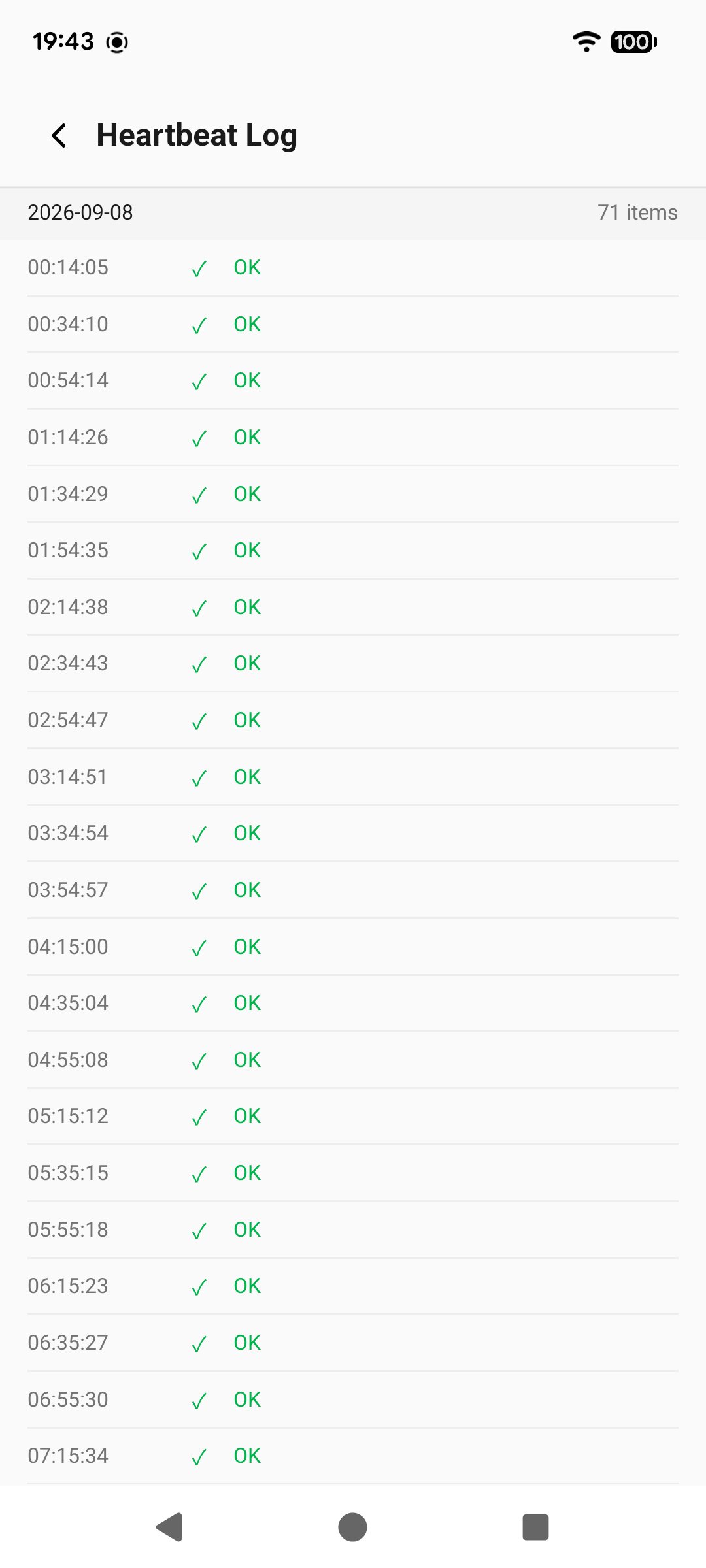
Without requiring anyone to manually check in, Guard2 tracks basic device signals — such as background device heartbeats and screen unlocks — as indicators of device status and routine. Once monitoring is started, caregivers stay informed through automatic email updates and daytime-calculated alerts.
Guard2 does not monitor messages, calls, location, or app content. It only observes basic device-level signals.
📧 **Stay Informed: 6 Automatic Status & Alert Emails**
Caregivers can confirm the monitoring state through automatic email updates:
**Monitoring Started**
Sent immediately when monitoring begins. Confirms that the device is online, registered, and being monitored.
**Monitoring Stopped**
Sent immediately when monitoring is manually stopped on the device, or automatically when the monitoring period expires.
**Heartbeat Timeout Alert**
Triggered when no device heartbeat is received for more than 2 counted daytime hours (07:00–23:00). This may indicate that the device is shut down, powered off, or disconnected from the network.
**Screen Unlock Inactivity Alert**
Triggered when the screen remains locked for more than 6 counted daytime hours (07:00–23:00), indicating that the device has not been actively used during the day.
**Heartbeat Recovery**
Sent automatically when a previously offline device reconnects and resumes sending normal heartbeats.
**Activity Recovery (Screen Unlocked)**
Sent automatically when the device screen is unlocked, confirming that the device is active again.
🌙 **Smart Daytime Protection**
Guard2 accumulates abnormal duration only during daytime hours (07:00–23:00). Time elapsed during the night (23:00–07:00) is not counted toward the alert thresholds, and no alerts are triggered during these hours.
If an abnormal state persists across the night, Guard2 resumes accumulating the daytime duration at 07:00 the following day, continuing from the daytime time already accumulated before the night period.
**Examples:**
**Heartbeat stops at 22:00:**
1 hour is accumulated between 22:00 and 23:00. The 23:00–07:00 night period is excluded. Accumulation resumes at 07:00 the next day, and an alert triggers at approximately 08:00 after a total of 2 counted daytime hours without a heartbeat.
**No unlock after 21:00:**
2 hours are accumulated between 21:00 and 23:00. The 23:00–07:00 night period is excluded. Accumulation resumes at 07:00 the next day, and an alert triggers at approximately 11:00 after a total of 6 counted daytime hours without an unlock.
More information about Guard2, including how it works and our privacy approach, is available at:
https://guard2.site




One-click to install XAPK/APK files on Android!

Thanks for your rating and feedback!
You have already rated.