Package Name:pkg.insideapp.textexpander
Show More


61.5 MB
File Size
Everyone
Android OS
Keyboard Shortcut App: save shortcuts, expand text & images, offline & private
Text Expander – Keyboard Shortcuts | Type Less, Say More
Stop typing the same messages repeatedly! Text Expander – Keyboard Shortcuts helps you type faster by automatically replacing short shortcuts with complete messages, sentences, paragraphs, and templates.
Create custom keyboard shortcuts and expand them instantly while typing in supported Android apps. Save time with your personal Auto Text Expander.
🚀 KEY FEATURES
✅ Instant Text Expansion – Turn short triggers into complete messages. For example, type ".omw" to expand into "On my way, be there in 10 minutes!"
✅ Automatic Text Expander – Detect and expand matching shortcuts automatically as you type.
✅ Custom Keyboard Shortcuts – Create unlimited personalised text templates, greetings, email signatures, addresses, and frequently used replies (subject to plan limits).
✅ Text & Image Expander – Save images with shortcuts and copy them to your clipboard for pasting into supported apps.
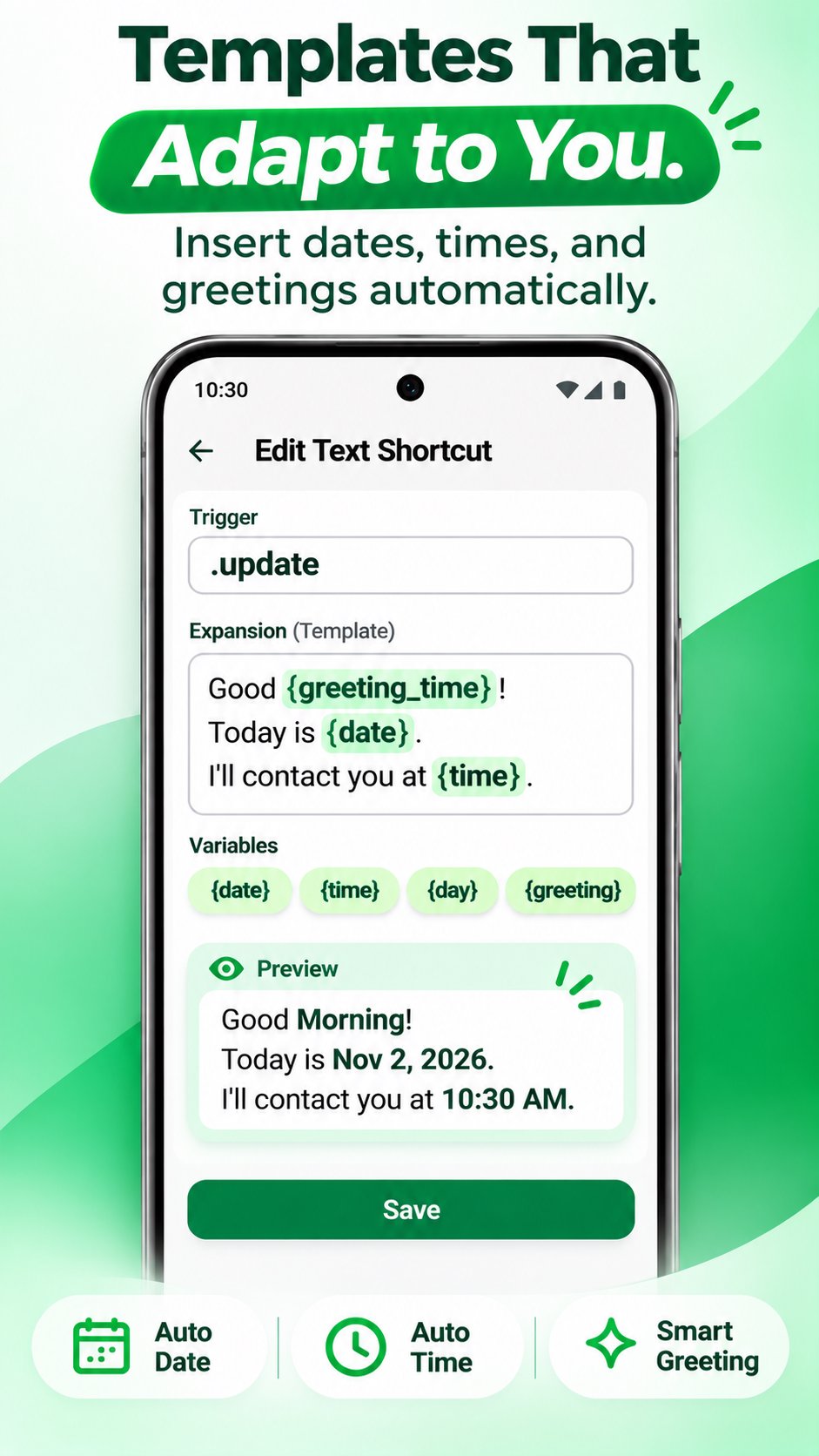
✅ Dynamic Variables – Automatically insert date, time, day, month, year, device details, greetings, and clipboard text into your templates.
✅ Works Across Supported Apps – Use shortcuts while typing in WhatsApp, Gmail, Instagram, Messages, Slack, and other compatible text fields.
✅ Offline & Local Storage – Your shortcuts are stored locally. Ordinary text expansion works without an internet connection.
✅ Productivity Tracking – Track shortcut usage, total expansions, estimated time saved, and unlock Karma levels.
🔐 ACCESSIBILITY SERVICE PERMISSION
Keyboard Shortcuts uses Android's Accessibility Service to provide automatic text expansion in other applications.
The service detects matching shortcut triggers in the active text input field and replaces them with your saved text.
Accessibility processing is performed locally for text expansion. This permission is not used for unrelated actions or device control.
You must manually enable the Accessibility Service in Android Settings to use automatic expansion.
💡 PERFECT FOR
• Business owners and entrepreneurs
• Customer support agents
• Sales professionals and recruiters
• Freelancers and students
• Social media managers
• Anyone who types repetitive messages
Use shortcuts for:
• WhatsApp messages and quick replies
• Email signatures and templates
• Customer support responses
• Addresses and contact details
• Greetings and thank-you messages
• Sales messages and follow-ups
⚡ HOW IT WORKS
1. Create a shortcut (e.g. .thanks).
2. Add your frequently used text.
3. Enable Accessibility Service.
4. Type your shortcut in a supported app.
5. Watch it expand automatically!
🔒 PRIVACY & DATA
• Shortcuts and settings are stored locally.
• Images are stored in private app storage.
• Ordinary text expansion happens locally.
• No account required for core functionality.
• Optional Google Drive backup and CSV import/export are available.
⭐ FREE & PRO
Free: Up to 20 text shortcuts and 1 image shortcut.
Pro: Unlimited text and image shortcuts, Google Drive backup, and CSV import/export.
📲 DOWNLOAD TEXT EXPANDER – KEYBOARD SHORTCUTS
Stop repeating yourself. Create shortcuts, expand messages, and save time every day.
Looking for a Text Expander, Auto Text Expander, Text Expansion Tool, or Keyboard Shortcuts app for Android? Start typing smarter today!
Type Less. Say More.



One-click to install XAPK/APK files on Android!

Thanks for your rating and feedback!
You have already rated.