Package Name:ac.onyx.toolrack
Show More

Your tools, always within reach
Toolrack keeps your apps, widgets and shortcuts one swipe apart.
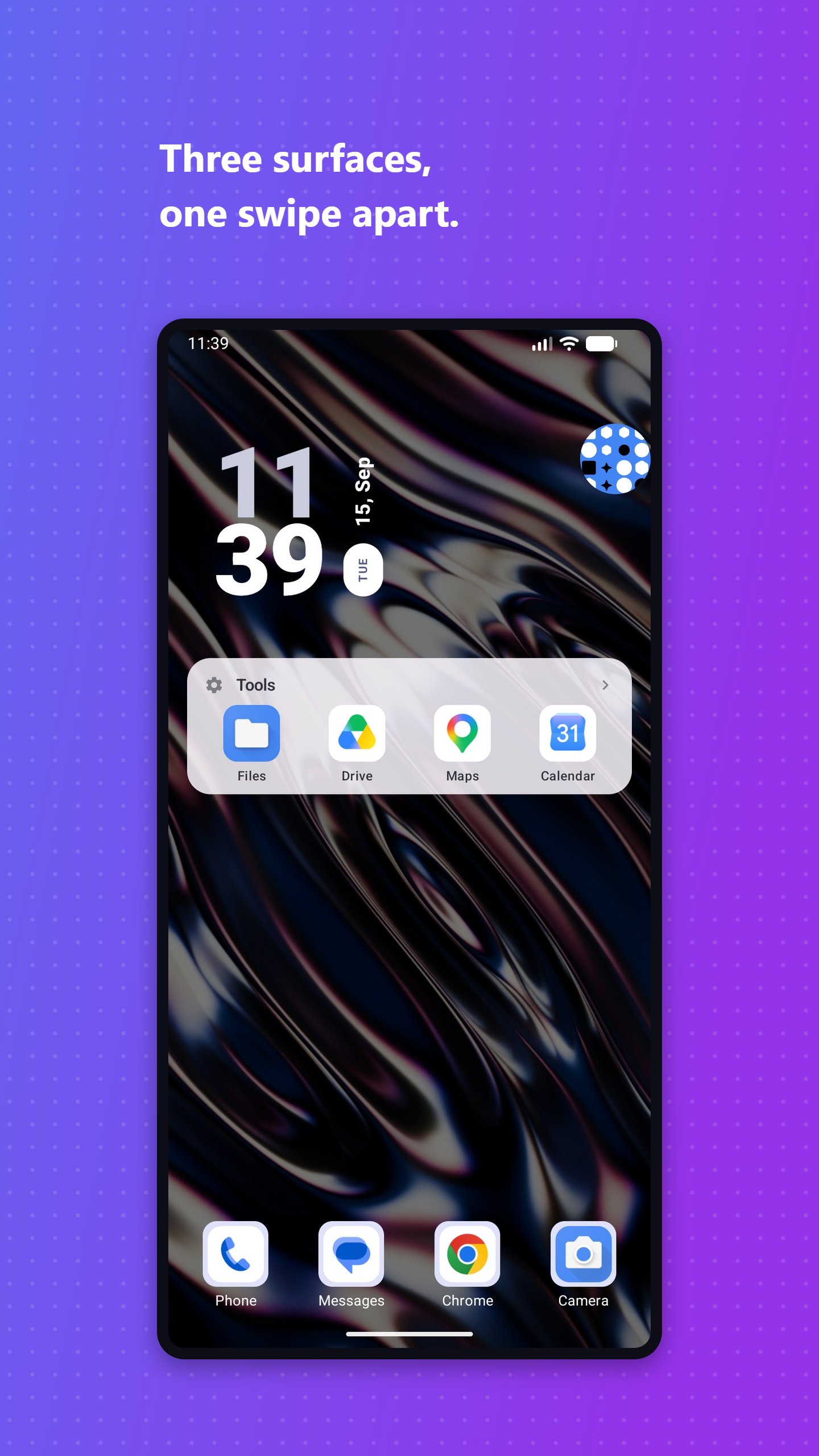
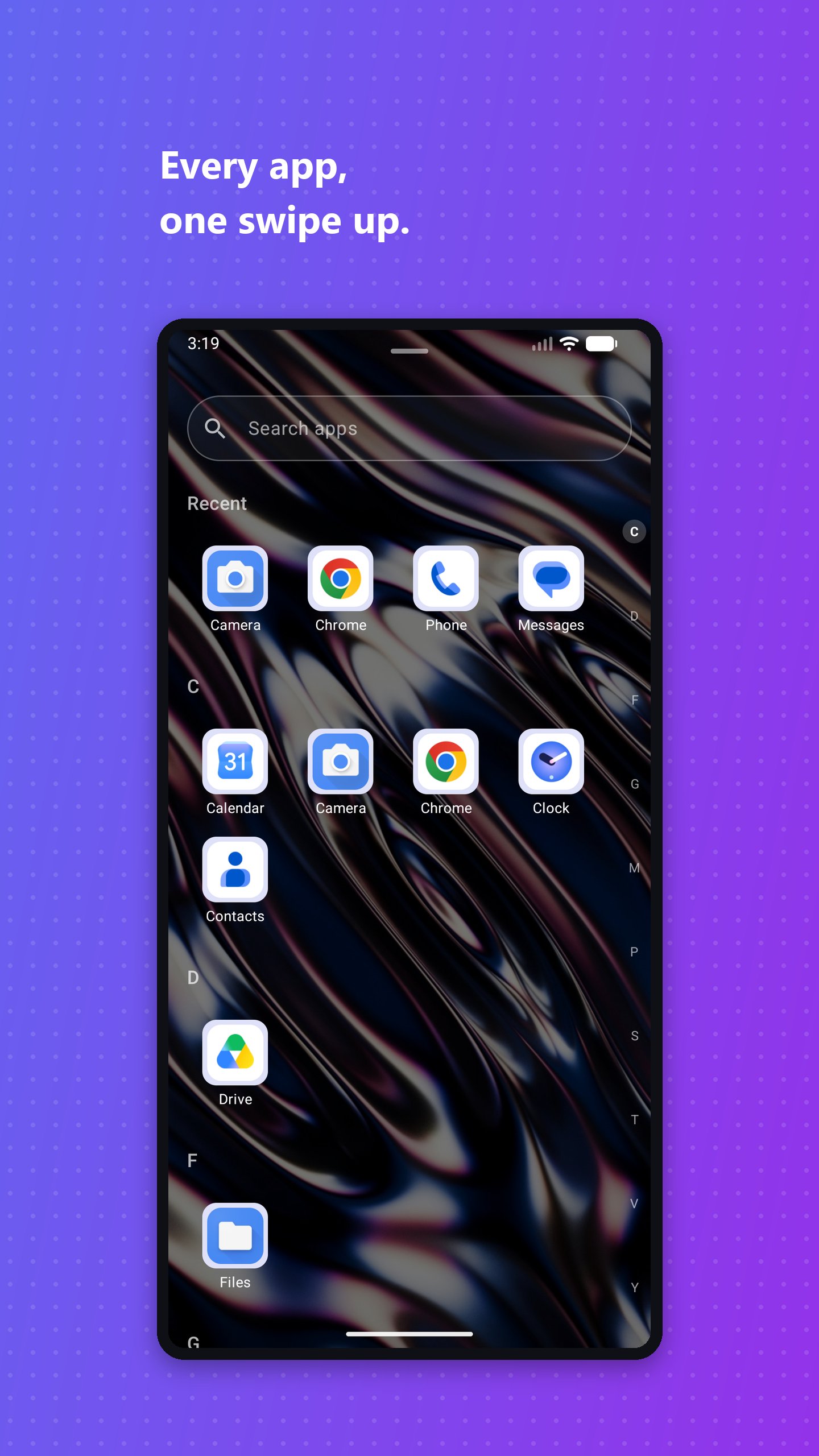
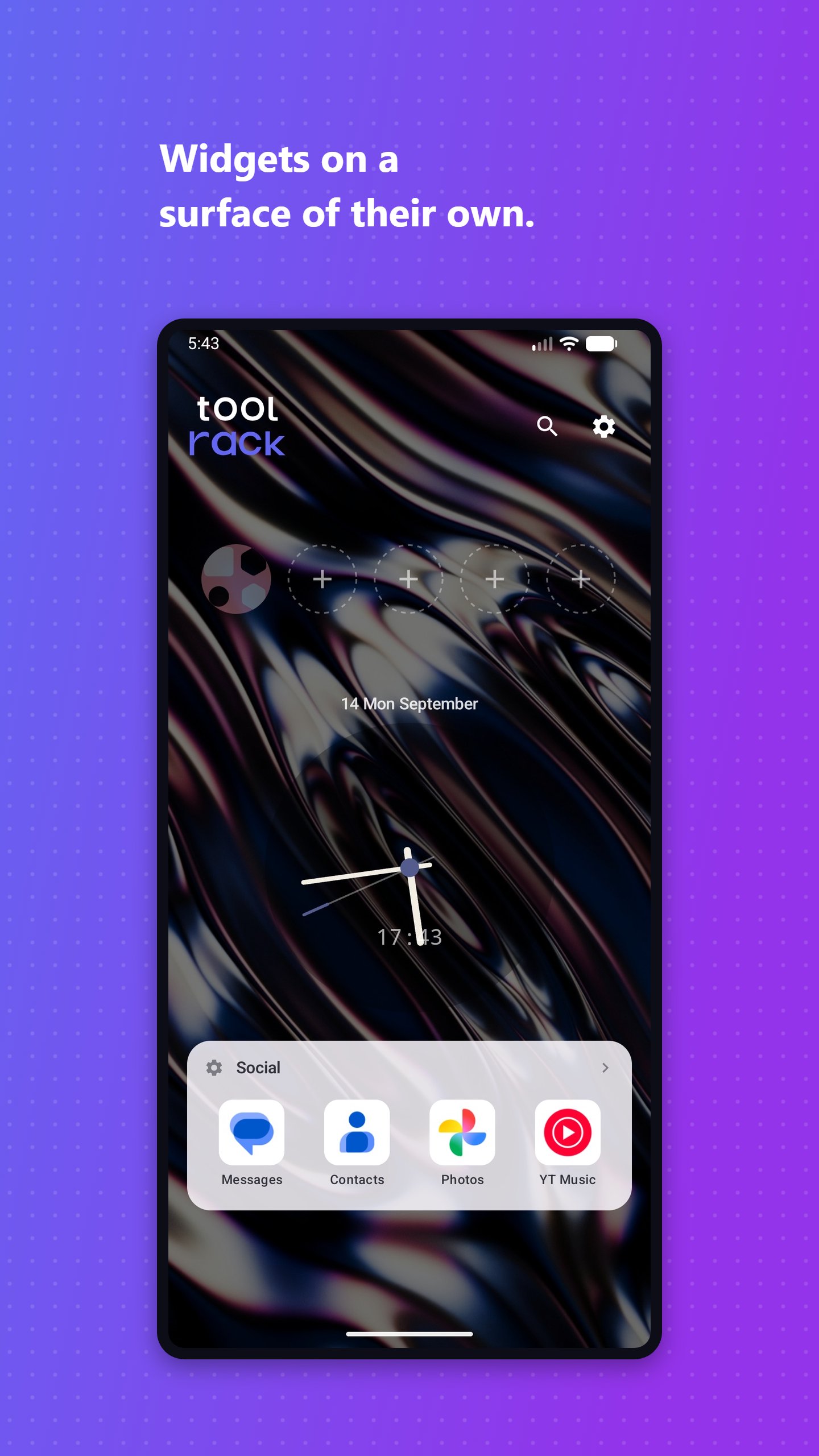
It is three surfaces living on your home launcher: Dash for widgets, Home for your grid and dock, and the App Drawer for everything else. Swipe sideways between Dash and Home, up from Home for the full app list, back down to close it. No fake backgrounds, no extra chrome — everything slides over the wallpaper you already chose.
FLOATING WIDGET BUBBLES
Pin a widget to a bubble that floats on top of whatever you are doing, chat-head style — a clock, your calendar, or a rack of the apps you keep reaching for. Drag one anywhere and it snaps to the screen edge. Tap to open it, use it, and carry on without leaving the app you were in. Left alone, a bubble tucks itself most of the way off the edge — touch the sliver to bring it back. Each gets a generated avatar, or an emoji and colour you pick.
TOOLS WIDGETS
Build your own rack of apps: name it, fill it, and put it on Home, in Dash, or in a floating bubble. Each one carries its own light or dark card and its own transparency, so it sits on your wallpaper the way you want it to. Whatever does not fit the row is one tap away behind the chevron.
A HOME SCREEN THAT BEHAVES THE WAY YOU EXPECT
Drop apps anywhere on the grid and drag them around. Drop one app onto another to make a folder, which opens into a grid you can rename and reorder. Hover a drag over a crowded spot and Toolrack shuffles what is in the way; drag to the edge of the screen and it flips to the next page, creating one if you have run out.
Apps can be dragged straight out of the App Drawer, too — long-press one and pull, and the drawer slides away as you place it.
Pick your own grid size and dock width, and a page indicator style that suits you. When it is finally how you want it, lock the whole layout so nothing moves by accident.
WIDGETS WHEREVER YOU WANT THEM
Place any Android widget on the Home grid and resize it in place, within the widget's own minimum and maximum. Stack widgets in Dash, a scrolling column one swipe to the left of Home. Or float one in a bubble, over any app. Same picker everywhere: your installed widgets grouped by app, with previews, alongside Toolrack's own clocks, search, bubble toggle and Tools racks.
SEARCH THAT FINDS MORE THAN APPS
The drawer's search bar — at the top or the bottom, your choice — matches installed apps, app shortcuts and system settings screens at once, with an optional web fallback for anything else. Show the results as one list or grouped under headings, and open the drawer onto a row of whatever you opened last.
HIDDEN APPS
Hide any app from the drawer and from search entirely. Getting them back is a deliberate two-finger drag on the open drawer, gated behind your device PIN, pattern or password by default — raisable to fingerprint or face, or off if you prefer.
MAKE IT YOURS
Toolrack reads icon packs you already have — Nova, ADW and Apex-style packs all work — and can mask every icon to a rounded square, square, squircle or circle. Tune how far the wallpaper dims, pick a drawer density from comfortable to dense, and set your wallpaper without leaving the launcher. On a tablet the grid, the dock and the drawer all grow into the screen rather than stretching a phone layout across it.
BACKUP AND RESTORE
Export your entire setup — layout, folders, bubbles, widget list, every setting — to a single file, and restore it on a new device or after a reinstall.
BUILT TO RESPECT YOUR APP LIST
Toolrack never logs which apps you have or how you have organised them, even in its own diagnostics. It reads your app list through a scoped query rather than requesting blanket access to every package on your device. The in-app bug reporter shows the exact text of the outgoing report, and sends nothing until you tap Send.




One-click to install XAPK/APK files on Android!

Thanks for your rating and feedback!
You have already rated.