Package Name:remote.control.fire.firetv.firestick
Show More

The complete Fire TV remote (with Keyboard, Voice Comands & Mirroring)
Upgrade your streaming experience with fTV+, the ultimate free remote control for Fire TV, Fire Stick, and Fire TV Cube.
Stop searching for your lost physical remote. fTV+ turns your Android phone into a powerful, smart controller designed specifically for Amazon Fire TV devices. Whether you need to navigate menus, launch apps, or—best of all—type using your phone’s keyboard, this app makes it effortless.
WHY CHOOSE THIS FIRE TV REMOTE? Unlike basic remotes, our app solves the biggest pain point of smart TVs: typing. No more navigating letters one by one with a D-Pad. Just open the keyboard on your phone and search for movies, shows, or passwords instantly on your TV.
KEY FEATURES:
◆ Smart Keyboard Input - Type text directly from your phone to your TV. Perfect for searching on Netflix, Prime Video, or entering complex Wi-Fi passwords.
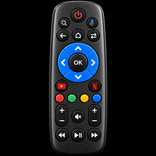
◆ Full Remote Control - Navigate with a responsive touchpad or traditional directional buttons. Includes Home, Back, Menu, and Playback controls.
◆ Screen Mirroring & Cast - Share your phone’s photos, videos, and screen directly to your Fire TV with low latency.
◆ Voice Search Ready - Use your phone’s microphone to execute voice commands and find content faster.
◆ Quick App Launcher - Launch your favorite apps like Prime Video, YouTube, Hulu, and Disney+ with a single tap. ◆ Auto-Connection - Automatically detects Fire TV devices on your Wi-Fi network for instant pairing.
This free Fire Stick remote app features a sleek, intuitive Material Design interface. It connects via Wi-Fi, making it the perfect replacement or backup for your physical remote control.
COMPATIBLE WITH ALL AMAZON DEVICES: Works seamlessly with the entire Fire TV family and built-in Fire TV Editions: • Fire TV Stick (Lite, 4K, 4K Max) • Fire TV Cube • Fire TV Box (Older generations) • Toshiba Fire TV Edition • Insignia Fire TV Edition • JVC, Grundig, and Onida TVs with Fire OS.
Download fTV+ now and enjoy the easiest way to control your Fire TV. Say goodbye to lost remotes and slow typing!
Note: Your phone and Fire TV device must be connected to the same Wi-Fi network. This app is not affiliated with Amazon.com Inc. or its affiliates.



One-click to install XAPK/APK files on Android!

Thanks for your rating and feedback!
You have already rated.