Package Name:com.layandev.sqfcalculator
Show More

62.7 MB
File Size
Everyone
Android 7.0+
Android OS
Draw accurate floor plans, furnish in 2D/3D, measure with AR, and export PDF.
Create accurate floor plans, furnish complete spaces, explore projects in 3D, and measure rooms with augmented reality from your Android device.
Designed for renovations, furniture layouts, property documentation, client presentations, and home planning, the app turns real measurements and ideas into clear, editable plans.
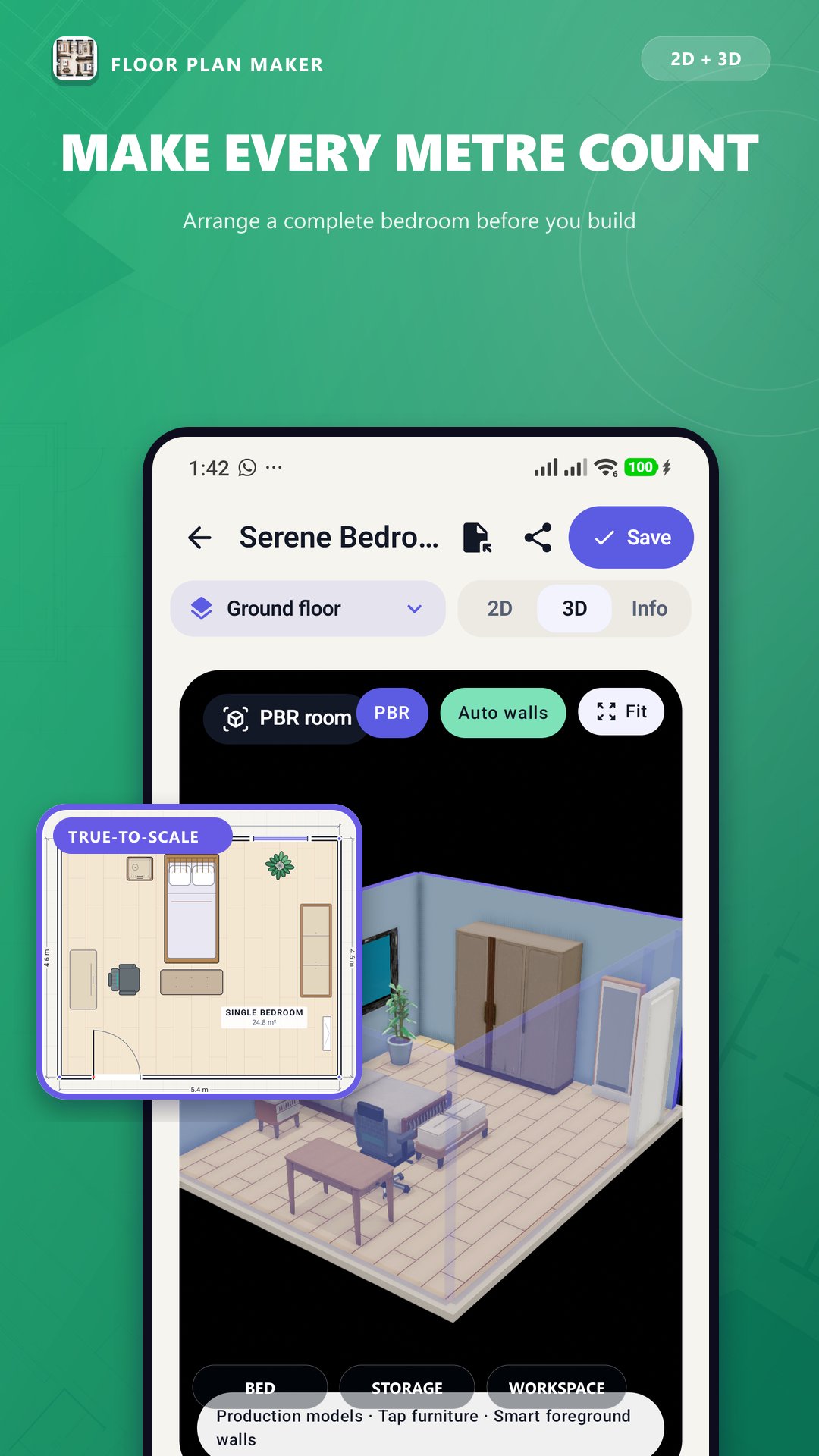
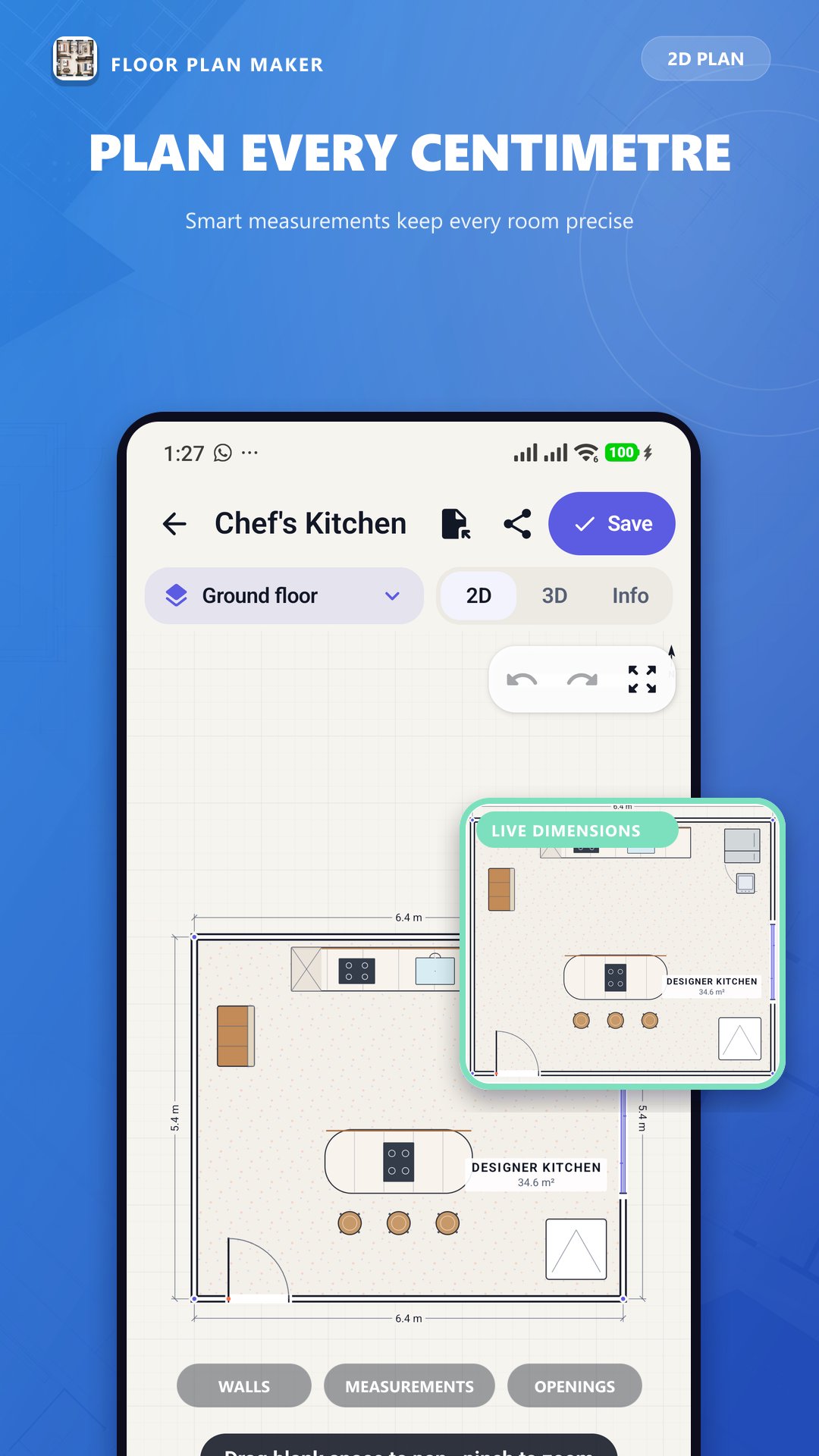
Precise 2D floor planning
• Draw exterior walls and interior partitions
• Use horizontal, vertical, parallel, and right-angle snapping
• Enter exact wall lengths and dimensions
• Add doors, windows, room names, and measurement lines
• Configure opening width, height, sill, hinge, and swing direction
• Pan freely, rotate the view, and zoom out for large projects
• Lock objects and dimensions to prevent accidental changes
• Use undo and redo while editing
Rich object library
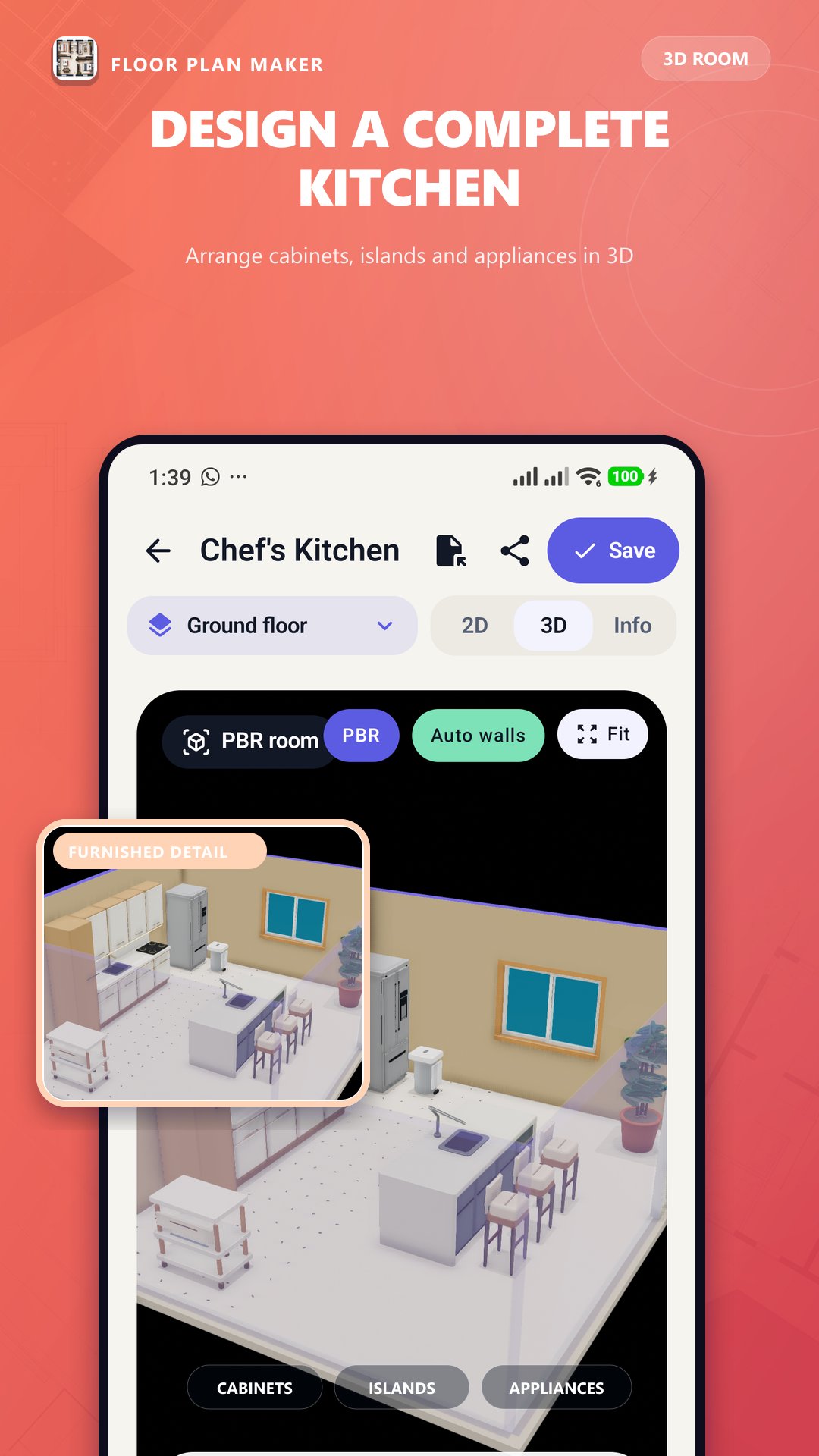
Furnish living rooms, bedrooms, kitchens, bathrooms, offices, utility spaces, and outdoor areas with 100 original plan objects and 3D models.
Add sofas, beds, tables, chairs, cabinets, appliances, bathroom fixtures, storage, lighting, plants, staircases, and more.
Objects can be moved, rotated, resized, duplicated, aligned, locked, and positioned using wall-clearance measurements. Available materials and finishes remain consistent between the 2D plan and 3D view.
Interactive 3D visualization
Switch from the plan to an interactive 3D model at any time.
• Orbit, pan, and zoom around the project
• Inspect furniture placement and room circulation
• Select and edit objects from the 3D workspace
• Change furniture materials, floor finishes, and wall finishes
• Choose full-wall, automatic cutaway, or see-through wall modes
• Visualize multiple floors and staircase directions
AR room measurement
On compatible ARCore devices, use the phone camera to capture real room measurements.
• Capture room corners on detected surfaces
• Use depth information when supported
• Measure individual distances with an AR tape
• Preview the captured outline and area
• Undo points or restart the measurement
• Transfer captured measurements to an editable floor plan
AR availability and accuracy depend on the device, camera conditions, and detected surfaces. Manual plan creation remains available on all supported devices.
Multiple floors and project details
• Add, rename, duplicate, and remove floor levels
• Configure elevations and ceiling height
• Organize walls, openings, furniture, and finishes by floor
• Store project, client, location, and site information
Trace existing plans
Import an image or the first page of a PDF as a reference. Calibrate it using a known measurement, adjust opacity, and accurately redraw the plan.
Automatic calculations
View floor area, perimeter, wall surface, room dimensions, door and window quantities, material estimates, and object summaries.
Professional exports
• Multi-page PDF reports
• High-resolution plan-view PNG images
• Dimensions, room labels, scale reference, and north arrow
• Project information, legend, and title block
• Floor, wall, and opening summaries
Projects are stored locally on the device with automatic recovery protection. Core drawing, furnishing, 3D planning, estimation, and export tools work without creating an online account.
Suitable for homeowners, contractors, property professionals, interior designers, students, and anyone who needs to create, measure, visualize, or share a floor plan.
Plans and AR measurements should be verified before construction or other safety-critical work. This is a planning and visualization tool and does not replace certified architectural, engineering, or surveying services.




One-click to install XAPK/APK files on Android!

Thanks for your rating and feedback!
You have already rated.