Scan Date:May 22, 2026
Show More

Galaxy S26 Dark Theme: Premium One UI Dark Icons and Stunning FHD+ Wallpapers.
Experience the future of mobile aesthetics with the Galaxy S26 Dark Theme.
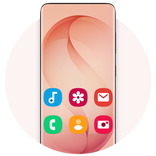
The Galaxy S26 Dark Theme & Icon Pack offers an elite collection of dark, One UI-inspired icons and crystal-clear FHD+ wallpapers. Designed to replicate the sleek look of the latest flagship devices—including the Galaxy S26, S26+, and S26 Ultra—this icon pack brings a modern, premium feel to any Android smartphone or tablet.
Your home screen is the most personal part of your phone. With our professionally crafted dark icons and vibrant backgrounds, you can express your unique style while giving your device a clean, high-end appearance optimized for edge-to-edge display phones (Galaxy S25, Galaxy S25+, Galaxy S25 ultra, Galaxy S24 ultra and Note 20).
Main Features:
• Modern Dark Icon Pack: Icons inspired by the latest One UI 8.0 flat design.
• Exclusive FHD+ Wallpapers: A curated selection of high-resolution backgrounds from the Galaxy S26 and S25 series.
• Universal Compatibility: Perfectly optimized for all screen types, including high-pixel-density displays.
• Customization Made Easy: Set wallpapers for your home or lock screen with a single tap.
• Fast & Lightweight: Intuitive navigation ensures a smooth experience without affecting device performance.
• Offline Storage: Save your favorite HD wallpapers directly to your mobile device.
🛠️ Supported Launchers:
This dark theme is compatible with the most popular Android launchers. Apply it directly through the app or your launcher's settings:
• OS Launcher 26
• Galaxy S26 Ultra Launcher
• Android 16 Style Launcher
• Nova Launcher
• ADW Launcher
• Action Launcher
• Solo Launcher
• N+ Launcher
Note: This icon pack also works with many other launchers that support third-party themes. If your launcher isn't listed, simply apply Galaxy S26 Dark Theme via the launcher’s internal settings by long-pressing your home screen.
Simple Installation:
1. Open the Galaxy S26 Dark Theme app.
2. Choose your installed launcher from the list.
3. Click Apply to instantly upgrade your interface.
Download the Galaxy S26 Dark Theme today and give your phone a professional flagship makeover!



One-click to install XAPK/APK files on Android!

Thanks for your rating and feedback!
You have already rated.