Package Name:com.levelpulse.gamepilot
Show More

Boost gaming performance with FPS monitor and game optimization
Game Launcher - automatically detects installed games on your device and adds them to the My Games section. Select any game, tap Launch & Optimize, and GamePilot will clean RAM, kill background apps, and apply your preferred settings before launching the game.
Features
Game Boost - a real 9-step optimization pipeline that runs before every game session:
● Kill background processes and free RAM
● Memory trimming and garbage collection
● Cache clearing
● Reduce system animation scales for snappier performance
● Auto-enable Do Not Disturb
● Lock screen rotation
● Disable haptic feedback
● Adjust brightness if battery is low
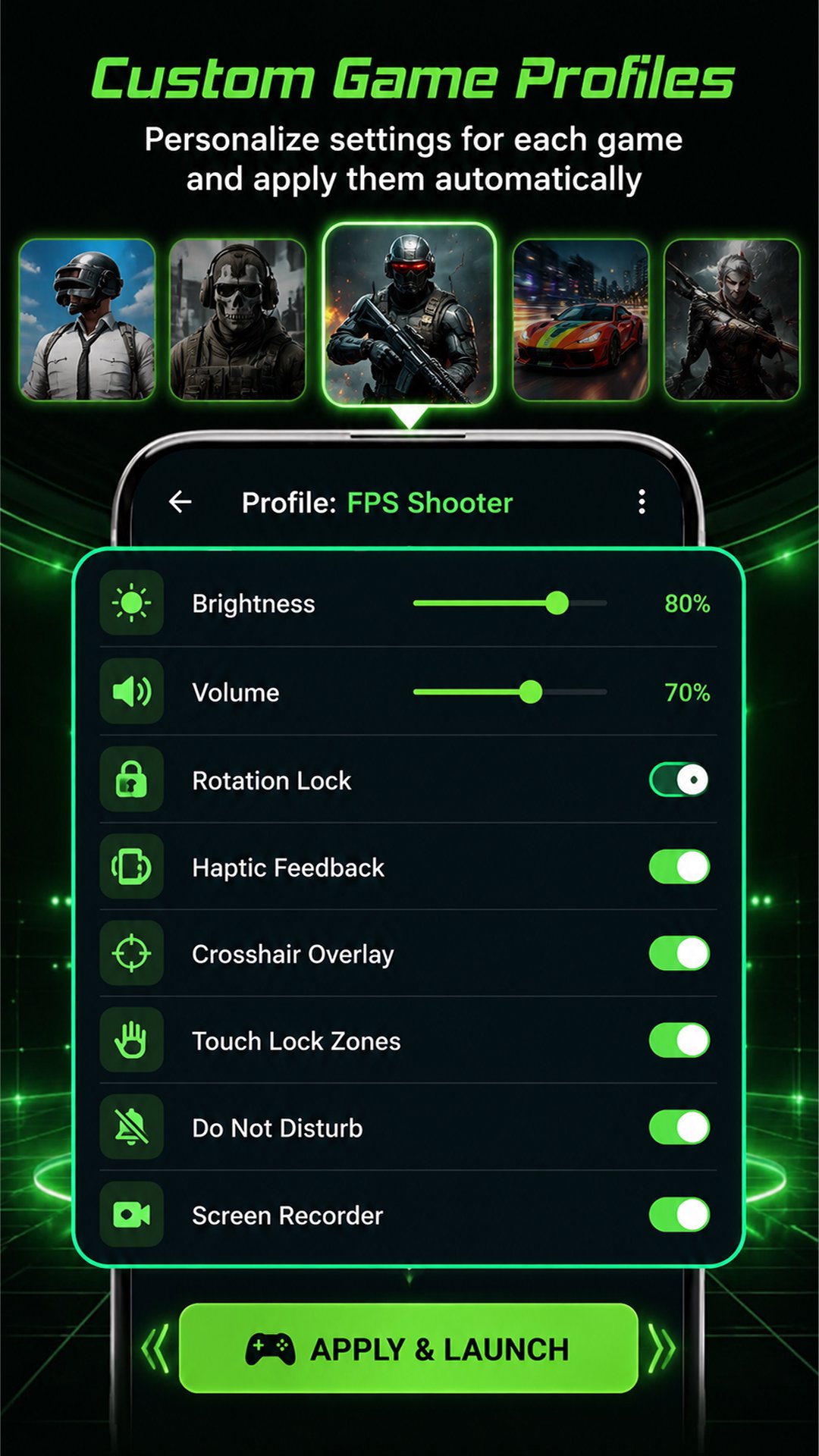
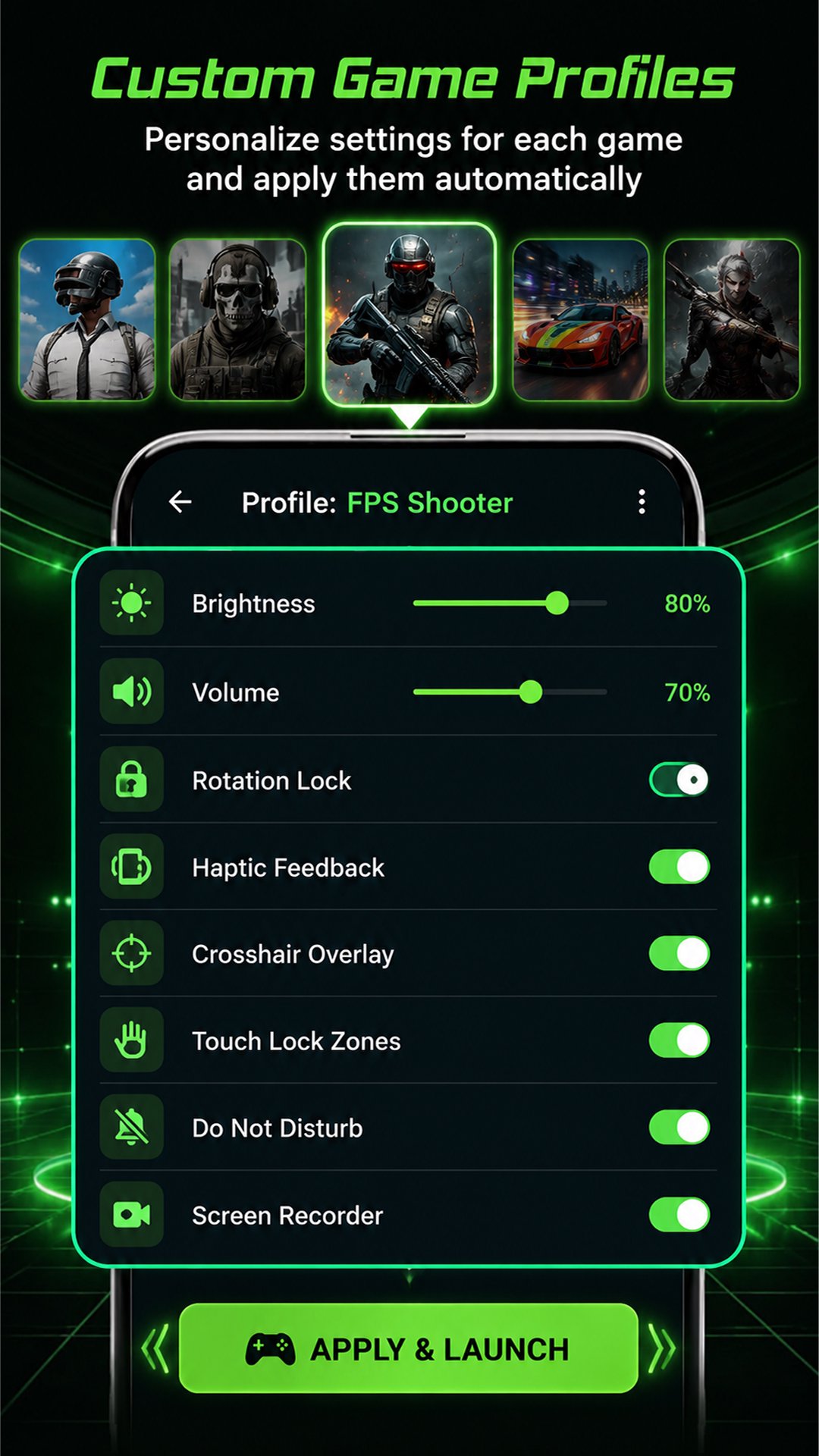
Game Profiles - create per-game profiles with custom settings that are applied automatically when you launch each game:
● Brightness level
● Volume level
● Rotation lock
● Haptic feedback toggle
● Crosshair overlay
● Touch lock zones
Preferences - quick-access toggles for gaming settings:
● Brightness Controller
● Volume Controller
● Rotation Lock
● Haptic Feedback
● Screen Recorder
● Screenshot
● Do Not Disturb
● Touch Lock Mode
● Private DNS
● FPS Monitor
● Temperature Monitor
Session History & Stats - track detailed performance data for every gaming session:
● Last session duration
● Last played time
● Resources consumed during gameplay
● Play time last week
● Peak CPU usage
● Peak RAM usage
● Battery drain per session
● All-time total play time
FPS Monitor - displays an accurate, draggable real-time FPS counter on screen using Android's Choreographer API. You can drag it anywhere on the screen during gameplay.
Temperature Monitor - displays a draggable, real-time battery temperature overlay to monitor device thermals during heavy gaming sessions.
Crosshair Overlay - adds a centered crosshair on top of your game for precision aiming in shooting games.
Touch Lock Mode - adds transparent blocking bars on the left and right screen edges to prevent accidental touches during gameplay.
Screenshot — instantly capture in-game moments while playing through GamePilot. Screenshots are saved directly to your device.
Screen Recorder - automatically records your game session when you launch a game through GamePilot. Recordings are saved directly to your device.
Screen Mirror - opens your device's cast settings to mirror your gameplay to a TV or external display.
Battery Mode - quickly switch between Performance, Balanced, Power Saver, and Ultra Saver modes directly from the app.
How to use GamePilot:
Open the app and your installed games will be detected automatically.
Select a game from the My Games section.
Customize your preferences using the toggles in the Preferences section.
Tap "Launch & Optimize" to boost your device and launch the game with all your settings applied.
Long-press any game to create a custom profile with per-game settings.





One-click to install XAPK/APK files on Android!

Thanks for your rating and feedback!
You have already rated.