Package Name:dev.tyastonotaufiq.glowbar
Show More

Animated glow bar on any screen edge, or a glowing ring around your camera.
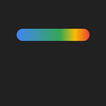
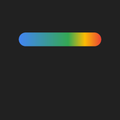
Glowbar puts a vivid animated color bar on any edge of your screen, glowing beautifully across every app you use.
A subtle yet satisfying visual layer for your Android. The bar flows with vibrant blue, green, yellow, and red colors — and stays on top of every app, running quietly in the background.
HOW IT WORKS
Turn the bar on from the Glowbar app. Once enabled, it stays visible as you switch apps and browse the web. While it's active, a notification gives you quick controls — "Hide" to tuck the bar away temporarily and bring it back with one tap, or "Turn off" to stop it entirely. Your settings are saved automatically, so the bar comes back just the way you left it.
ANIMATION MODES
• Flow — Colors travel smoothly across the bar in a continuous loop
• Pulse — The bar gently fades in and out in a soft rhythm
• Breathe — The bar slowly scales its thickness up and down
• None — Static gradient, no movement
CUSTOMIZE YOUR GLOW
• Position — Place the bar on any edge: top, bottom, left, or right, with fine offset control to position it exactly where you want
• Thickness — Adjust bar height from slim to bold
• Width — Make it narrow or wide to match your style
• Animation speed — Choose Slow, Medium, or Fast
• Battery indicator — As your battery drains, red gradually creeps in from one end of the bar, turning fully red as it nears empty. The glow also shows charging at a glance — green while charging, red when the battery runs low
GLOW CUTOUT
Prefer something subtler? Switch the shape to Glow Cutout — a glowing animated ring that hugs your phone's front camera punch-hole. It auto-detects your camera's position and shape (circle or pill), with manual size, stroke, and position controls to fine-tune the fit. The same colors, animation modes, speeds, and battery indicator all work on the ring too.
FREE vs PREMIUM
Free includes:
• Animated glow bar (Flow mode, Medium speed)
• Top and right positions
• Adjustable width
• Toggle on/off, or temporarily hide, from the app or notification
• Settings saved automatically, with a one-tap reset to defaults
Premium (one-time purchase) unlocks:
• All animation modes — Pulse, Breathe, and None
• All animation speeds — Slow and Fast
• Bottom and left positions
• Precise position offsets
• Thickness slider
• Battery indicator mode
• Glow Cutout — a glowing ring around your camera
PERMISSIONS
Glowbar uses just two permissions, each clearly explained inside the app with a button to grant it:
• Display over other apps — required to show the bar on top of your apps.
• Notifications — lets you hide or turn off the bar right from the notification shade.
No hidden permissions, no account required.
Light up your screen, your way.



One-click to install XAPK/APK files on Android!

Thanks for your rating and feedback!
You have already rated.